
Before selecting the right home theatre projector to meet your needs, there are some things you need to take into consideration.
Understanding 4K Resolution
Before diving into features and specifications, it’s essential to understand what 4K means:
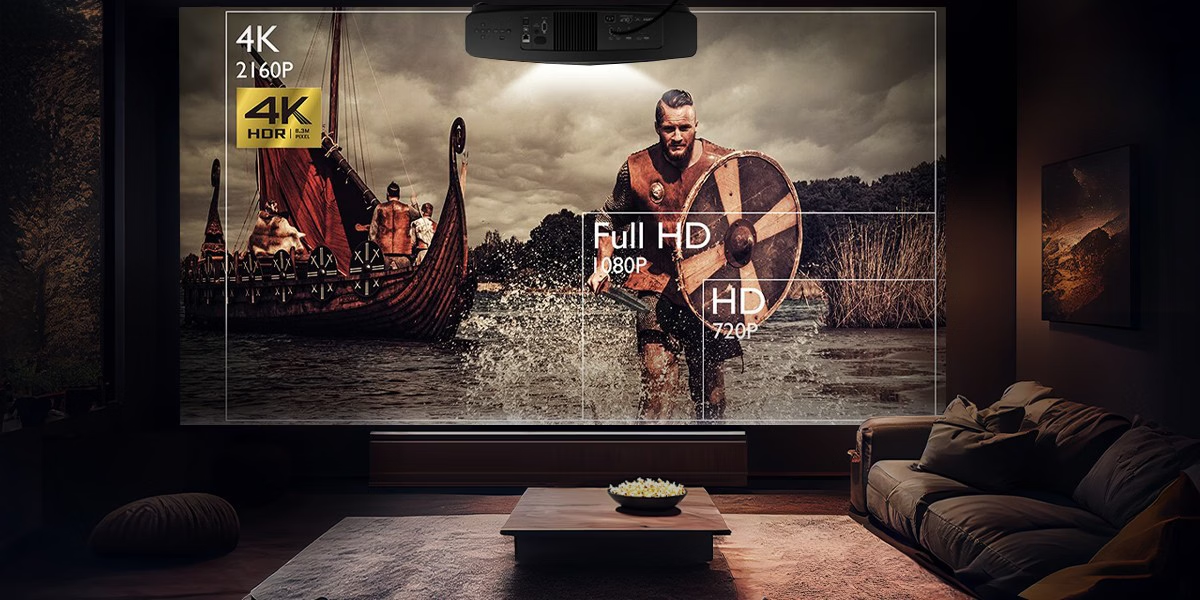
Native 4K: Offers a resolution of either 4096×2160 or 3840×2160 pixels, delivering incredibly sharp and detailed images. However, some projectors use pixel-shifting technology, where a lower-resolution chip rapidly shifts pixels to simulate a 4K image. While not as crisp as true 4K, pixel-shifting projectors are often more affordable and still produce impressive visuals. The pixel count and sensor size alone are not an indicator of a projector’s quality. There are other mitigating factors that contribute to the image quality of the projector that we will describe below.
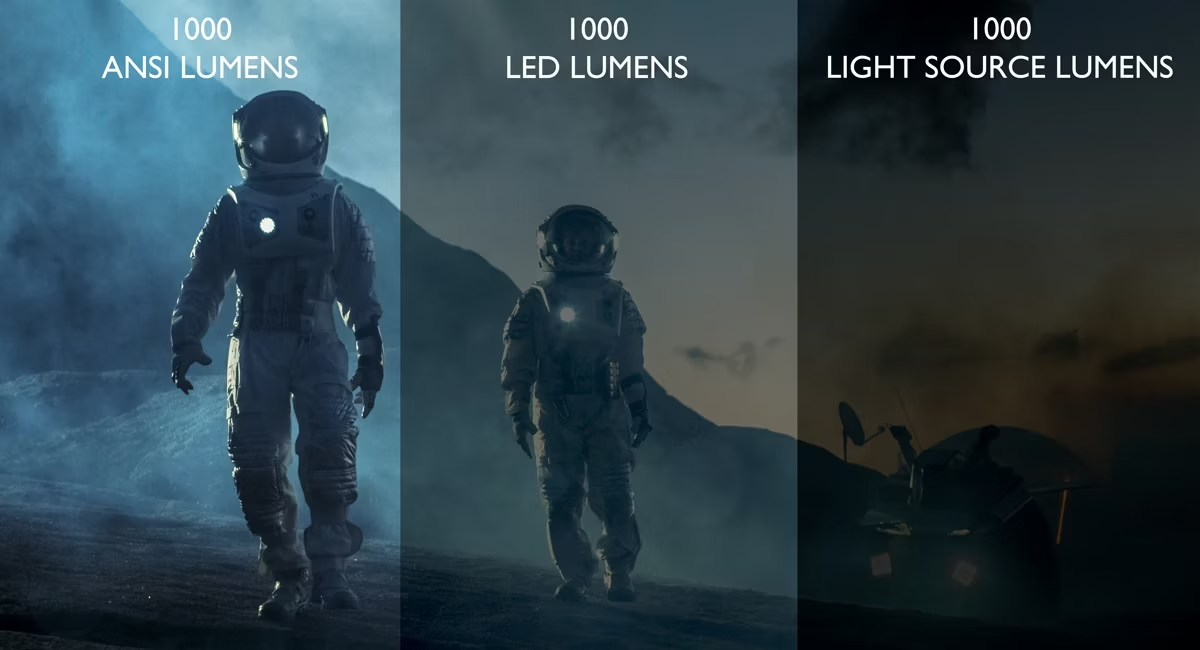
Brightness (Lumens). Brightness is measured in lumens and choosing the right level, depends on your viewing environment. However, it is not carved in stone as screen reflectivity also affects the overall light output.
Always check for ANSI lumens (standardized measurement) rather than “LED / Lamp lumens” for more accurate brightness ratings. There are so many of these fake lumens on the market. This is usually done by sub entry level manufacturers to boost the lumens numbers. On the other hand, there are also luxury brands that use lamp lumens to make their specifications to look impressive. Look for these numbers:
1500–2000 ANSI lumens: Suitable for dark, dedicated home theatre rooms.
2500 ANSI lumens: Necessary for rooms with ambient light, like living rooms or outdoor setups. Also, larger screens, require more light output.
Contrast Ratio. Contrast ratio determines how well a projector displays dark and bright areas. A higher contrast ratio means deeper blacks and more defined shadows. Aim for a native contrast ratio of at least 5,000:1 for true cinematic quality. The higher the number, the better the black level is going to be.
Dynamic contrast ratios (which use the projector’s logic to adjust contrast in real-time) can be helpful but are not always accurate reflections of real-world performance. In general, the effective dynamic contrast ratio is about 10x of native contrast ratio. Sometimes even resulting to 100x of native contrast ratio.
Throw Distance, Lens Quality and Lens Shift
Throw distance refers to how far the projector needs to be from the screen to produce a given image size. Calculate your room size and screen size to ensure compatibility. Whenever possible, do not use the maximum zoom on any projectors as it tends to show softer edges.
This is where lens quality comes into play. First you need glass lens assembly. Glass tends to be clearer than a plastic lens. Second, always choose the oversized front lens diameter for better lens uniformity. By choosing so, the light path will be more likely to distort far less (this maintaining lens uniformity) and far sharper than smaller diameter lenses. In optics, size does matter.
Lens shift allows you to move the projected image vertically or horizontally without physically moving the projector, offering flexibility during installation. Yes, you can use digital keystone correction but that will reduce image quality.
Ultra Short Throw projectors is another technology that is perfect for small spaces, as they can project large images from just a few inches away.

Light Source
Not all light sources are created equal. There are regular bulbs, single LED, RGB LED, laser, blue-laser, ALPD laser, RGB laser, and the list continues. The laser based light sources are the brightest and last the longest. The problem then becomes what’s called sparkles and halo (also known as the Helmholtz-Kohlrausch Effect). Some bulbs are more prominent than others to the sparkling that we have all witnessed say in a movie theatre. BenQ uses a proprietary technology to create the least amount of sparkles and halo. The technical details are not as simple as 1-2-3 but this information should suffice for most users.
Input Lag and Refresh Rate (For Gamers). If you’re a gamer, input lag and refresh rate are crucial. Input lag is the time it takes for the projector to display an image after receiving the signal. Look for projectors with under 30ms input lag for smooth gaming.
When spec’ing refresh rates, higher rates (120Hz or more) provide smoother motion, especially important for fast-paced games. High Dynamic Range shortened to HDR, enhances color depth and dynamic range, making images more lifelike. Look for projectors supporting HDR10 and Dolby Vision for vibrant colors and rich contrast.
Ensure the projector can achieve adequate brightness to fully utilize HDR features, ideally over 1000 lumens and maintaining at least 300-400 nits to ensure the proper HDR performance as per both Dolby Cinema and THX standards.
Not only the brightness levels, but an exceptional HDR tone mapping management on a frame-by-frame basis is an absolute requirement on a projection system. You can get a video processor costing around $5000 to do this or alternatively a projector that can do the frame-adapt HDR tone mapping.
Connectivity and Ports
Make sure the projector has the right ports for your devices:
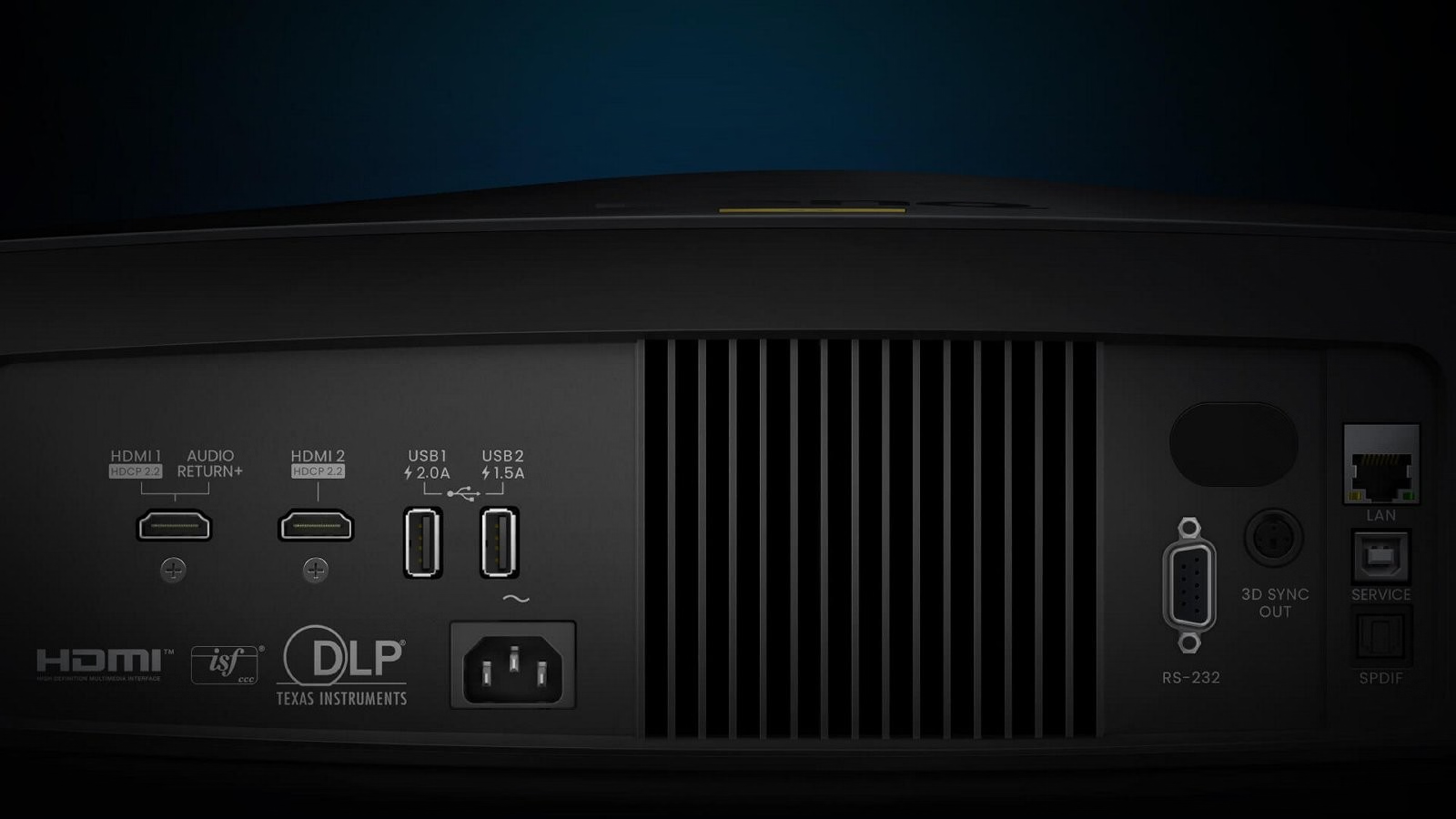
HDMI 2.0 or 2.1: Essential for 4K at 60fps or higher.
USB ports: They can be used for multiple purposes (depending on the brand and model) such as updating firmware, backing up projector settings, playing media files or for streaming sticks like Amazon Fire Stick or Roku.
Audio outputs: If you plan on connecting external speakers or a soundbar, check for 3.5mm audio jacks, optical ports, or Bluetooth support. Usually however, it is recommended to have an audio receiver to do the audio duties within a home theatre
Portability and Installation
Consider how and where you’ll use the projector:
Ceiling-mounted projectors: Great for fixed home theatre setups.
Portable models: Ideal if you want to move the projector between rooms or take it outdoors. These projectors tend to concentrate on portability and ease of use instead of pure unadulterated image reproduction performance. For portable projectors, check if the projector comes with a carrying case or adjustable stand.
Final Thoughts
Choosing the right 4K home theatre projector boils down to understanding your needs, whether it’s for gaming, movie nights, or professional presentations, and balancing features like brightness, contrast, and connectivity within your budget. By carefully evaluating your space and priorities, you can find the perfect projector to bring stunning 4K visuals to life.
David Susilo is a Level 3 Imaging Science and THX Certified Calibrator and Trainer with a PhD in Psychoacoustics. He’s been an AV consultant for both consumer level and commercials and has a YouTube channel; David Susilo Unscripted