

I fondly recall downloading music from Napster when I was younger. It was a revolutionary service at the time, allowing you to find virtually any song and download it in digital form, usually to “rip” to a CD. On dial-up internet, it often took 30 minutes to download a tune: just imagine! A phone call to the house and you were interrupted, adding even more frustration to the process. While Napster dealt with its fair share of legal issues, there’s no denying it played a massive role in the shift to streaming music. Today, 26 years later, the company is back, but this time in a completely different way. The Napster 26 for Mac is a holographic AI device designed to enhance the conversational AI experience on your computer.

Right now, Napster 26 can be used in a web browser on a Mac. Mobile versions for iOS and Android are coming soon, and for PC next year. You can also opt for the hardware called Napster View, a holographic second-screen display that grips to the top of your computer screen, so it’s completely glasses-free. Once set up, you can enjoy AI communication experiences with a 3D view, affording access to more than 15,000 specialized AI companions, including coding instructors, language tutors, business advisors, and wellness coaches. Each companion adapts to your work style, learns your preferences, and delivers expertise that feels like collaborating with someone. It can be as simple as getting assistance while creating an Excel spreadsheet, tweaking an image in Photoshop, or even getting help while cooking dinner. It’s similar to the help you might get with a traditional AI companion with a few key differences. First, you see an actual face with the name, their lips moving as they talk (sure, it looks a bit creepy). Second, they can see your screen and provide information based on what’s on it.
Want to go a step further? Create an AI-powered digital twin, a virtual colleague who is like a duplicate of you that can look over your work, understand context, and collaborate in real-time. It’s grounded in your existing LinkedIn profile and personal knowledge base for authentic representation. Basically, you can bounce ideas and work on projects with, well, yourself.
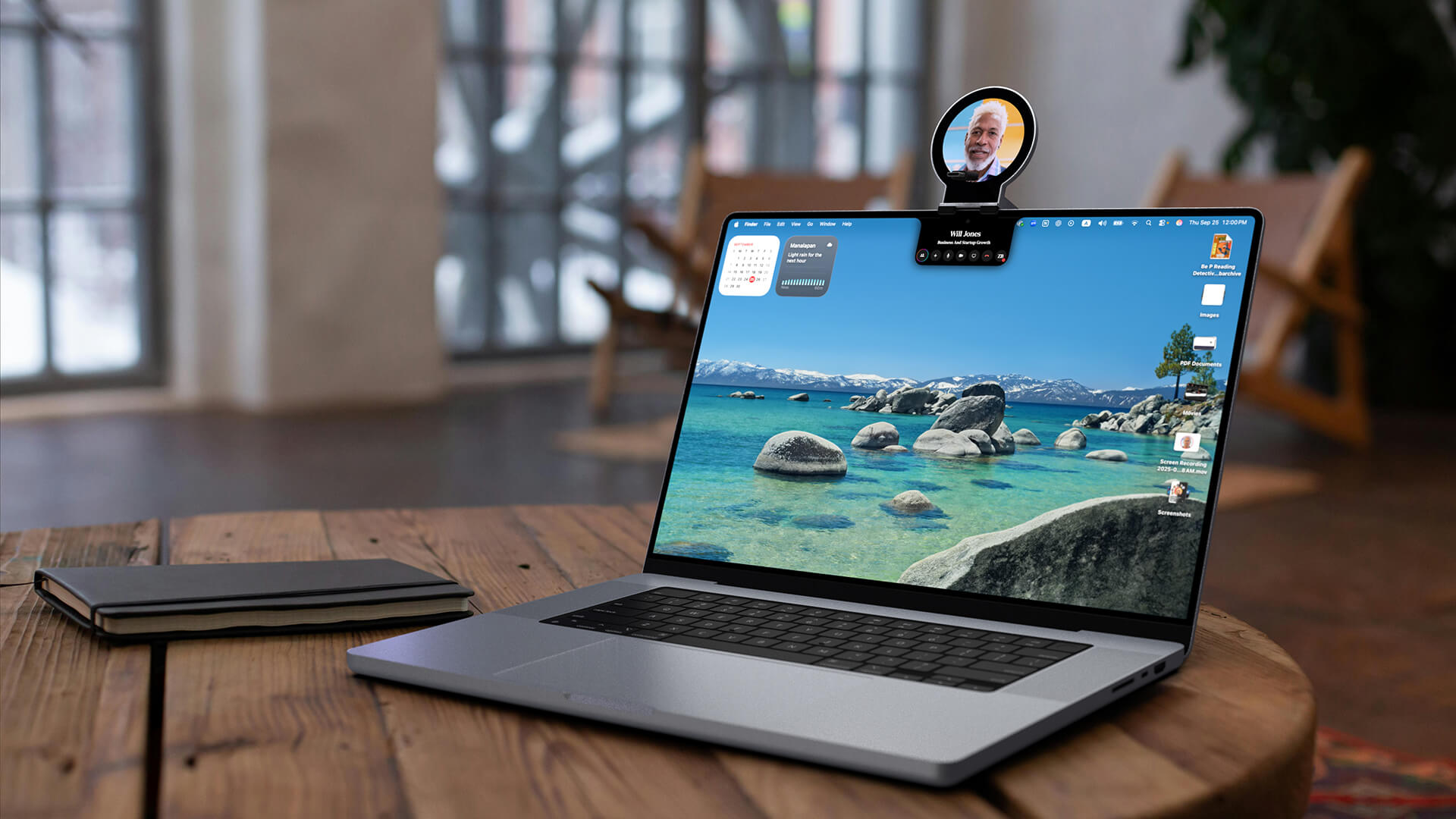
How does it work and differ from traditional conversational AI? Rather than using prompts and responses, the companion can see your screen, understand context, and provide real-time guidance as you engage in complex tasks. “ChatGPT and similar platforms represent incredible technology, but they’re essentially sophisticated command lines,” explains Edo Segal, CTO of Napster. “The Napster 26 platform brings AI to life through holographic companions who see your work, understand your goals, and collaborate in real-time. They live on the frontier of Agentic AI.” Thanks to push-to-talk activation, you can enjoy privacy and control with the experience.

Napster View sits above your Mac, projecting holographic AI companions that live in your workspace, making eye contact and working alongside you in real space. The device creates a dedicated spatial environment for AI collaboration, keeping expert interactions separate from primary work screens while enabling natural, face-to-face conversations.
Napster View is available for US$99 and includes one free month of Napster 26 platform access. Monthly and annual subscription plans are available after the first month and require a Mac app. The View holographic display works seamlessly with your existing Mac setup. To order Napster View or download