

Pros
- Sleek design, massive screen
- Useful accessories (free with pre-order)
- Relatively affordable
- Neat intelligent split screen and floating window feature
- Long-lasting, fast-charging battery
Cons
- Trackpad is finicky
- Cursor isn’t as smooth as others
- Keyboard case needs to be more stable
- Limited storage
Tablets offer that sweet spot between a laptop and a smartphone. They’re smaller and lighter than full-sized laptops but provide a bigger-screen experience compared to a smartphone, with access to more robust versions of productivity apps. When you add a folio keyboard case to the equation, a traditional touchscreen tablet can become a viable remote work set-up, too. One such model includes the new OnePlus Pad 3, the brand’s latest tablet that truly toes the line between laptop and tablet thanks to its mammoth 13.2-inch screen. I had the chance to spend some time with one, using it with the Smart Keyboard, Folio Case, and Stylo 2.
About the OnePlus Pad 3
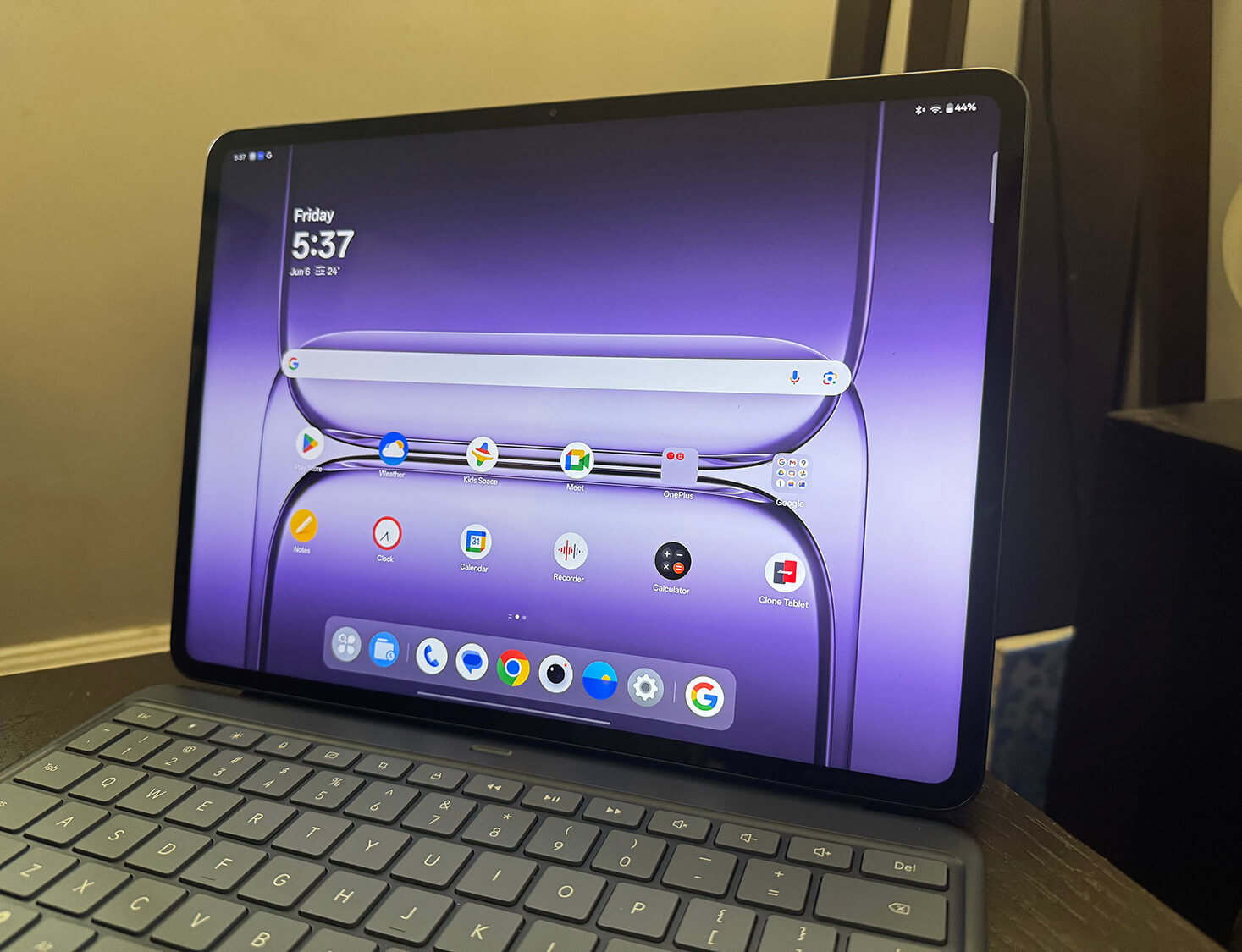
The OnePlus Pad 3, finished in Storm Blue, measures less than 6mm thin and employs an all metal unibody design that houses eight symmetrically placed speakers with four woofers and four tweeters.
It has a large 13.2-inch 3,392 x 2,400-pixel IPS LCD screen with 144HZ refresh rate and 900 nits peak brightness. It resembles a small laptop more than a tablet. In fact, the screen is not much smaller than my 14-inch MacBook Pro! Powered by a Snapdragon 8 Elite Mobile Platform, you get 12GB RAM and 256GB storage. A powerful cooling system makes it suitable for everything from watching videos, to gaming, and intense multitasking.

The tablet runs on a massive 12,140 mAh battery so you can get up to six continuous hours of AAA game play; or play short videos for up to 15 hours or long videos for more than 17 hours. It also remains on standby for 70 days, even holding its charge for more than two full years if switched off. Once ready to recharge, the tablet supports 80W SUPERVOOC charging, so you can get an extra 18% battery after just 10 minutes. A bonus: buyers in both Canada and the U.S. get an 80W SUPERVOOC charger in the box.

The OnePlus Pad 3 ships with OxygenOS 15, the latest version of the company’s operating system, which includes AI tools like AI Writer and AI Summarize along with a wide range of photo customization tools. You also get Google AI features like Gemini and Circle to Search. Through the improved Open Canvas feature, there’s a better system level drag and drop mechanism, and a new way of starting the split screen function. It also has a 13MP rear camera and 8MP selfie camera.
The OnePlus Pad 3 comes with three Android OS updates and six years of bi-monthly security updates. It will sell in Canada starting July 8 for $1,000. Students get 10% off from June 5 to July 31, 2025 on OnePlus.com. From June 5 to July 17, 2025, OnePlus is offering an up to $100 trade-in bonus discount for eligible trade-in devices on OnePlus.com.

In terms of accessories, you can get the OnePlus Pad 3 Smart Keyboard ($250) with large, spaced-out keys, large trackpad, dedicated AI button, and adjustable angles; the OnePlus Stylo 2 ($150) stylus pen that recognizes 16,000 different levels of pressure and offers new swiping and tapping motion options; and the OnePlus Pad 3 Folio Case ($65) with a new tri-folding design that ensures it’s stable at any angle. All three are available for pre-order now with open sales beginning July 8, 2025. Through July 7, 2025 on OnePlus.com, those that pre-order the OnePlus Pad 3 are eligible to receive two out of the three accessories for free.
OnePlus Pad 3 Review
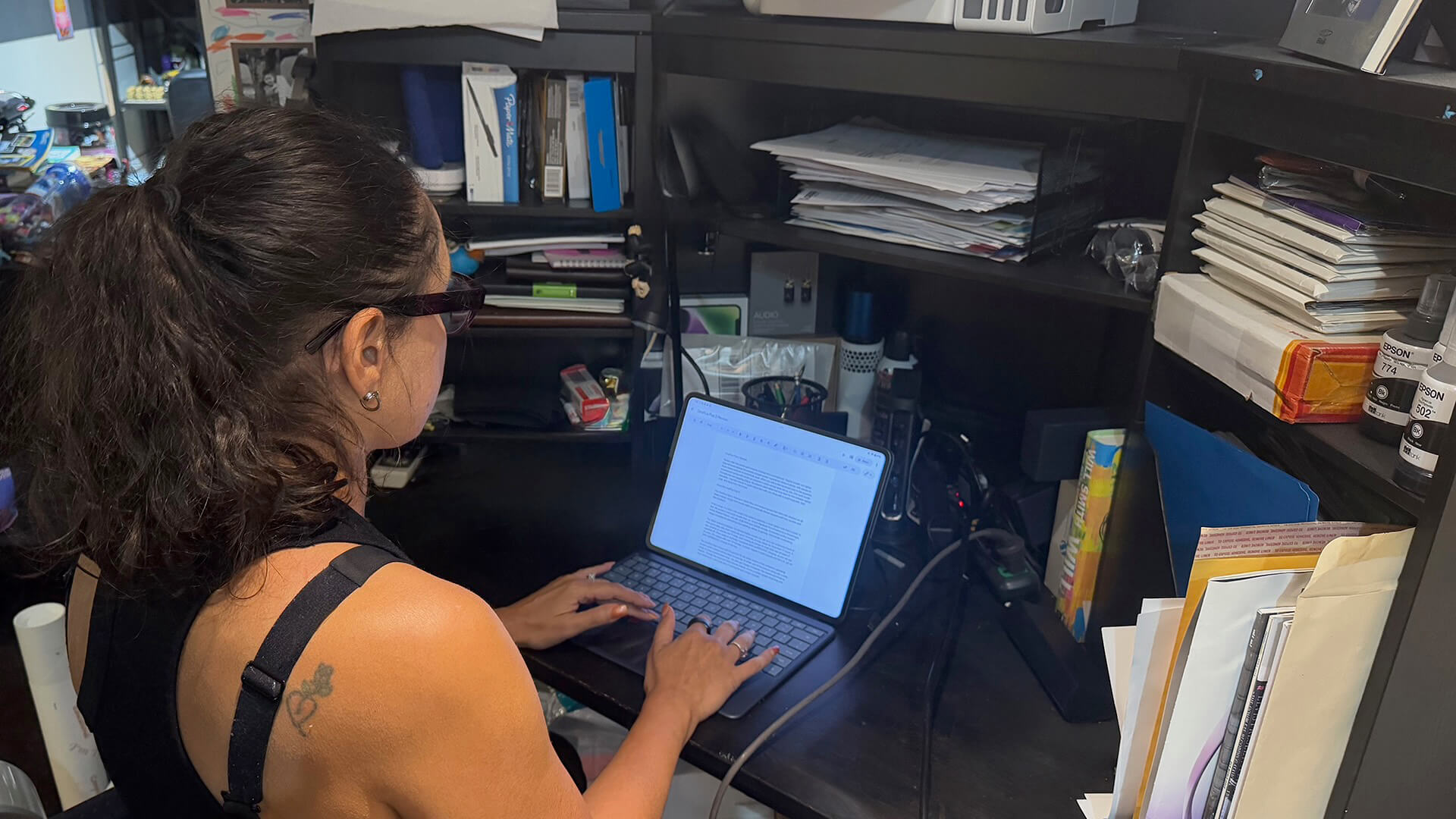
The OnePlus Pad 3 is enormous by tablet standards, rivalled only by others like the Samsung Galaxy Tab S10 Ultra. But it’s gorgeous with a sleek design and fab finish, though the back is prone to fingerprints. It’s ultra-thin, so you’ll want to protect it with a case to afford better grip since the back isn’t textured.
To fully get immersed in the experience of using this tablet, I spent some time on my workdays using it instead of my computer, accessing shared files via Google Drive. I also spent downtime watching streaming content from sites like YouTube and Netflix. My son grabbed it for playing games from time to time as well.
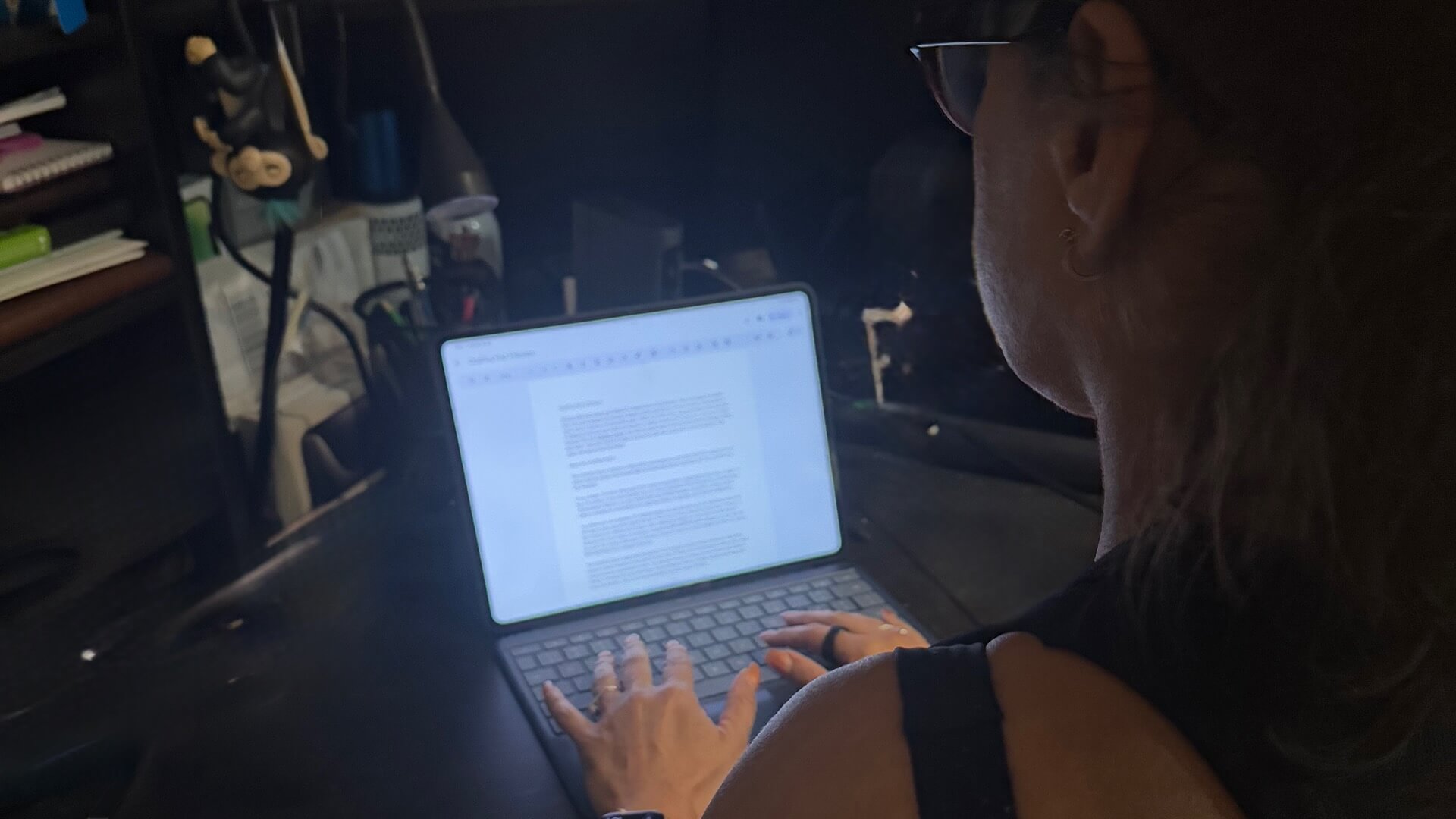
The screen, as mentioned, is large and bright, not quite as pleasing to the eyes as my MacBook screen, but wonderful for a tablet that arguably functions more like a computer. The Keyboard Case is wonderful. It’s easy to type on (I wrote some of this review using it!) with good spacing and touch and feel as you clack away on the letters and functions.
The extra-large trackpad is appreciated, though I did find it finicky at times. It would trigger things when I didn’t want them triggered. It became frustrating at times when I couldn’t position it in the right spot, or it would accidentally do something like switch copy to a header or footer or move copy around. I’d often resort to touch instead, when applicable, for more precise selection. The cursor isn’t as smooth as you’ll find with dedicated laptops either.
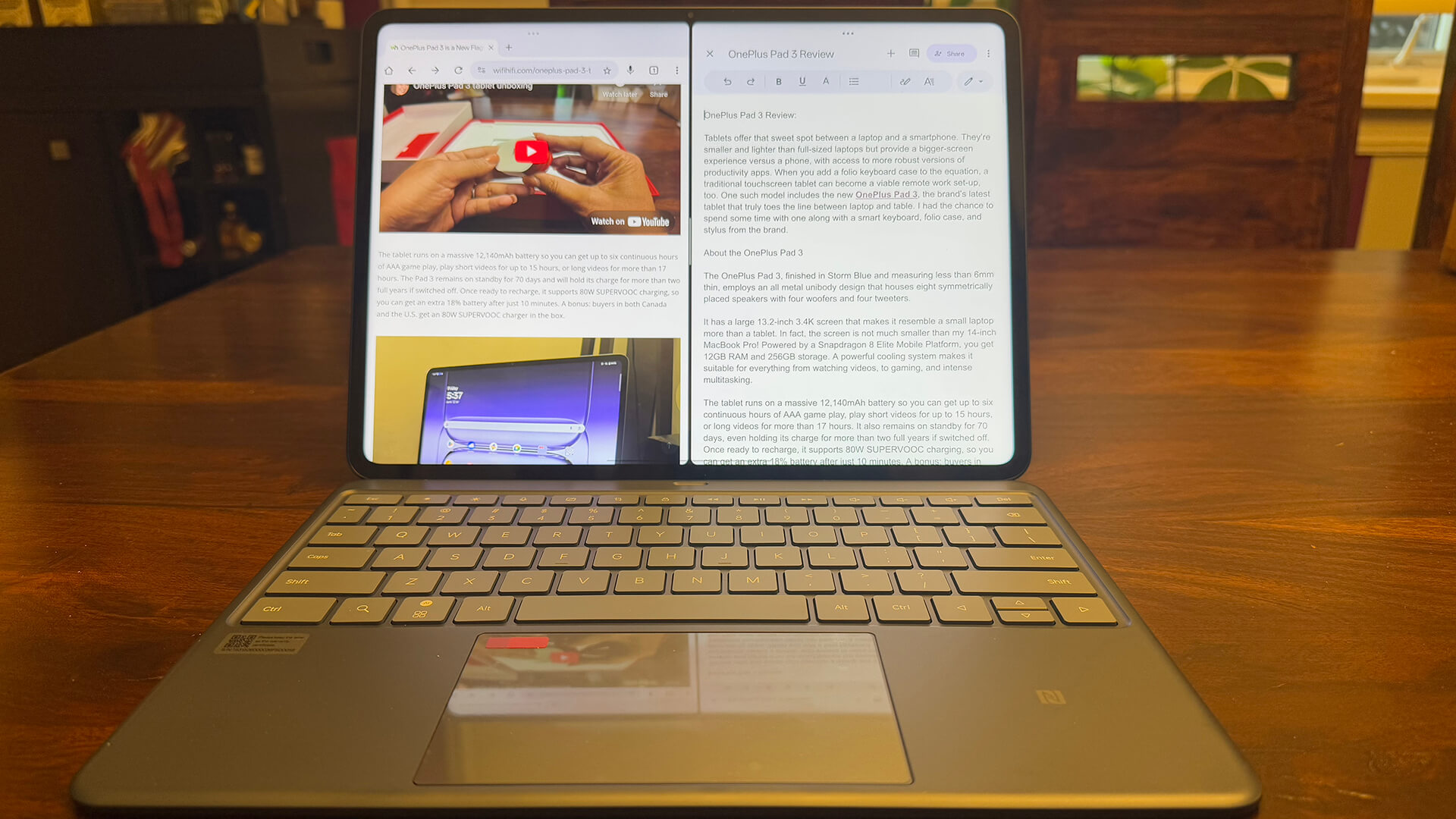
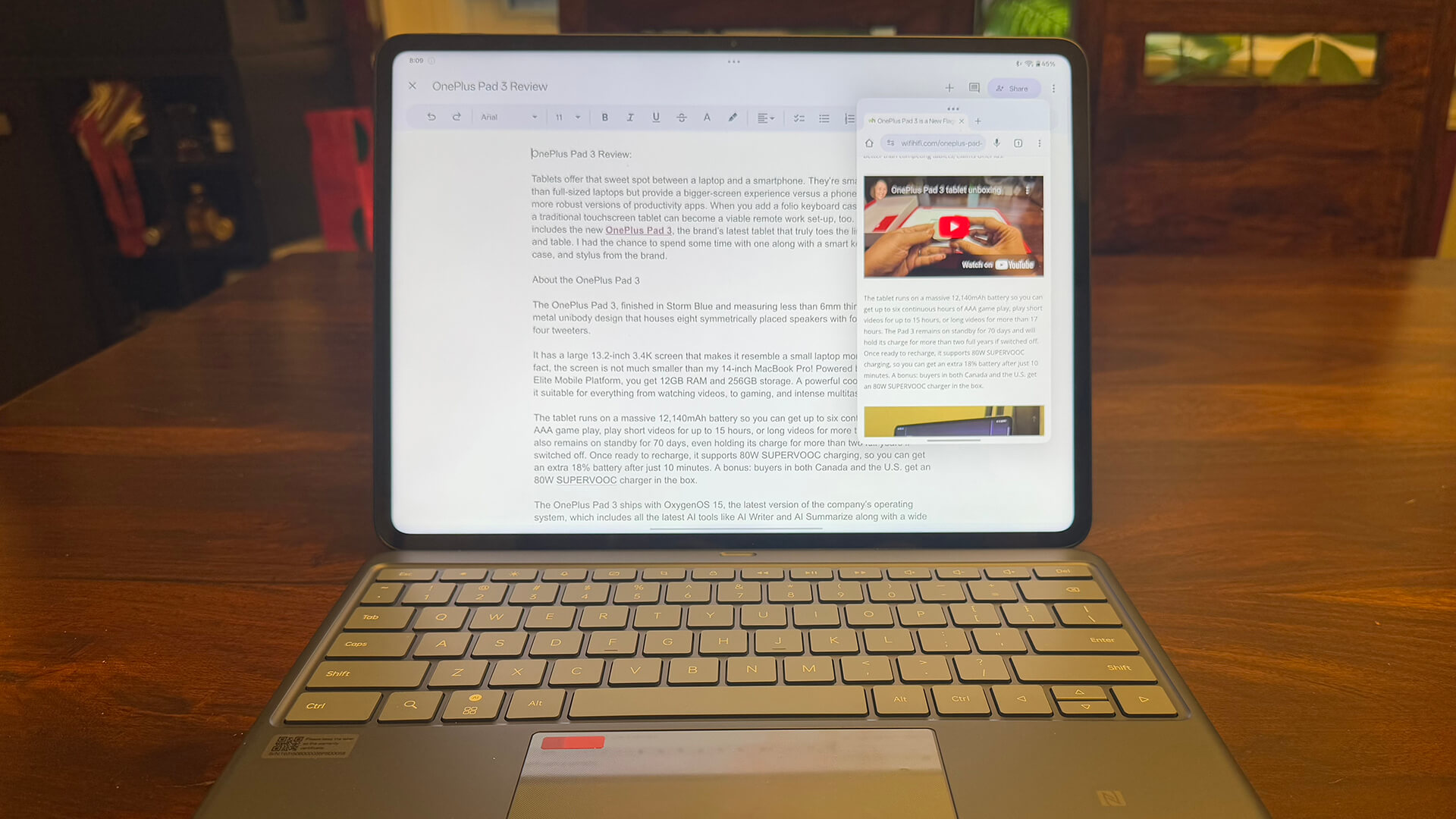
For multitaskers, switching easily among apps can be a challenge. That’s something I do often as I research content, view videos, read e-mails, and more. One thing that is great about this tablet, however, is the intelligent split screen function that can sense when you are going back and forth between windows often enough and automatically suggest a split screen view. You can also easily manually select a split screen view if desired. This is one of the most used views I enjoy with my MacBook, so having it both simple to trigger and intelligently pop up is a joy for productivity purposes. Using the floating window option, you can also view up to four apps at a time, a multitasker’s dream.

Students will find that this tablet is sufficient for getting work done on the go, writing reports, researching projects, even logging into video streaming lectures and seminars. The versatility with this tablet allows you to slide it into a backpack or briefcase to take notes in class or meetings without having to lug around your full-sized laptop. The 256GB non-expandable storage limits the experience, but if you rely on cloud storage, especially for working on documents back and forth between this tablet and your laptop, you should be fine.
I do wish the Keyboard Case offered a more stable, all-in-one platform so people like me who often work with a laptop in my actual lap could continue to do so comfortably. However, when sitting at a desk, it looks, feels, and operates like a full-fledged computer. Plus, you can keep the tablet on a desk or table and the keyboard in your lab and still connect via Bluetooth, though it isn’t the most comfortable set-up either.
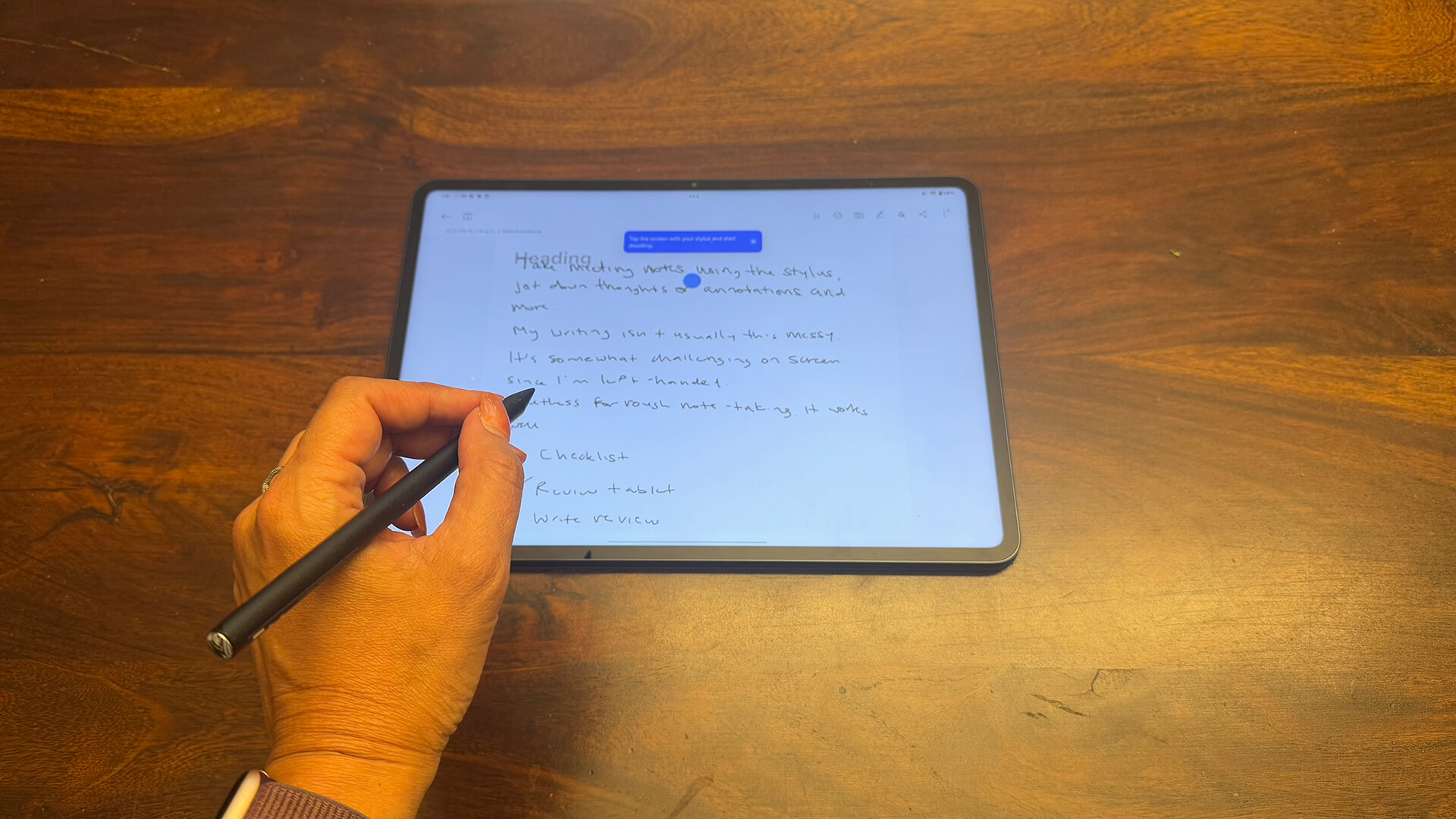
If you decide to use the stylus, which magnetically attaches to the top of the tablet for charging and storage, it works wonderfully, too. I jotted down some notes to test out sketching and writing and it was responsive and fluid. It’s a bit of a challenge for me, as it is with any touchscreen device and stylus, since I’m left-handed. But I managed to write without triggering the bottom menu with the side of my palm. (Fellow left-handers, I feel your pain!)
What about entertainment? This is a large tablet, the 13.2-inch screen bigger than even the biggest iPad. With the Folio Case or the back portion of the Keyboard Case used for protection, you could prop the tablet up on a table or even your and bed and relax with a good show, movie, or even video game. Holding it in your hand for these functions is comfortable, too, though you’ll need two hands given the size.

I enjoyed watching a few YouTube videos and TV shows, and picture quality is wonderful, good enough for binge-watching shows in bed or watching a movie on a plane. While an OLED screen would have made the experience even more immersive, it would also have inflated the cost. So, it’s a justifiable trade-off, especially for a tablet that will likely be used as a secondary viewing device. The speakers sound great as well, perfect for casual viewing. The audio is slightly cuppy, but you get an immersive feel, like you’re listening from a separate speaker and not the tablet itself.
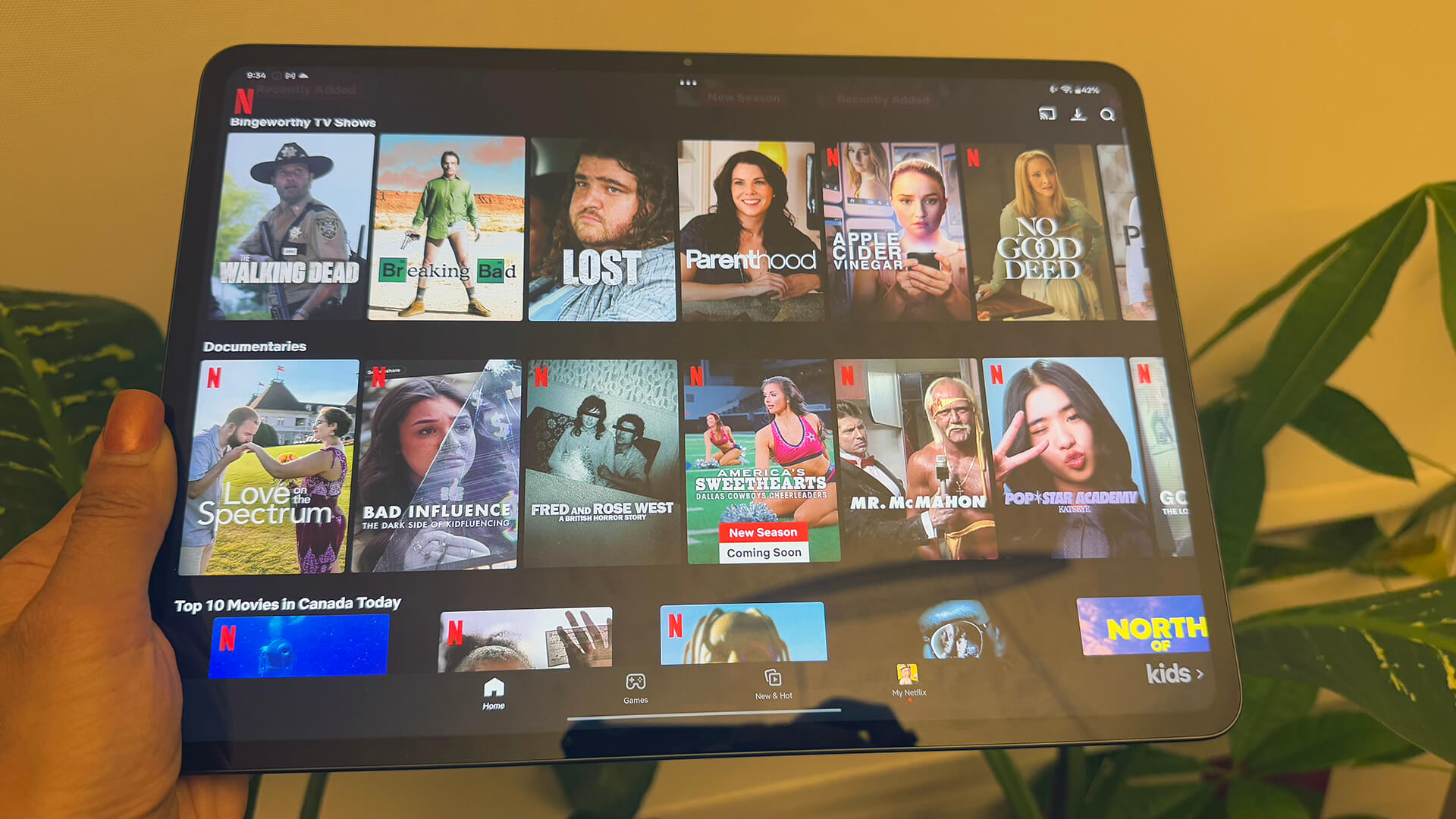
I’m not a gamer, but my 13-year-old son enjoyed downloading and playing games on the device. It’s a nice option to sit back on the couch and play versus booting up your console or settling for the small screen of a phone, or even a smaller tablet.
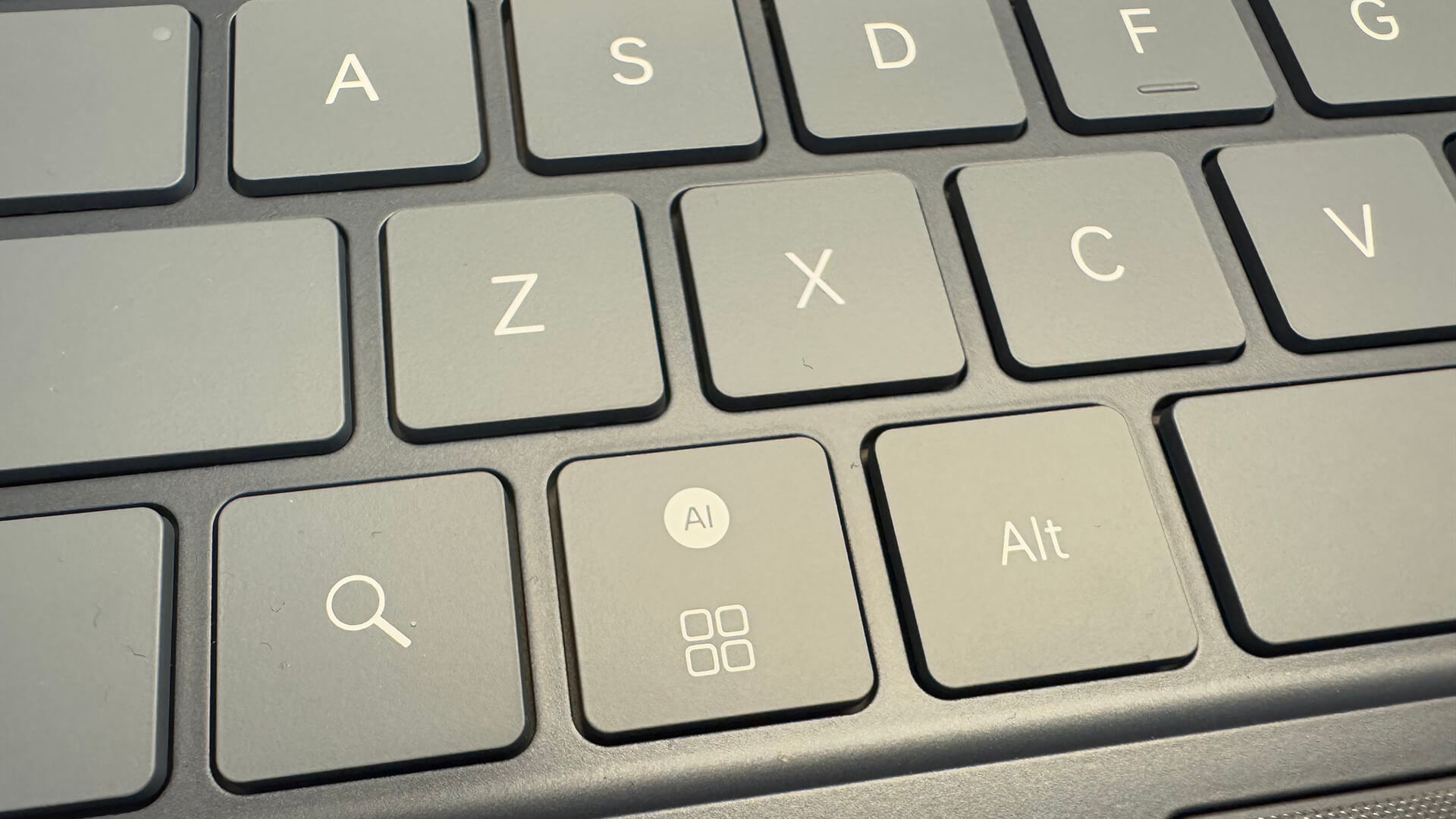
As an advanced tablet, you get access to AI features, which can be both useful and get in the way. When I needed help with something, I simply tapped the dedicated AI key on the keyboard case, spoke my command, and got answers from Gemini. You can use many of the same AI features you get with the latest Android phones, tablets, and other devices, including Circle to Search, AI Assistant for Notes, and more. The benefit here is that you’re doing it on a massive screen.
Should You Buy the OnePlus Pad 3?
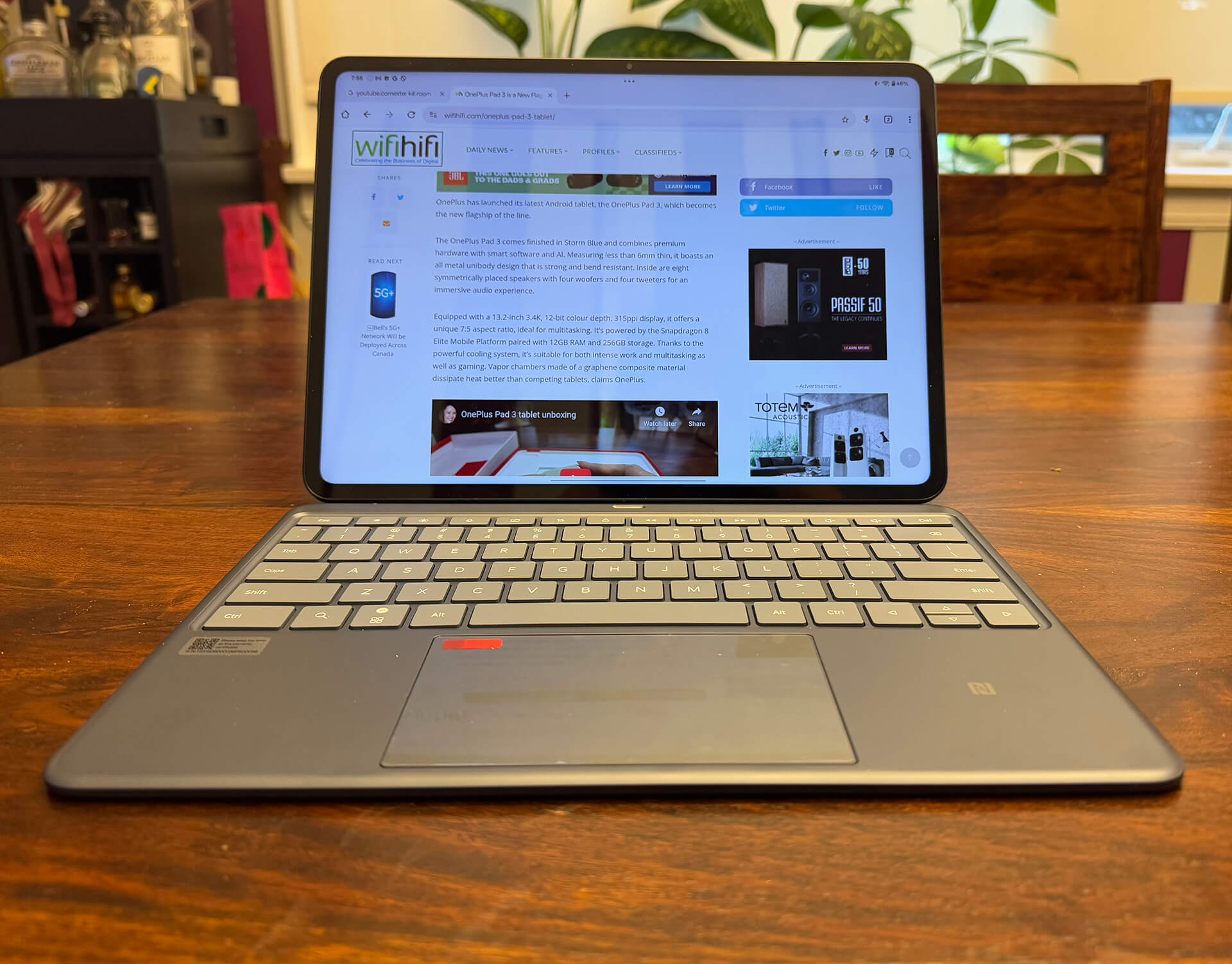
Considering the tablet with the Keyboard Case would set you back $1,250 (unless you pre-order to get accessories for free), you’re diving into laptop or Chromebook territory here when it comes to pricing. You’ll have to weigh the pros and cons in terms of the design advantages over functionality when it comes to whether or not you should get the OnePlus Pad 3. If you like the idea of having a pull-away tablet you can use on its own, the versatility might be worth it. This is as close to a tablet and laptop hybrid you can get, much thinner than your typical fold-back 2-in-1 and larger than your traditional thin tablet with keyboard case. It isn’t a laptop replacement for daily use, but it’s a viable complement to your full-sized, powerful laptop.
If you plan to invest, I recommend pre-ordering the tablet to get some accessories for free. This will allow you to truly get the most out of the tablet without having to spend extra dough on the useful accessories.

Would I use this tablet to replace my MacBook Pro? No. But as an entertainment tablet that you can rely on in a pinch when you want to travel light and work on the go, it’s a viable secondary option worth getting. Think watch movies on a plane, taking class or meeting notes, working from a coffee shop or at a trade show or event, and enjoying a complementary second-screen experience while watching TV. It’s a wonderful little (rather, not so little) tablet from a brand that’s quickly rising up the ranks as the maker of some of my favourite Android devices today.