
At The Android Show: I/O Edition, Google made several big announcement related to mobile, computing, and more. Among them was the introduction of Gemini Intelligence for Android. Set to roll out first to Google Pixel and Samsung Galaxy devices this summer, it will become available for all Android devices, including smartwatches, glasses, laptops, and more, later this year.
The purpose of Gemini Intelligence is to help you automate tedious tasks. There are multi-step automation capabilities, for example, on the Samsung Galaxy S26 and Google Pixel 10 with popular food and rideshare apps. With Gemini Intelligence, the device can navigate tasks for you, like finding a front-row bike for your spin class, looking for a class assignment in Gmail and adding the books you need to your online shopping cart for purchase.
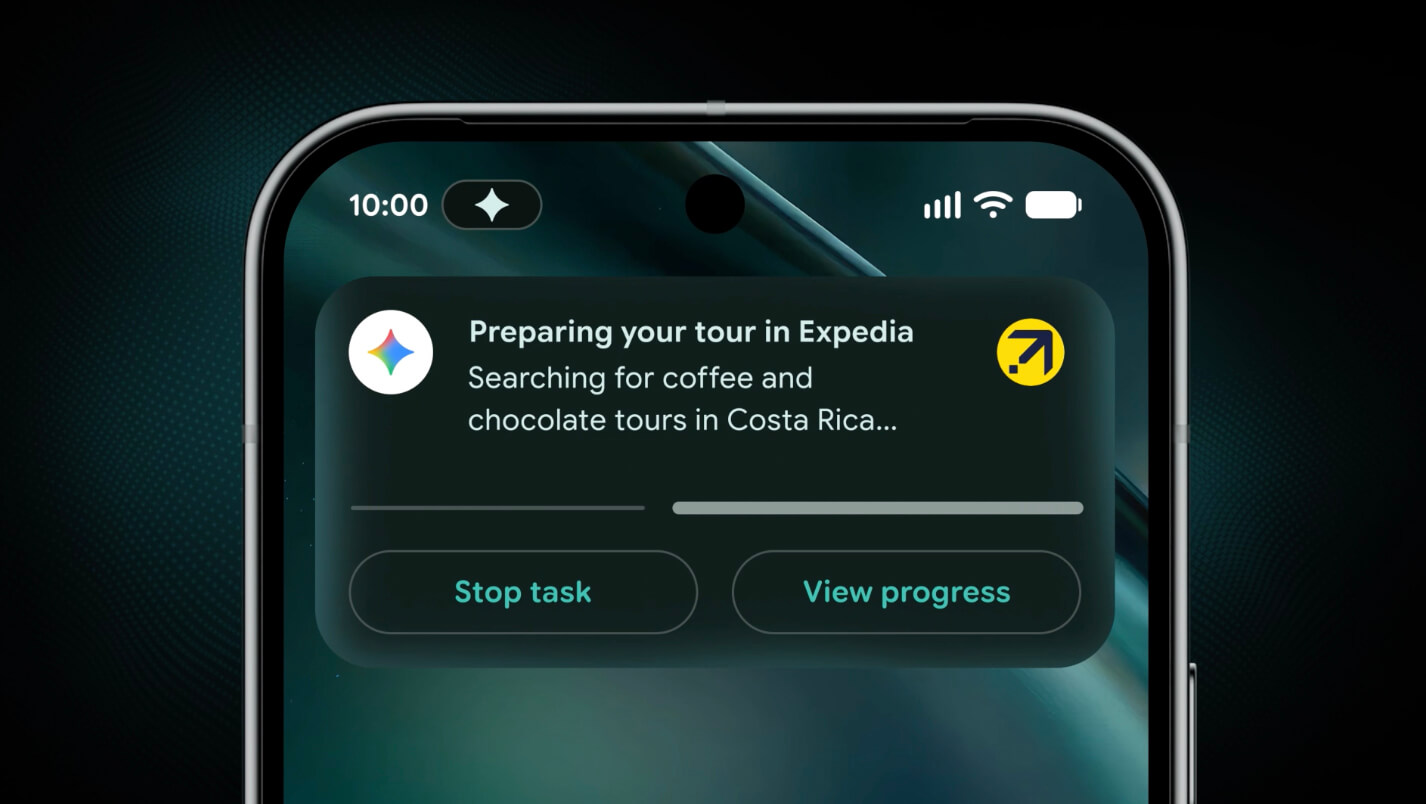
If you add screen or image context, app automation becomes more powerful. With a long grocery list in the Notes app, for example, long press the power button over the list and ask Gemini to build a shopping cart with all the items to be delivered to you in time for the dinner party. Or snap a photo of a travel brochure at your hotel and ask Gemini to find a similar tour on Expedia for your group. Track the progress live via notifications as Gemini works in the background. Gemini only acts on your command and stops the moment the task is complete.
Starting in late June, Android devices will be getting Gemini in Chrome to help you research, summarize, and compare content across the web. Chrome auto browse can take care of things like booking appointments or reserving a parking spot. Autofill with Google is evolving to leverage Gemini personal intelligence, so Android will automatically fill in the tiny text fields on a mobile device form for you, using relevant information from your connected apps. This feature is opt-in so you can choose not to use it if you prefer, or manually turn it on and off as needed.
Gboard on Android already lets you convert speech to text quickly and accurately. But now there’s Rambler, which allows you to speak naturally and it will take the important parts minus the “ums,” “ahs,” and flubbing of words, and fit them together into a concise message. Audio is only used to transcribe in real-time and is not stored or saved. Using Gemini’s advanced multi-lingual model, Rambler can seamlessly switch among languages in a single message.
There’s also Create My Widget, the ability to build custom widgets by describing what you want using natural language. For example, if you’re a meal prepper, ask Create My Widget to “suggest three high-protein meal prep recipes every week,” and it will build a custom dashboard you can add and resize right on your home screen. If you’re a cyclist who only cares about wind speed and rain, you can create a weather widget that surfaces those exact stats.
Gemini Intelligence comes with an updated design language that builds on Material 3 Expressive, which animates only with purpose to reduce distractions.
Additionally, Google announced more Android updates for your devices, including ones that make it easier to share files, switch devices, and keep chats secure.
Quick Share is now officially compatible with AirDrop for supported Android phones starting with Pixel. The feature will be expanding to more partners including Samsung, OPPO, OnePlus, Vivo, Xiaomi and Honor this year. If you don’t have a compatible device, you can use Quick Share on any Android phone to generate a QR code, which will let you instantly share with iOS devices via the cloud. Along with this feature rolling out to all Android phones over the next month, Quick Share will also be available inside favourite apps, like WhatsApp.
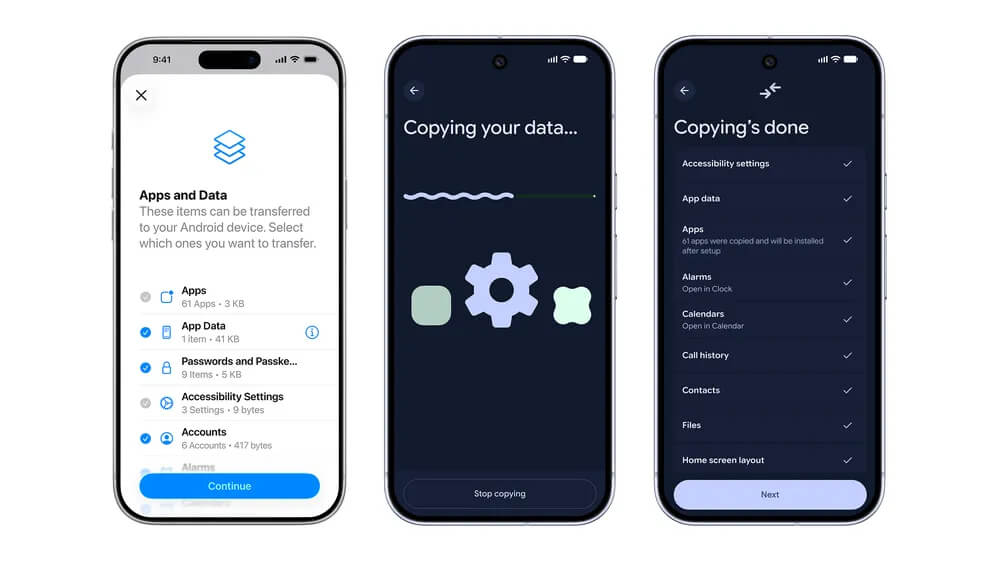
Google also worked with Apple to overhaul the iOS-to-Android transfer process to ensure your data moves with you. Passwords, photos, messages, favourite apps, contacts, and even your home screen layout can migrate wirelessly from your iPhone to your new Android device. This upgraded process, which also supports eSIM transfer, will launch first on Samsung Galaxy and Google Pixel devices this year.
For messaging, Google is rolling out end-to-end encryptions for RCS messages across Android and iOS.
While browsing in Chrome, you can click the Gemini icon in the top, right of the toolbar to open Gemini in Chrome on Android, then ask questions about the webpage, summarize long articles, or get detailed explanations on complex topics without having to switch among apps.
You can use Gemini in Chrome to perform tasks like adding events to your calendar, dropping ingredients from a recipe into Keep, or finding specific information in Gmail.
With Nano Banana, you can also create personalized visuals or customize images you find on the web, directly in Chrome. You might ask for material to be turned into an infographic to help you study, for example, or ask for images of a room to be virtually furnished to give you an idea of how it might look as you’re apartment hunting and looking at listings online.
Another new feature is auto browse on Android, which can use details from a ticket you have to an event, for example, to help you find a good parking spot using SpotHero. If you want to switch your Chewy auto-replenish order from puppy food to dog food, you can ask Chrome to update this as well.
Google says all these features are built using the same security protocols that are offered on desktop. To provide an additional layer of protection, auto browse asks for confirmation before completing a sensitive task, like making a purchase over social media.
Gemini in Chrome will be rolling out to select devices running Android 12 or higher in the U.S. starting at the end of June. At the same time, auto browse will be rolling out to all AI Pro and Ultra subscribers in the U.S. with select devices running Android 12 or higher.