
Pros
- Privacy Display is a feature anyone can use
- Horizontal Lock works well
- Photo Assist features are impressive
- Takes decent photos
Cons
- Expensive
- Not a massive spec step-up from the Galaxy S25 Ultra
- Battery life isn’t great
- Low-res front camera
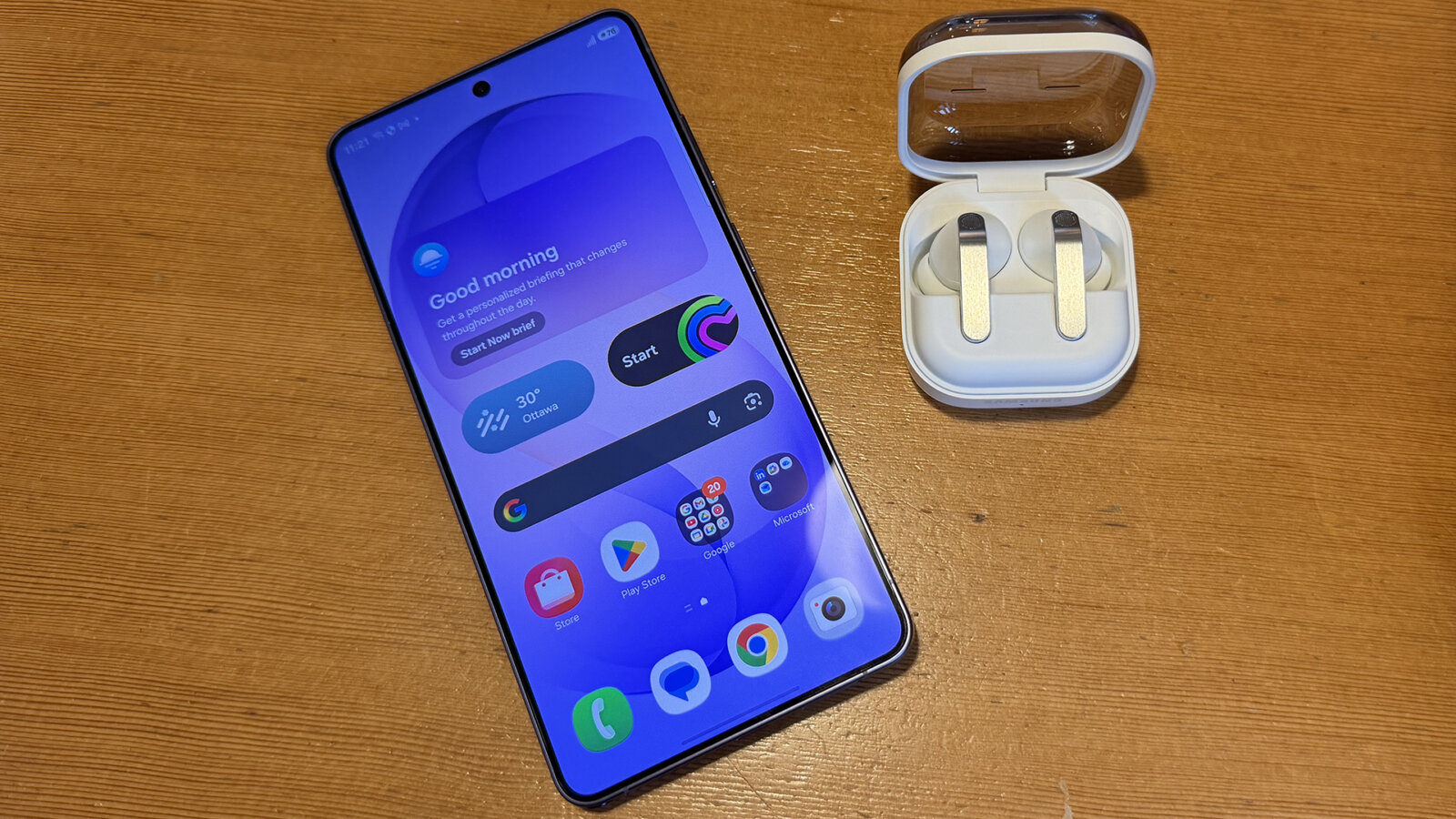
The Samsung Galaxy S26 Ultra is the latest premium phone in the brand’s line-up. When paired with the Galaxy Buds4 Pro, it offers a seamless experience for productivity, entertainment, and more. The Galaxy S26 Ultra’s stand-out features are the built-in Privacy Display and Horizontal Lock for video capture. But I had a ton of fun using handy Photo Assist upgrades, too. Here, I’ll dive into both my review of the Galaxy S26 Ultra followed by my experience with the Buds4 Pro true wireless earbuds that launched alongside them.
About the Samsung Galaxy S26 Ultra
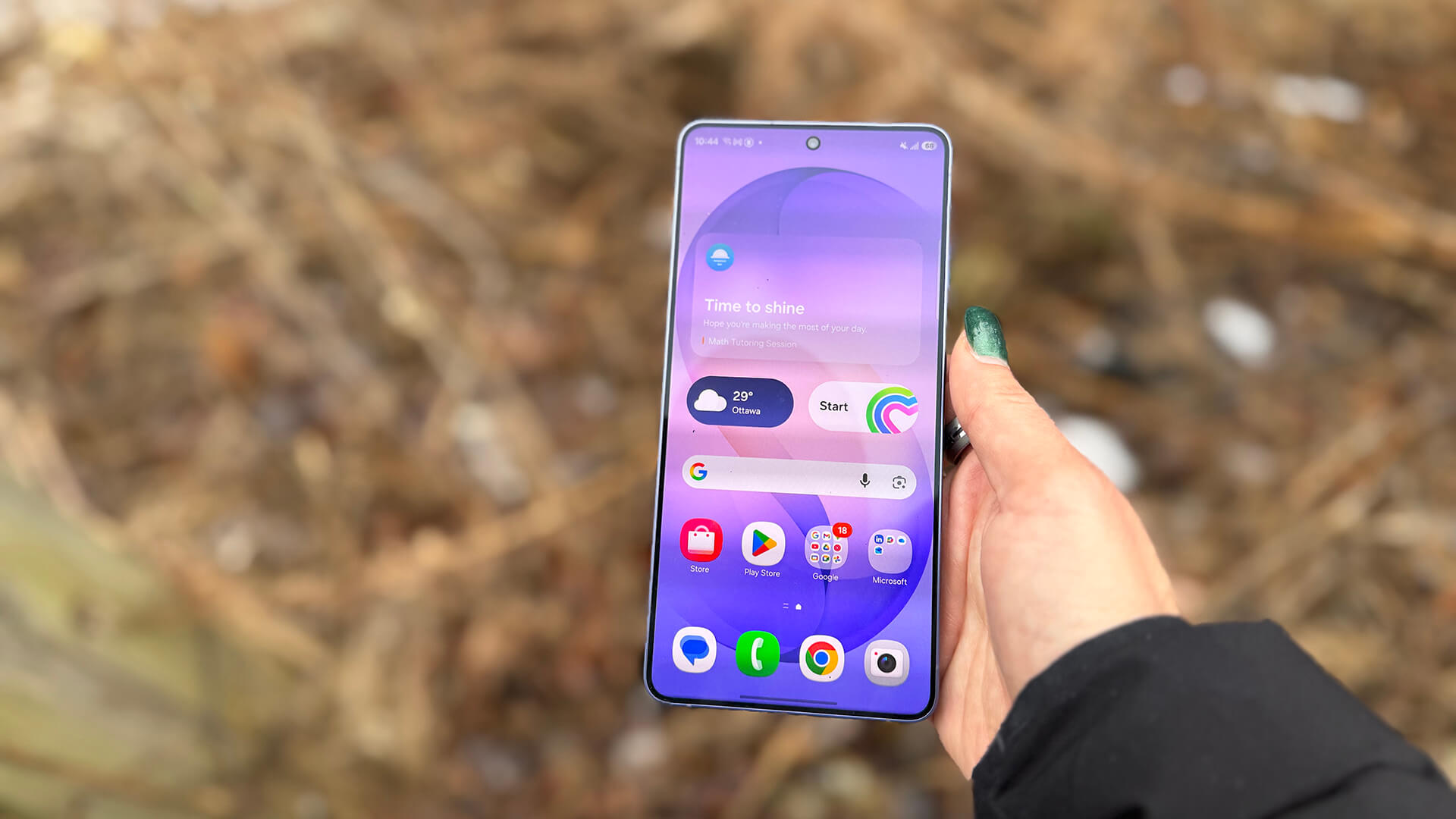
The Samsung Galaxy S26 Ultra is the new top-line model. The built-in Privacy Display prevents prying eyes from seeing what you’re doing. With Horizon Lock, you can shoot video while moving, even on bumpy surfaces or while physically rotating the phone, and the video stays steady and locked on the subject and in the orientation.
The phone has a 6.9-inch 3,120 x 1,440 QHD+ Dynamic AMOLED 2x screen, up to 16GB RAM, and a 5,000mAh battery with up to 60W wired and 25W wireless charging speeds. Along with 256GB and 512GB storage capacities, you can also get it in a 1TB version.
Enjoy a customized AV experience with the Snapdragon 8 Elite Gen 5 Mobile Platform for Galaxy. A new Vapor Chamber with thermal interface material is positioned along the sides of the processor. This, says Samsung, allows heat to spread more efficiently across a larger surface area. The improved heat dissipation in turn keeps the device cool and consistent.
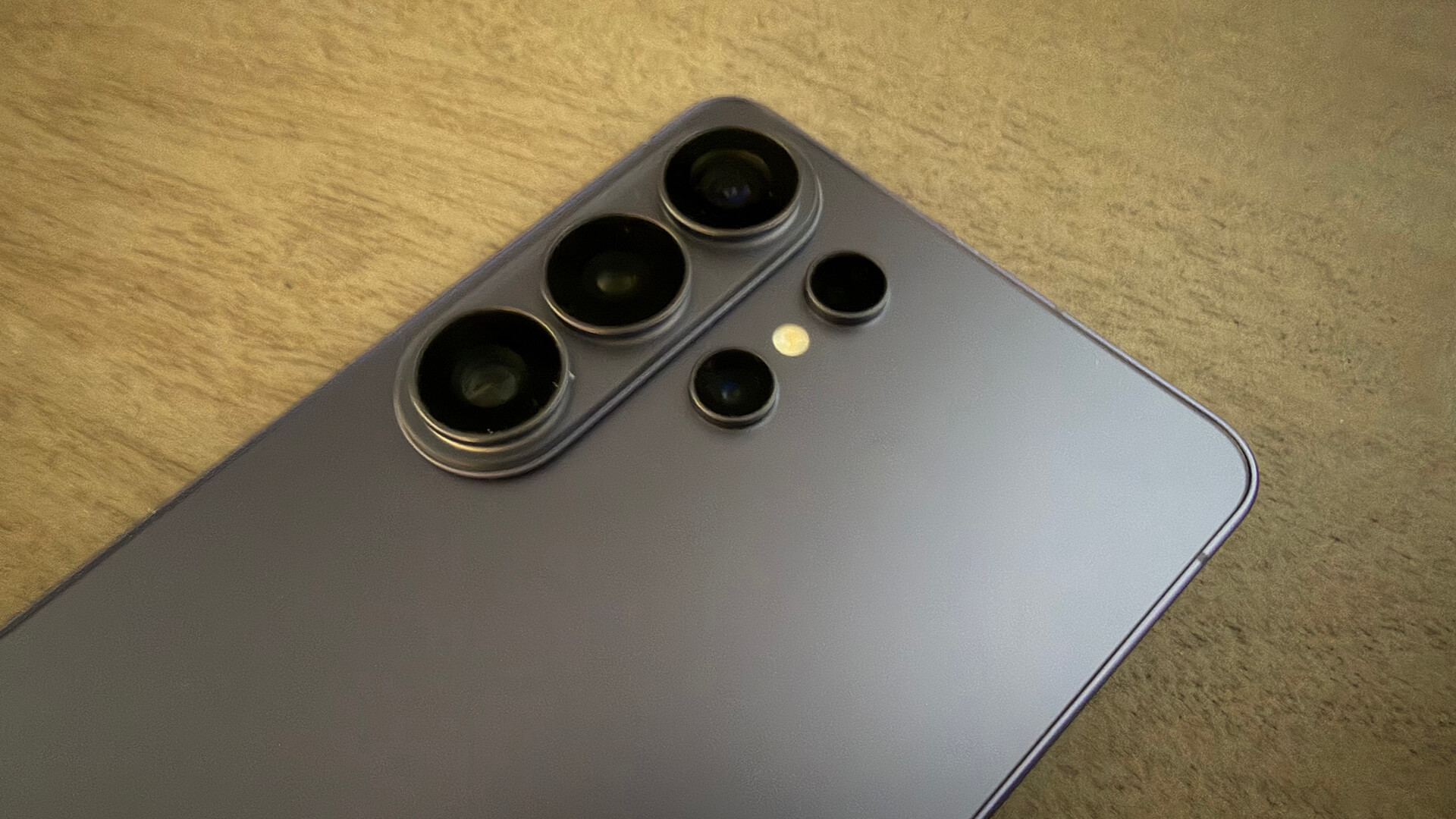
There’s a 200MP wide main, 50MP ultra-wide, 50MP telephoto lens with 5x optical zoom, 10MP telephoto lens with 3x optical zoom, and 12MP front camera. You get an AI-enhanced experience with photos. Notably, there’s Photo Assist where you can describe what you want to change in your own words.
The 256GB option will set you back $1,900, the 512GB $2,180, and the 1TB $2,600. The Galaxy S26 Ultra comes in Cobalt Violet, Sky Blue, Black, and White, or the Samsung exclusive Pink Gold or Silver Shadow.
Samsung Galaxy S26 Ultra Review
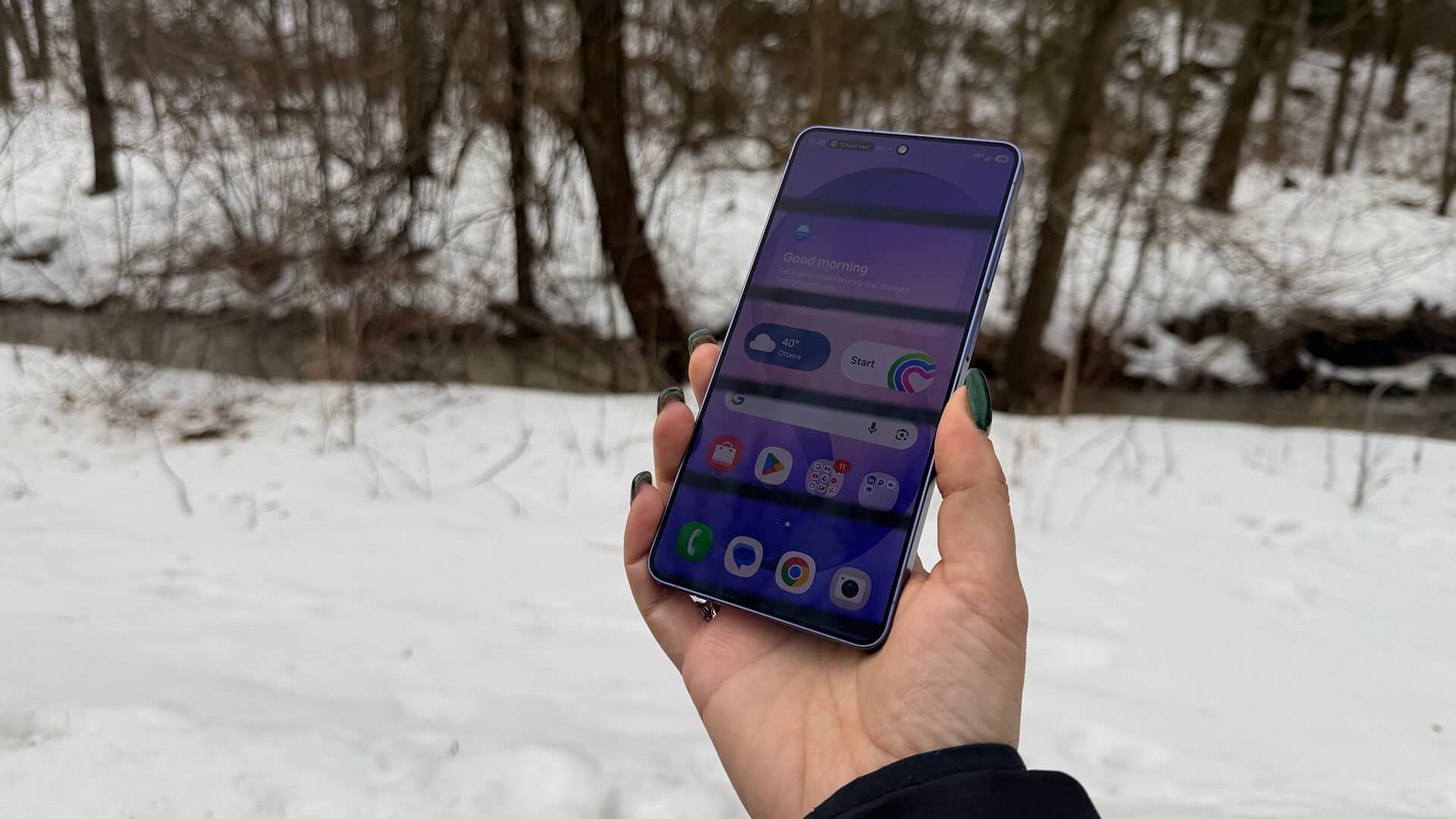
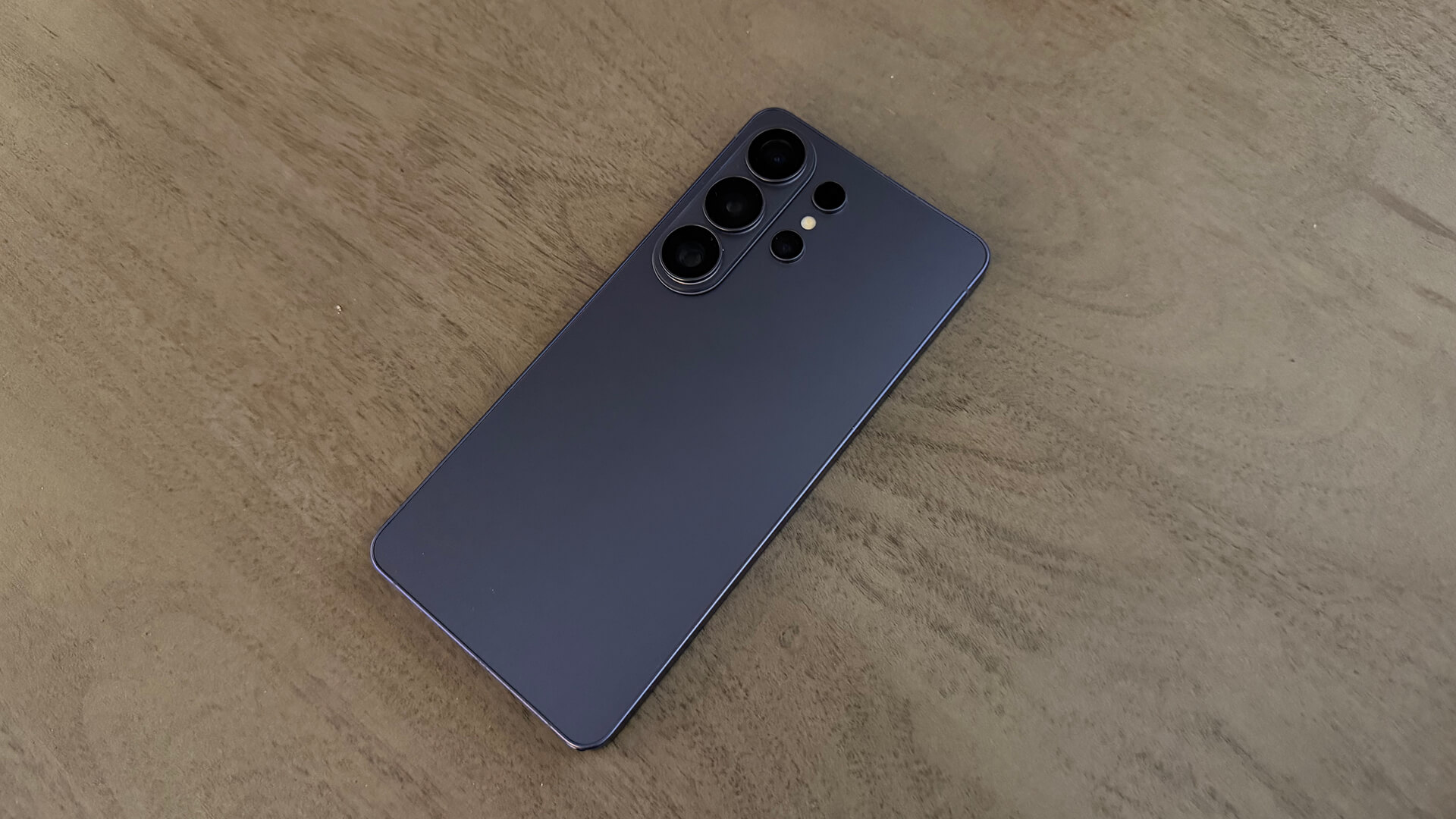
The Samsung Galaxy S26 Ultra is a fine-looking phone with an elegant camera island on the back. However, it protrudes so much that the phone does not lie flat. This means you won’t be able to comfortably manipulate it while it’s on a table. I’d suggest investing in a kickstand case if you use it for tasks like the calculator, check messages or social media.
My review sample arrived in the lovely Cobalt Violet finish. It has a smooth back (some texture would have been nice, especially since it’s tough to grab from off a flat surface) and nice, rounded corners. Once set up, I got to work trying the standout features.
Privacy Display is Useful
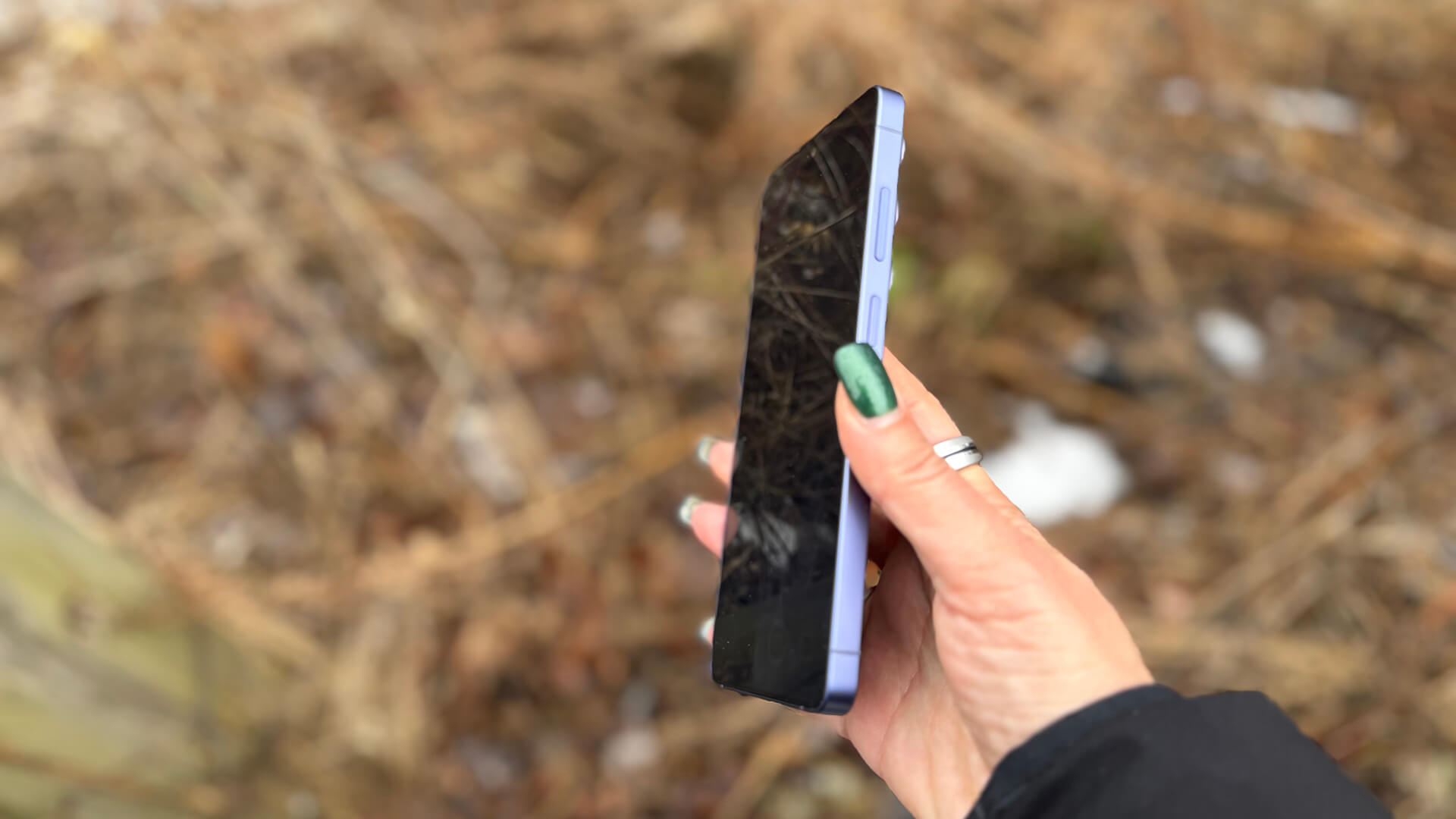
Privacy Display works just like a privacy screen for your laptop or a screen protector for your phone, except it’s built in. You can turn it on and off as you wish. Or, set it to automatically activate when you enter a password, PIN, or pattern, access certain apps, or notifications pop up. A maximum protection setting makes the phone tough to read even if it’s just offside, like on the table beside you. This is great if you’re out for brunch or in a work meeting and don’t want others to see what’s on your screen when you place it on the table. It’s also a clever way to reduce distractions while you work.
Privacy Display works well, the difference instantly noticeable when viewing off axis. As someone who works often in local coffee shops, it’s a useful feature to keep prying eyes away from personal messages or even sensitive apps like banking. It’s also useful for travel when you’re sitting in close quarters to someone like on a flight, subway, or train – virtually any crowded setting. I handed the phone to my 14-year-old son to play mobile games, and I couldn’t see anything on the screen, even while sitting next to him on the couch.
Horizontal Lock is Magical
The other big differentiating feature is Horizontal Lock. This new option in Super Steady mode maintains consistent framing, even if you’re moving on a bumpy trail, for example, or running. You can rotate the phone a full 360° and the video orientation won’t budge. No one would ever know you did this by looking at the final product.
Consider you start shooting your kid’s baseball game, for example, or your dog playing in the park. You need to grab something and want to switch from holding the phone horizontally with two hands to using one hand and holding it vertically. You can do this with ease and the video itself won’t rotate. Neat!
I tried this in a few scenarios. First, I recorded a static object while moving the camera around and rotating it a full 360 degrees. Then, I tried it while jogging outside. I purposely moved the phone up and down, side to side, even turned it slightly to the side to test. Here, you can see the resulting video. The first half shows what was actually happening with the phone while I was recording and the second how the footage the Galaxy S26 Ultra captured looked. There’s still a bit of a sway but it’s night and day between how it was really recorded and would have looked with any other phone without the use of a gimbal.
AI Photo Editing Features Work Creepily Well
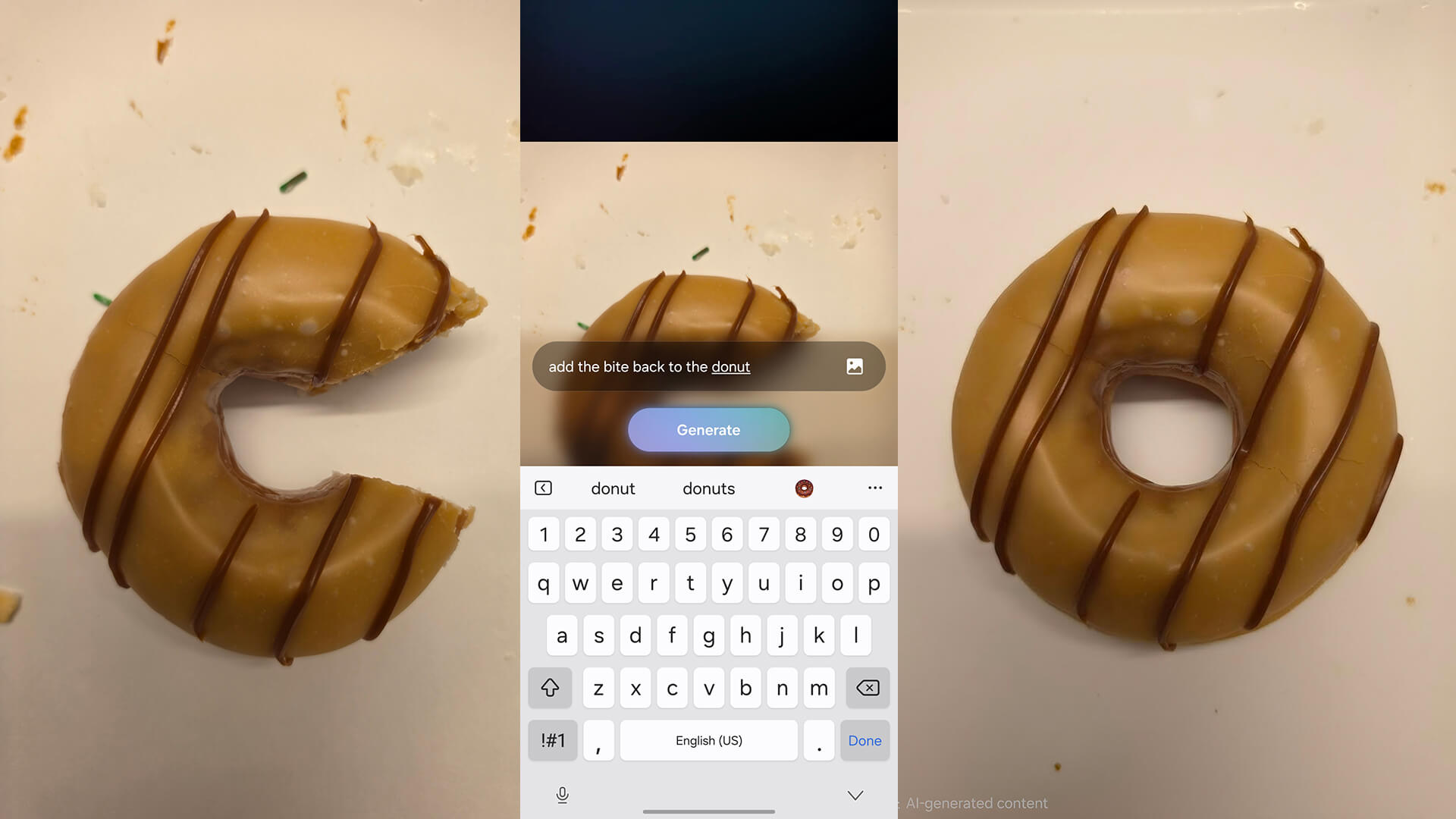
There’s no need to reiterate details about the core AI photo editing features of this phone, which I cover in detail in my Samsung Galaxy S25 review. But there’s a new one that blew me away. It’s common with most premium phones nowadays to be able to fill in backgrounds if you remove a distracting object, like a leaf on the ground or a Starbucks cup in the background of your photo. But with enhancements to Galaxy AI, you can tell the phone to restore missing elements, like a bite out of a piece of cake. You can also clean up things like stains on a shirt, perfect for parents of toddlers, even swap outfits.
First, I tried restoring a missing element by taking an image of a donut with a piece missing. I then used the Create option and asked it to add back the missing piece. It did this within seconds. I replicated this same thing with a bagel. Admittedly, both are a bit unrealistic looking, the bagel rounder than the original. But I’m not mad at it!
The Create feature in Photo Assist works incredibly well, but it’s not perfect. While I had success with other items like a nacho chip with a bite and even recreating half a mandarin orange to make it whole again, when I asked it to add a ripped piece of paper towel back, it oddly did so but then added another on the opposite side. When I asked it to add the “missing piece” back to a photo of a pork chop that had been cut, it added a separate piece off to the side. (Changing the word to “bite” fixed this). Nonetheless, it’s worth trying. If you made a delicious dish and forgot to take a photo for your Instagram feed before digging in, you might be able to virtually put it back together and get that Story-worthy photo.
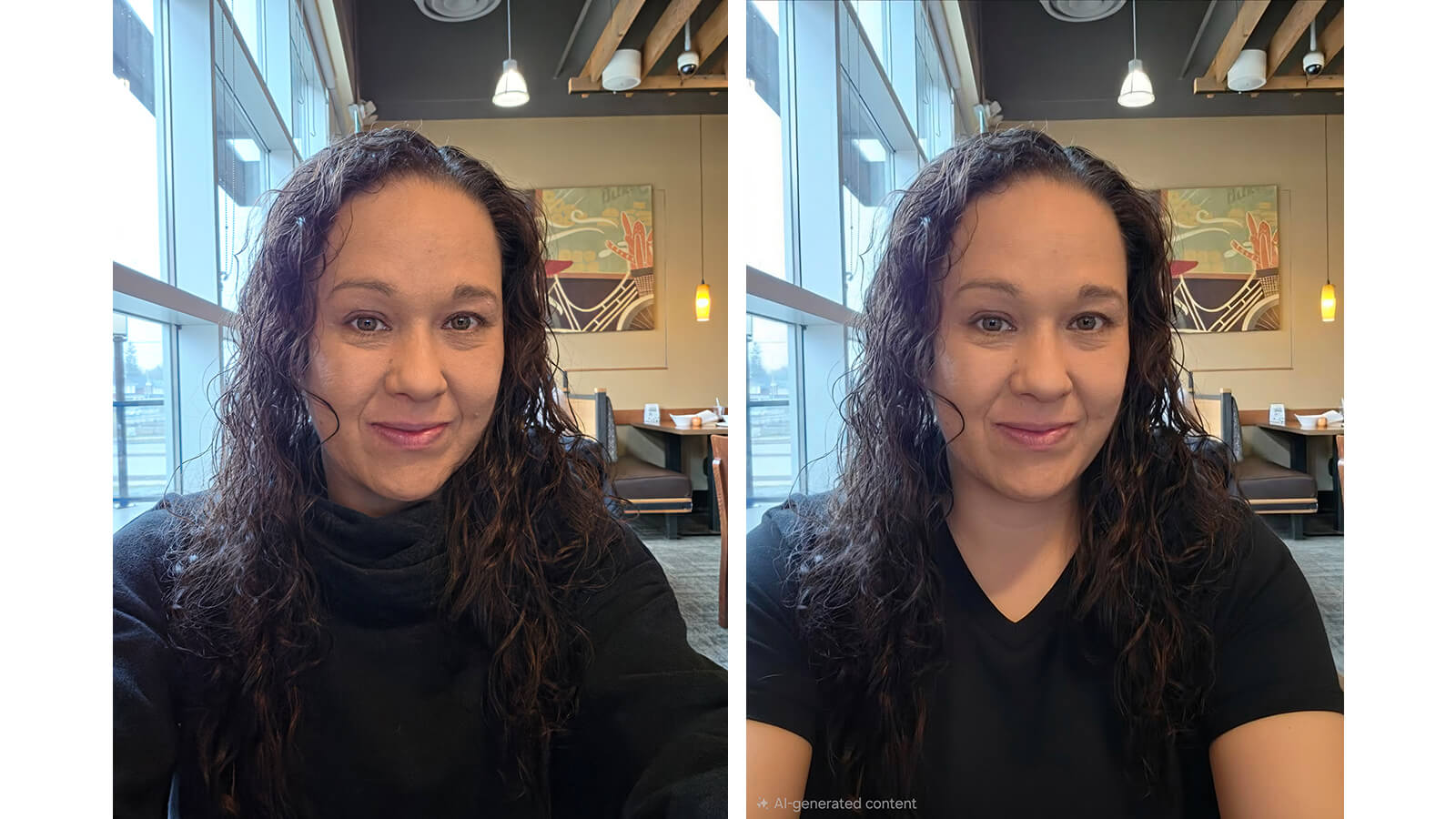
For an outfit change, I snapped a selfie wearing a black sweater than asked to swap it to a V-neck T-shirt. The result was pretty impressive. Aside from unnatural smoothness in the neck and arms, at quick glance, you wouldn’t know this wasn’t the original photo. (Note: As you can see, images altered using this feature are tagged as “AI-generated content” in the bottom, left of the photos.)
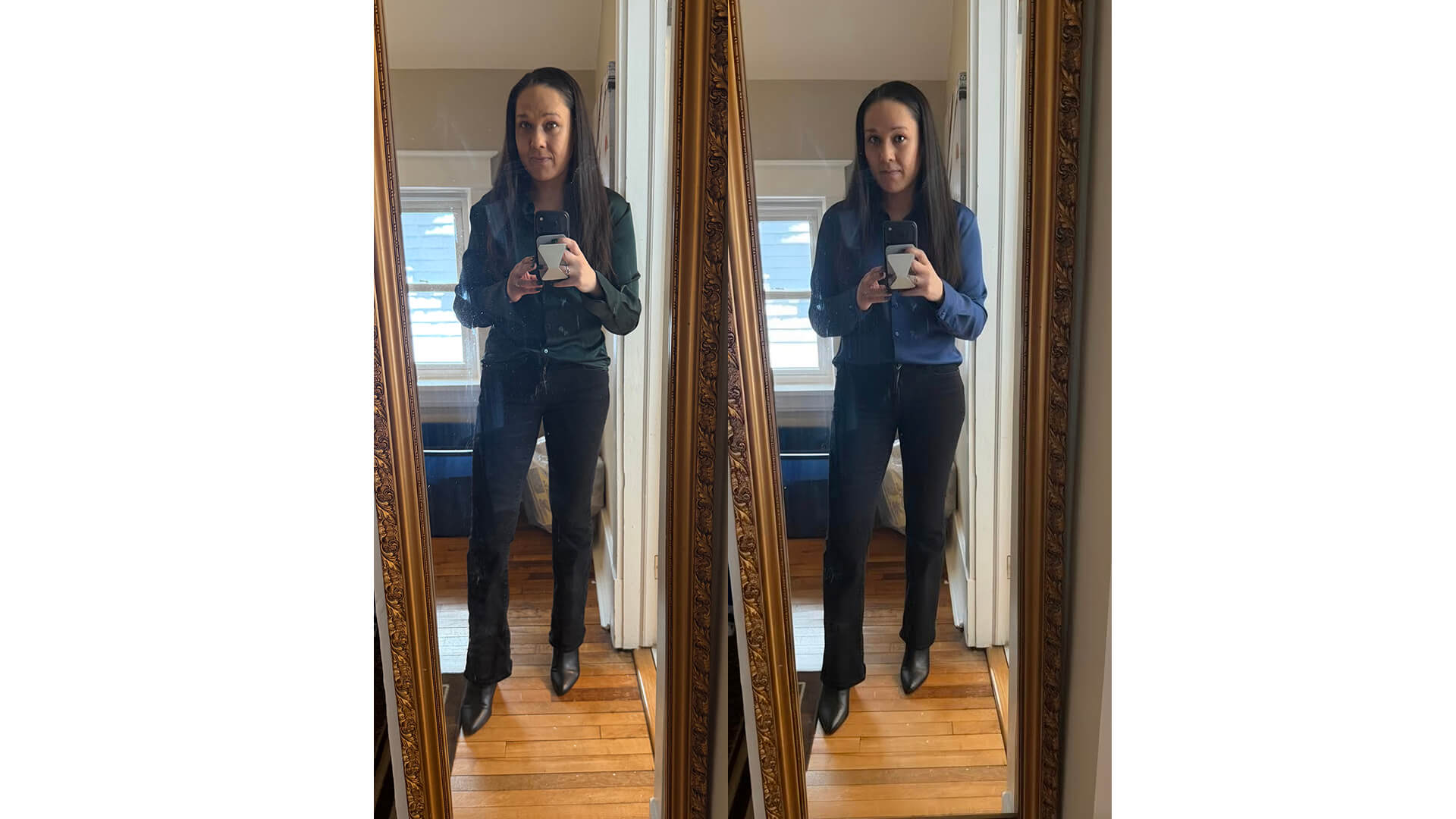
I got the same result with a full-body image when I asked it to swap a green button blouse for a blue one. It seems the image is also cleaned up overall, some age lines on my forehead removed and the shirt tucked in much more neatly.
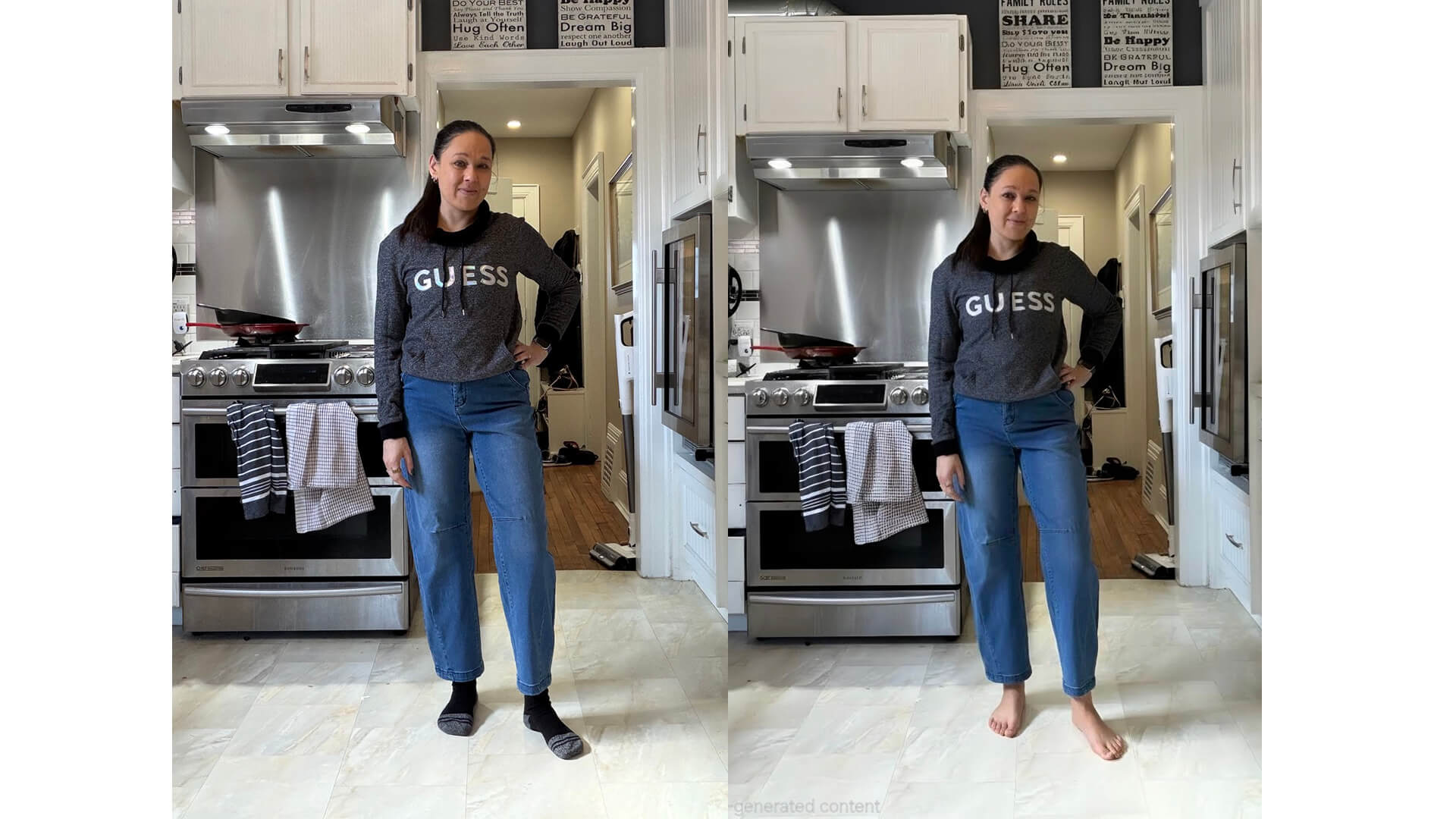
I asked it to remove my socks with a pair of cropped jeans so I could see how they’d look once I wear them in the Spring. I got some pretty nice-looking AI feet that surprisingly had the proper number of toes!
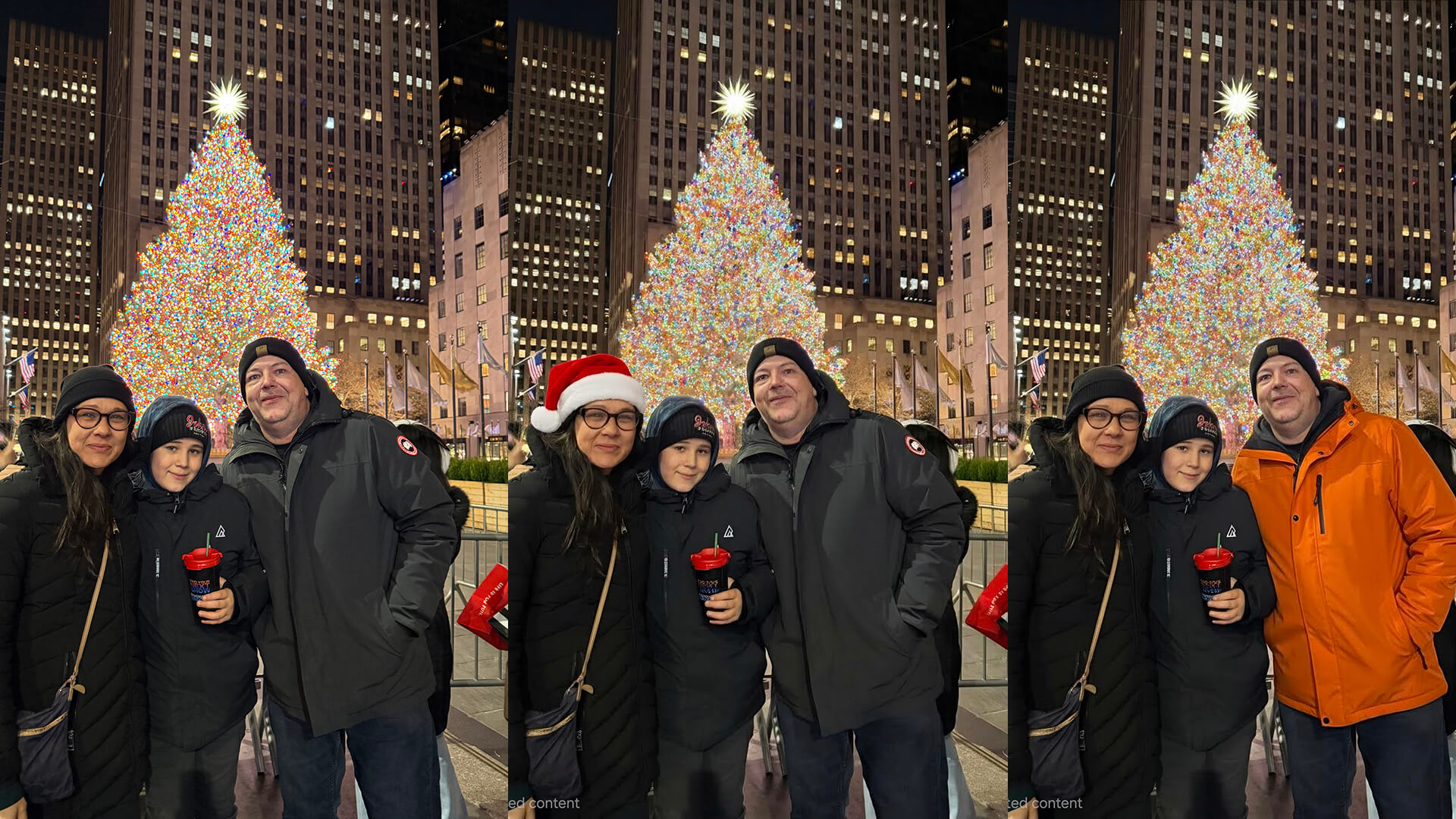
Determined to trip it up, I tried with a photo that has more than one person. I first asked it to change my (“the woman’s”) hat into a Christmas Santa hat and it worked nicely. Even asking it to change the man’s jacket to orange was no challenge. (Though sorry, Canada Goose, as your logo went bye-bye).
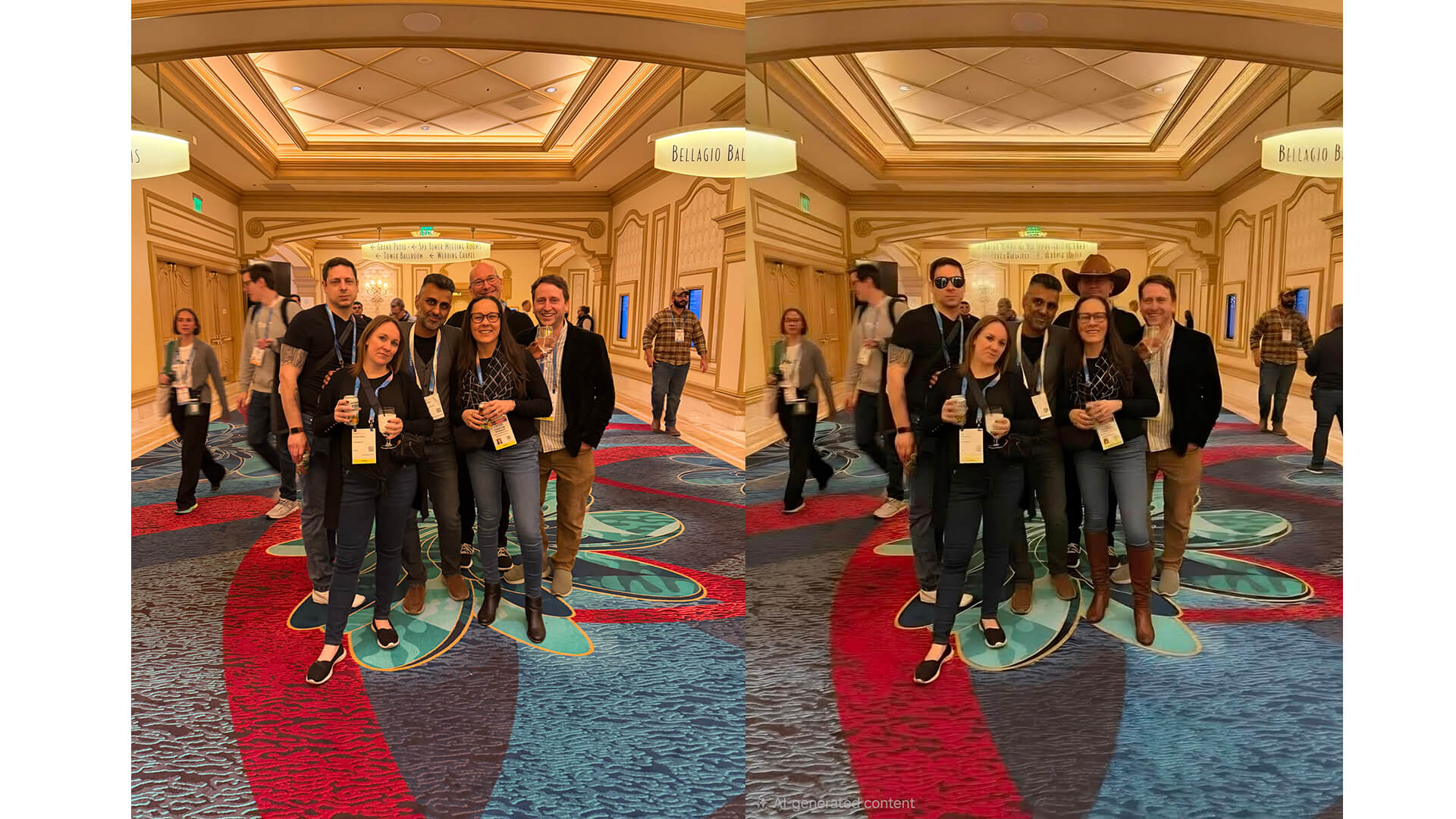
I moved on to a group photo. I had it change my shoes to knee-high boots, add sunglasses to the man on the far left, and a cowboy hat to the man in the back. As you can see, however, the more edits you make (you can make multiple to the same photo, one prompt at a time), the more the photo starts looking off. Here, the man in the back with the added cowboy hat seems to have changed so much that his face is now unrecognizable.
In another instance, when I asked it to change a sweater to a tank top, I got a weird half tank top, half sweater hybrid that looked completely artificial. But with the proper descriptive prompts, there’s a lot this feature can do. It’s worth noting that many of the photos I used were not taken with the Galaxy S26 Ultra. So, you can try this feature with any photos in your library.
Overall Camera Performance
Overall, the cameras perform similarly to the Galaxy S25 Ultra. This is no surprise since they are identical in terms of the base specs. I took a few snapshots and compared them to the OnePlus 15.
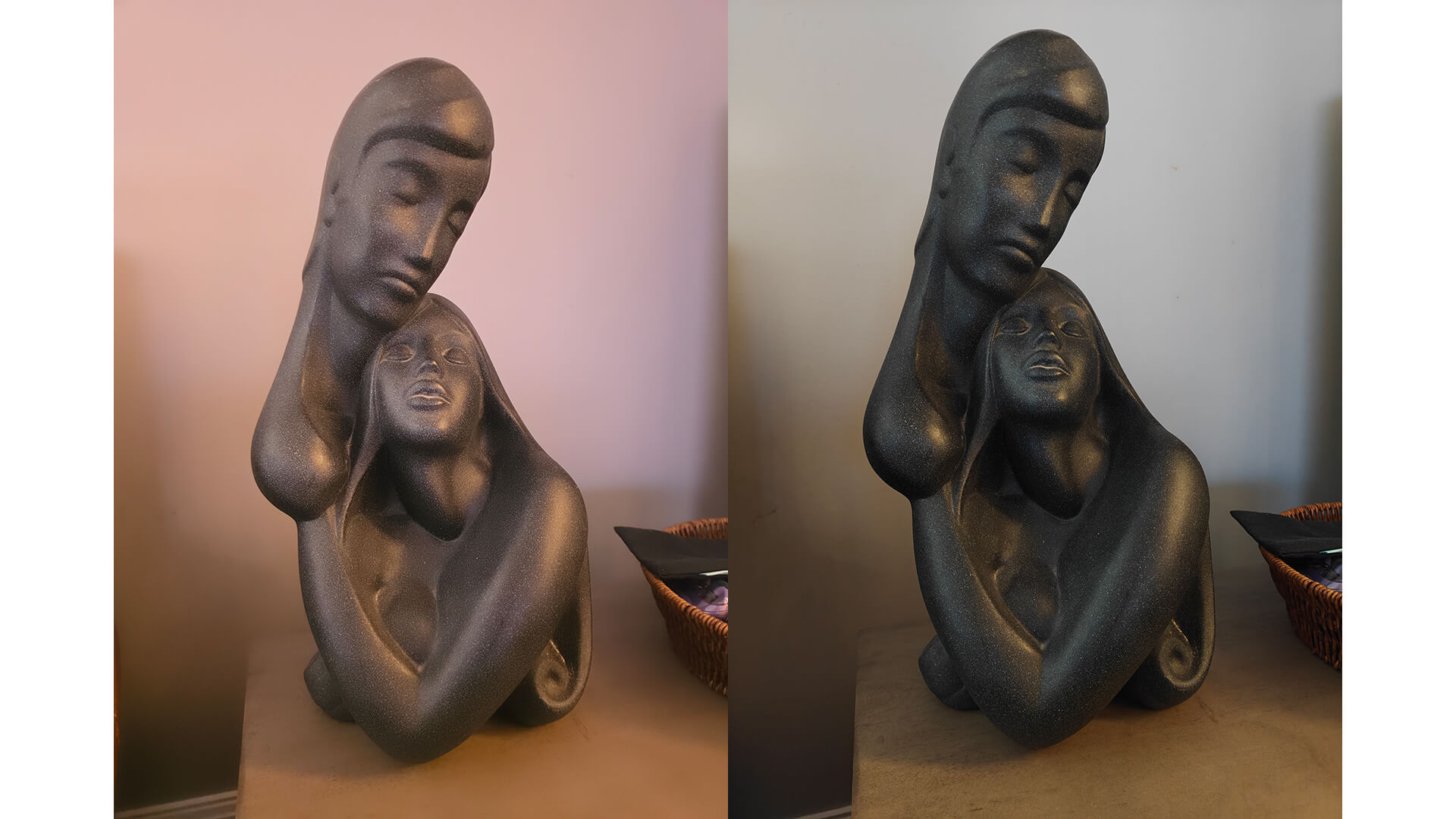
The photo on the left was taken by the Samsung Galaxy S26 Ultra at the max 200MP resolution and the one on the right by the OnePlus 15. As you can see, the OnePlus 15 renders deeper blacks and a more natural tone. However, the result of the Galaxy S26 Ultra does showcase some of its improved low-light performance. Both photos were taken in a dark setting.
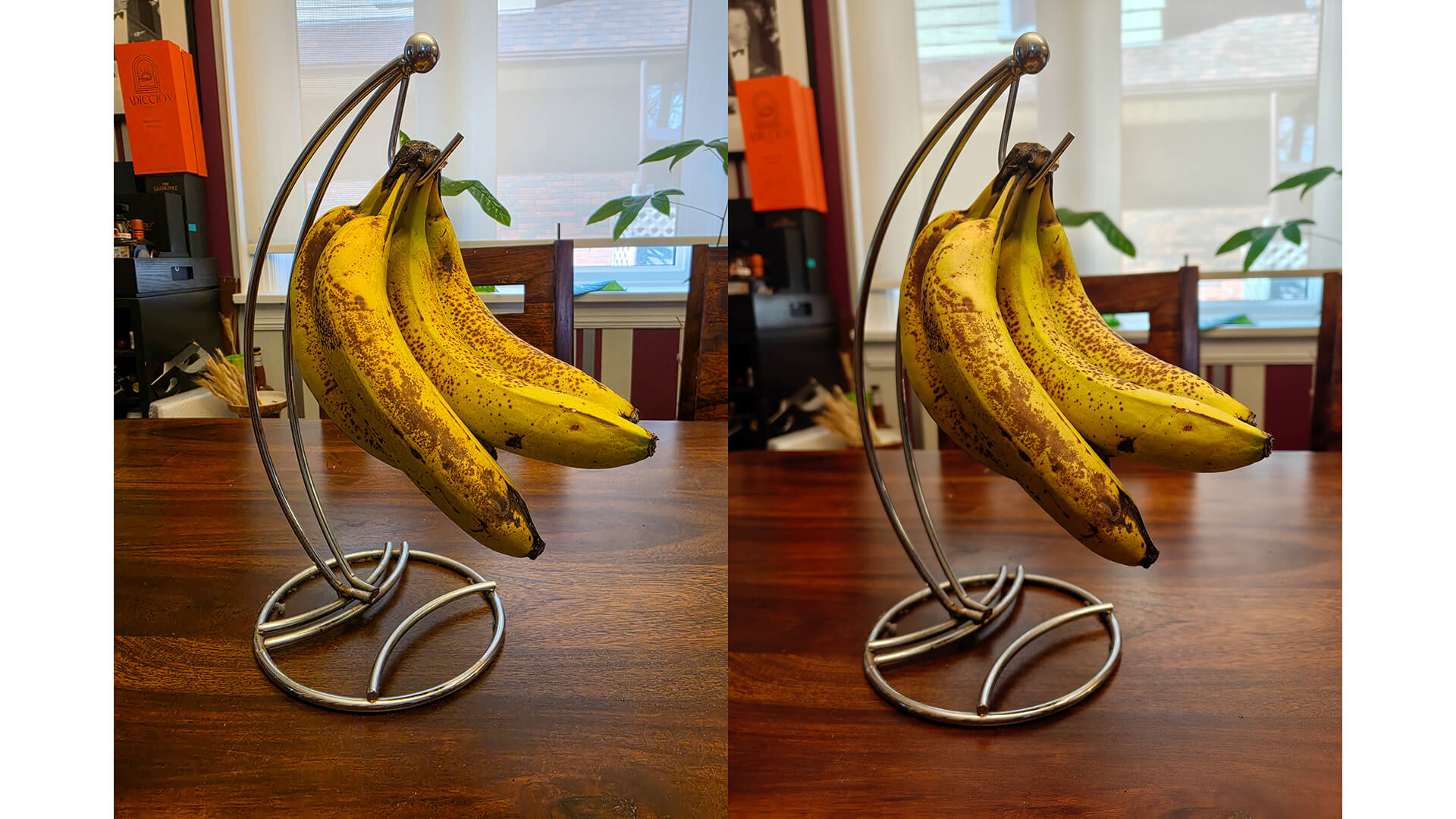
In this photo of a bunch of bananas, they’re virtually imperceptible. The one on the left was taken by the Samsung Galaxy S26 Ultra and one of the right by the OnePlus 15’s 50MP camera. There’s slightly more vibrancy with the Galaxy S26 Ultra image. All elements of the photo were kept in focus in the Galaxy S26 Ultra image while the OnePlus 15, without prompting, blurred the background as well as the banana stand. But either way, you get a good photo.
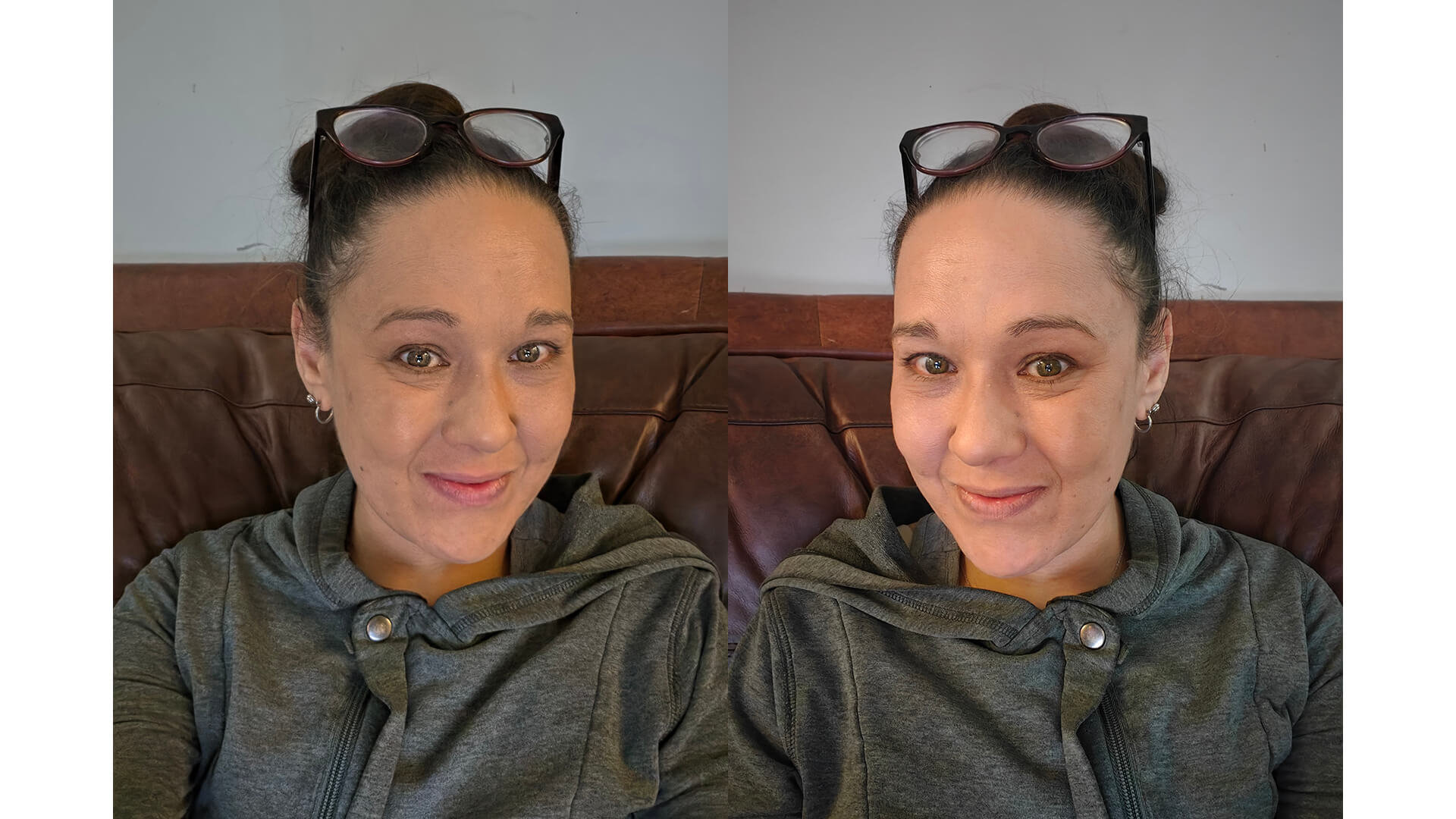
The Samsung Galaxy S26 Ultra has a fairly low-resolution front camera at just 12MP compared to the OnePlus 15’s 32MP camera. The image on the right, taken by the OnePlus 15, is brighter with more detail. However, choosing the Natural mode for the Galaxy S26 Ultra selfie on the left, it has a better sense of depth and is indeed more natural looking. So, the front camera performs decently.
Creative Studio and Document Scan
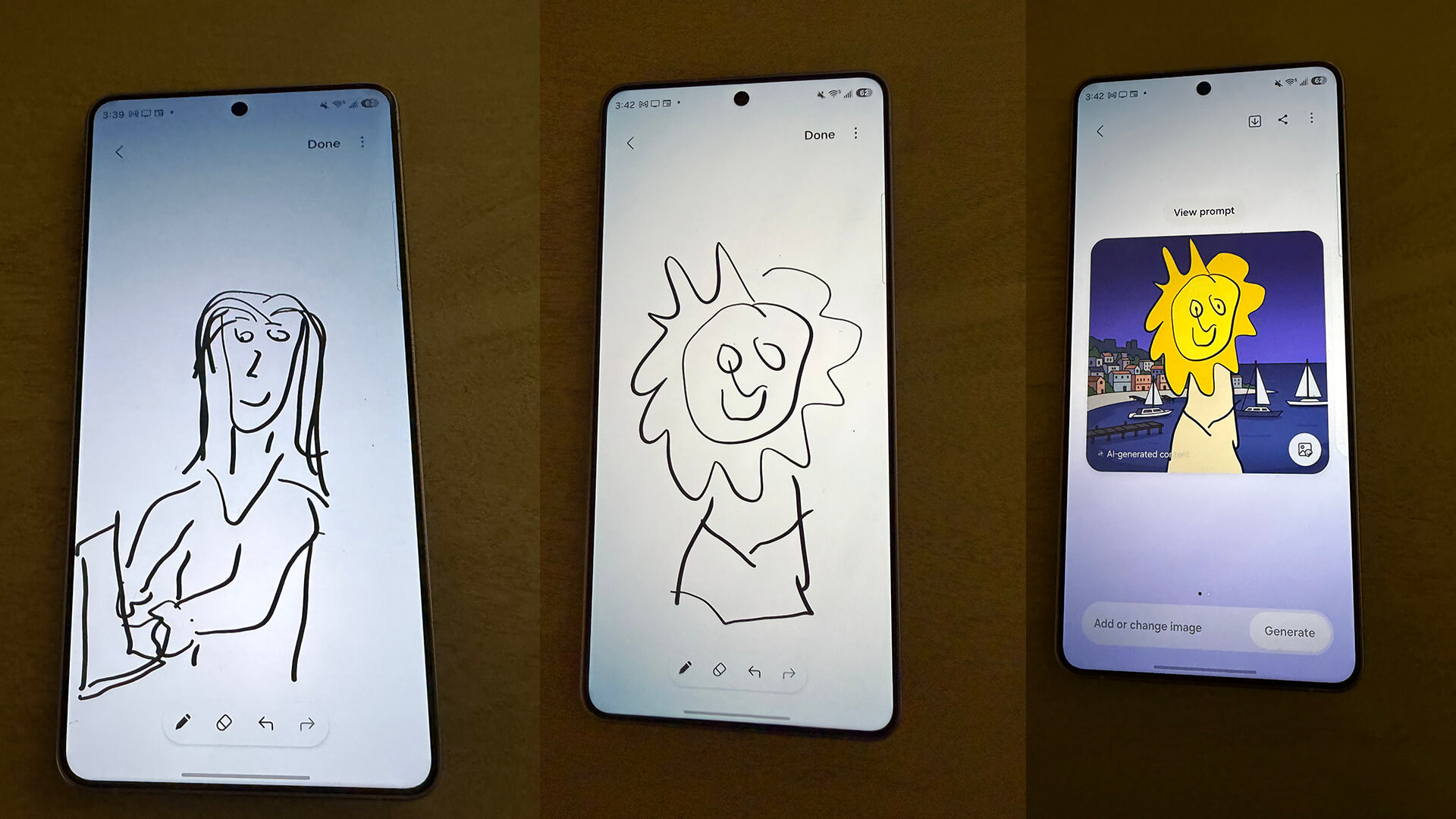
If you want to create rather than fix or modify, there’s Creative Studio. Start with a sketch, photo, or prompt and turn the idea into a sticker, invitation, wallpaper, and more. I had a lot of fun with this feature. I first tried to sketch something. With the image on the left, I was told it could not be generated because it could be deemed inappropriate. I’m not sure why? I tried something simpler, and it made an adorable webtoon image.
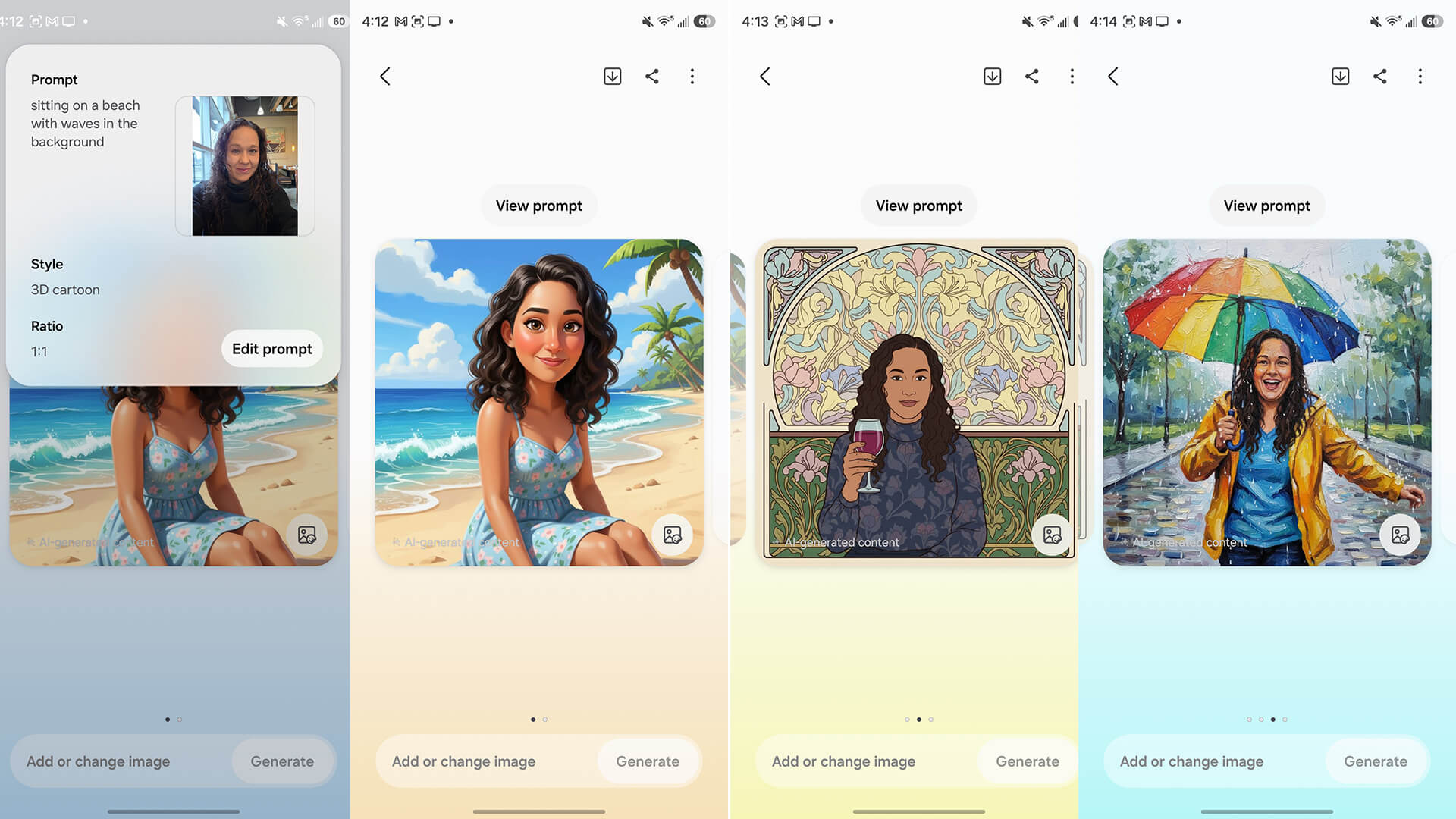
I then used a selfie and created some unique images using specific prompts and different styles like 3D cartoon, art nouveau, and oil painting. If you take lovely portrait shots, this is a great way to turn them into works of art.
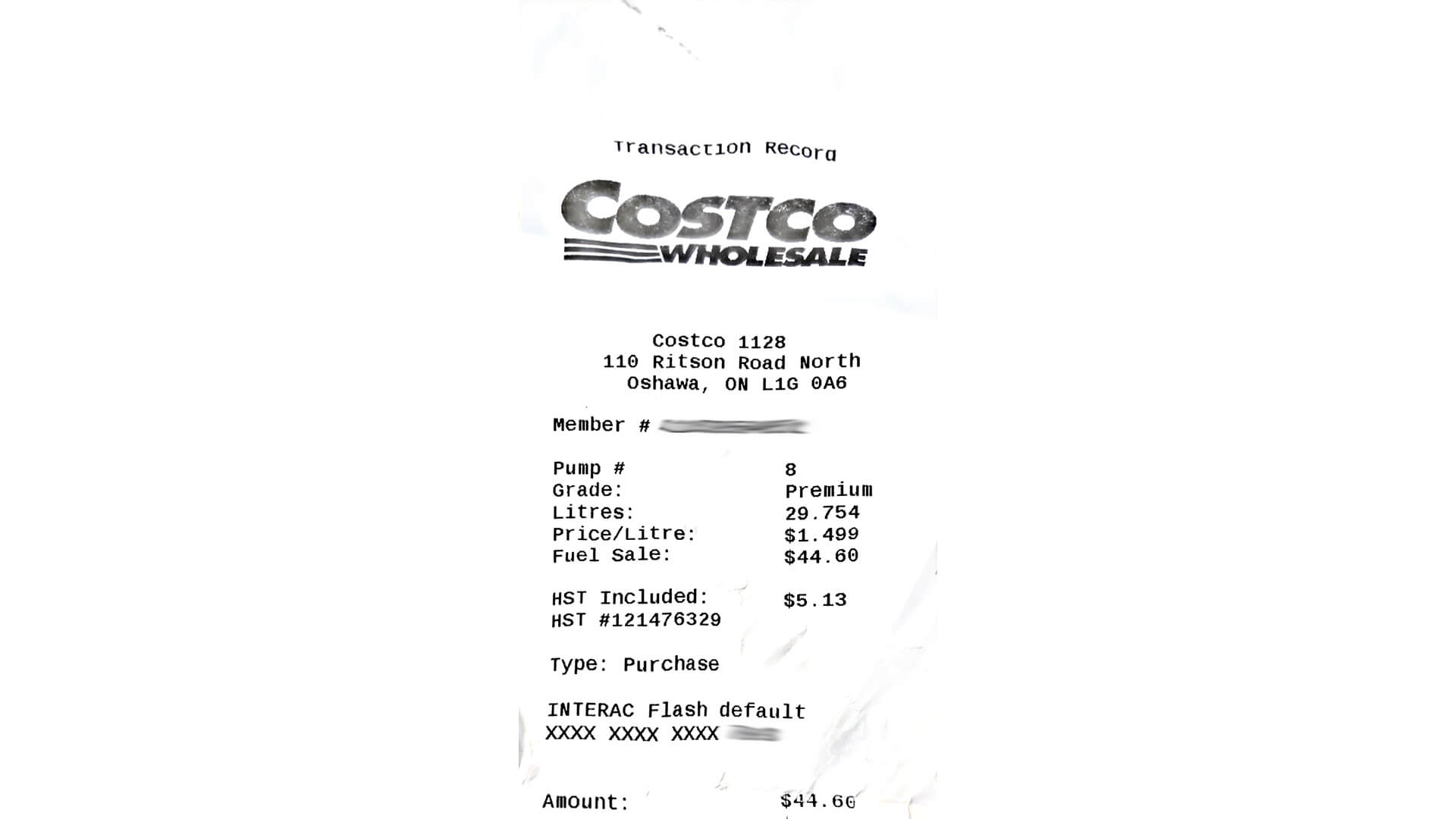
Document Scan, meanwhile, has been improved to remove distortions, like creases, folds, and fingers. Multiple images can be organized automatically into a single PDF, making it easy to digitize receipts, forms, or notes. I tested document scan by purposely folding up a receipt see how it would recreate it. It works great, even if the receipt ends up looking slightly artificial with text still a bit wavy.
AI for Productivity
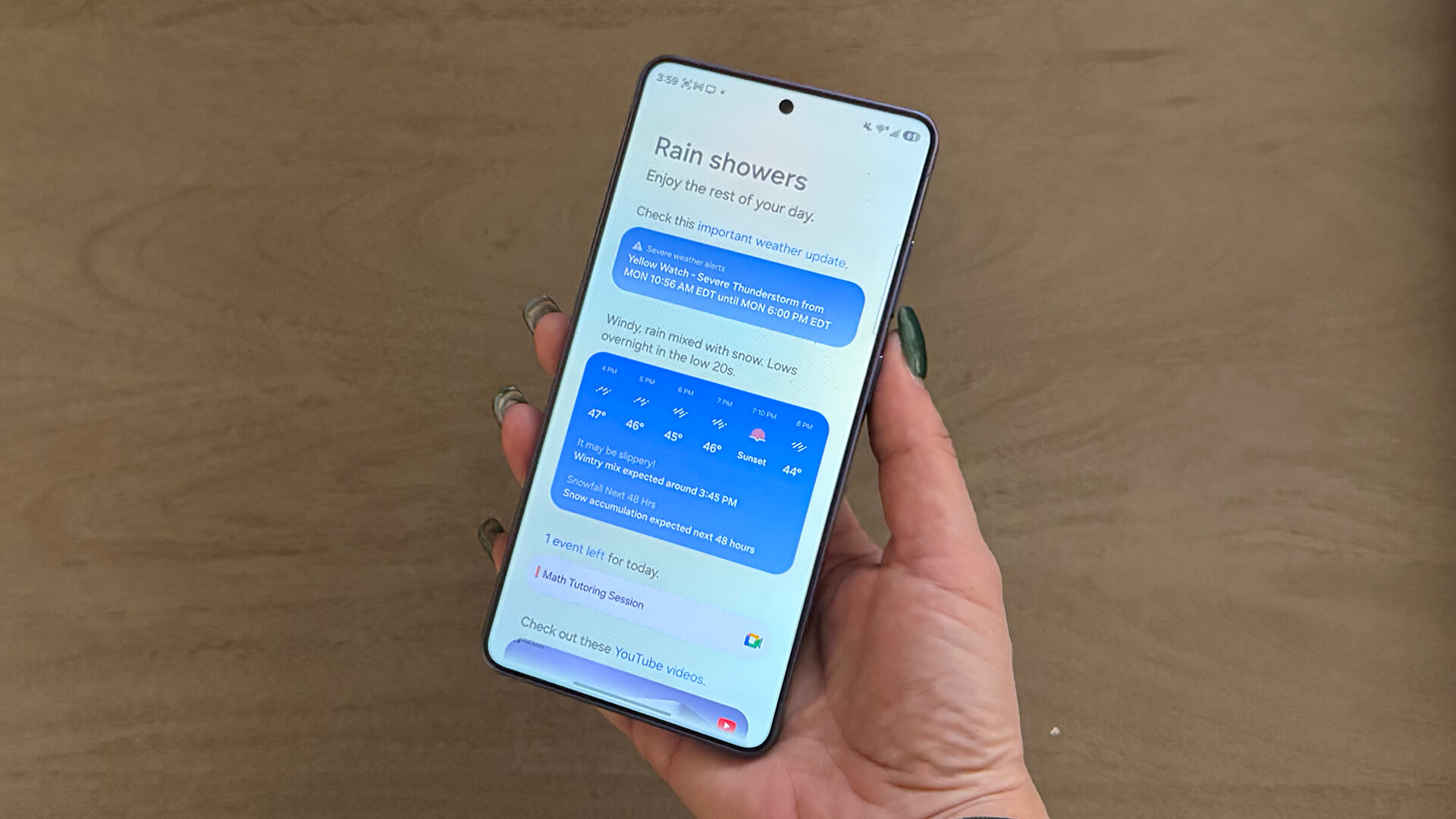
Now Brief has become more proactive and personalized. It surfaces timely reminders for important events, like reservations and travel updates, based on personal context. You also get useful recommendations for things like YouTube videos and music playlists, as well as crucial weather updates.
With Now Nudge, timely and relevant suggestions help you avoid distractions. If a friend asks for photos from a recent trip to New York, for example, Galaxy S26 automatically suggests photos from the Gallery. This eliminates the need for you to manually search through albums or switch between apps. As someone who’s constantly looking to unearth old photos from a specific day or event, I love that the phone can proactively do this. It saves loads of time and energy.
Searching for information is also easier. Circle to Search has been upgraded with enhanced multi-object recognition. You can now explore multiple parts of an image at once. If you spot a look you love, the feature identifies everything from the jacket to the shoes, all in one search. I love trying this for outfits I might see on TV show characters that I want to replicate.
An upgraded Bixby conversational device agent is more intuitive and makes it easier to interact with Galaxy devices. You can navigate devices and adjust settings using natural language, without the need for exact terminology or commands.
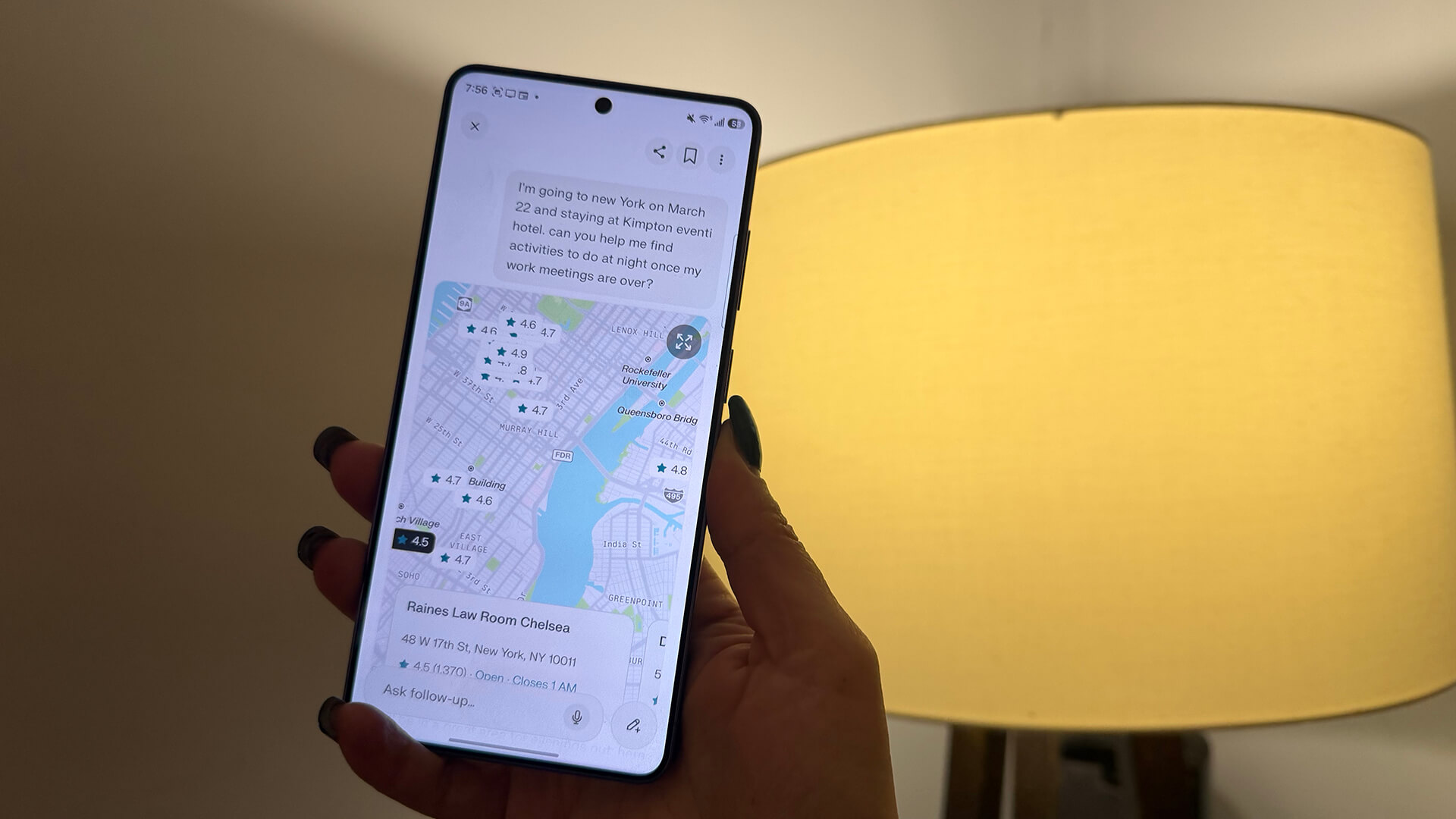
Alongside Bixby, the Galaxy S26 series integrates a choice of agents, including Gemini and Perplexity. Once set up, tasks can be completed with a single button press or voice prompt. Galaxy S26 can also handle multi-step tasks in the background, streamlining the process. For example, with Gemini, you can book a taxi by asking, reviewing the details, and tapping confirm. These agents support tasks across apps through natural interaction. It’s nice to have a mix from which to choose.
About the Samsung Galaxy Buds4 Pro
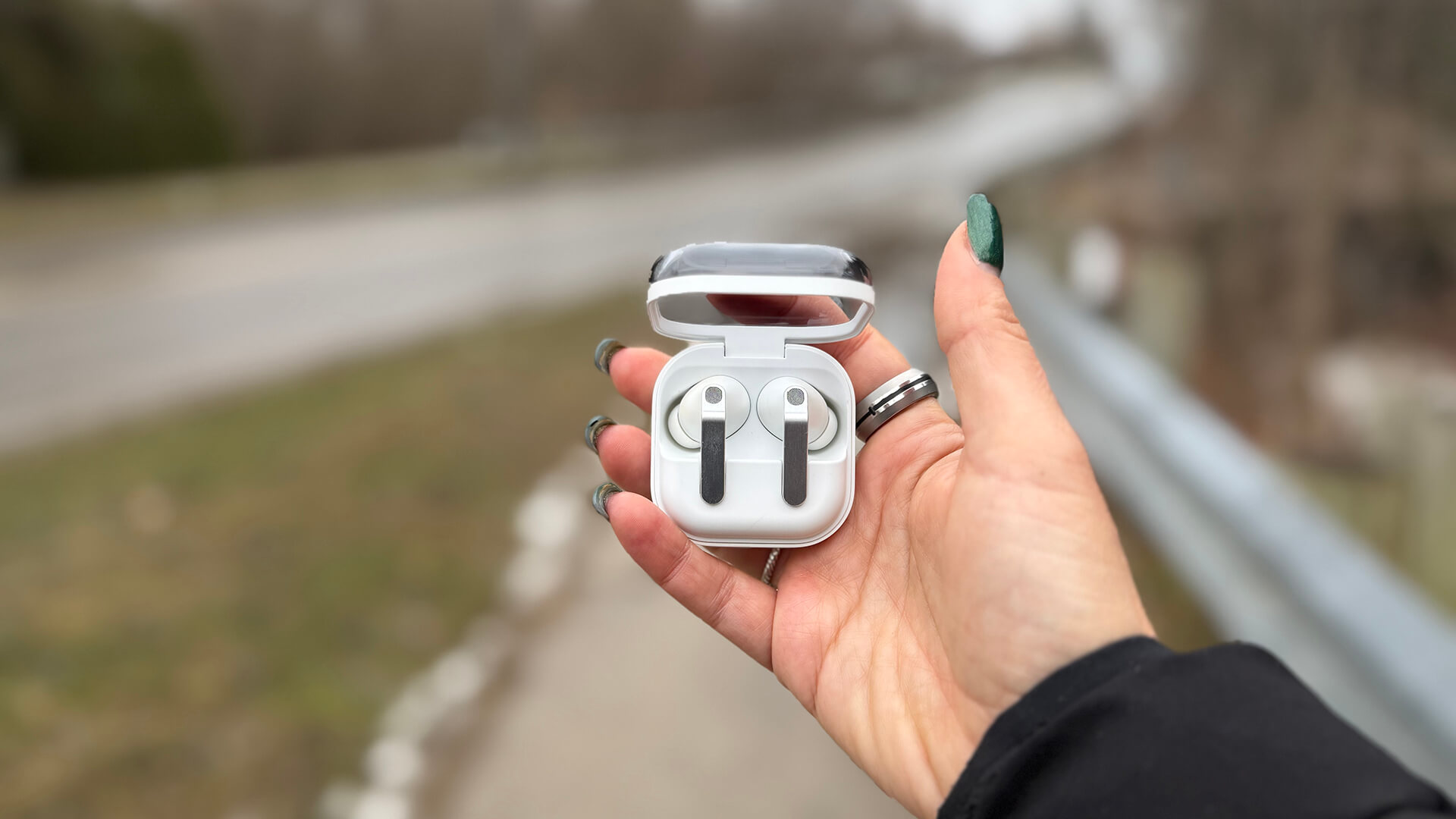
Complementing the Galaxy S26 Ultra are are the Galaxy Buds4 Pro. When a Galaxy S26 phone is paired with Galaxy Buds4 Pro, interactions can continue naturally while hands free. You can also activate AI agents with voice and manage calls through simple Head Gestures.
The wider woofer and improved tweeter purport to offer natural, immersive audio with clean bass and rich treble, with support for 24-bit/96kHz audio. There’s also enhanced, adaptive active noise cancellation. For phone calls, Super Clear Call uses super wideband call technology and machine learning for noise reduction and voice enhancement.
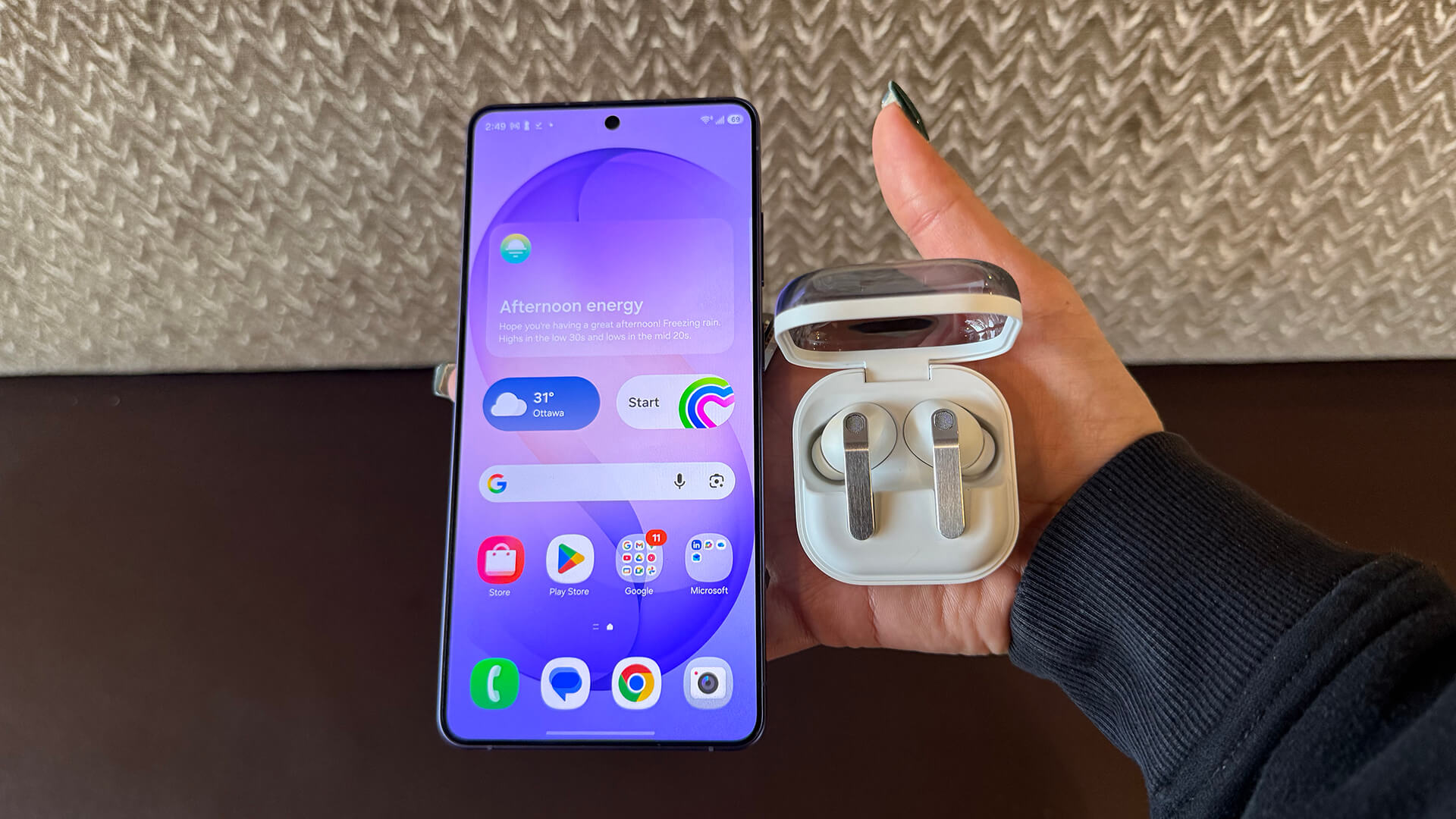
When used with a compatible Galaxy phone, like the Galaxy S26 Ultra, you can initiate AI agents, including Bixby, Gemini, and Perplexity. There’s also a simpler set-up process.
They are smaller for a better, more ergonomic and secure fit with a stabilized blade and premium metal finish. They come in White or Black (plus online-exclusive Pink Gold) and ship with a transparent, clamshell-style case for $330.
Samsung Galaxy Buds4 Pro Review
Pros
- Lovely AirPods-like design
- Voice, gesture control works well
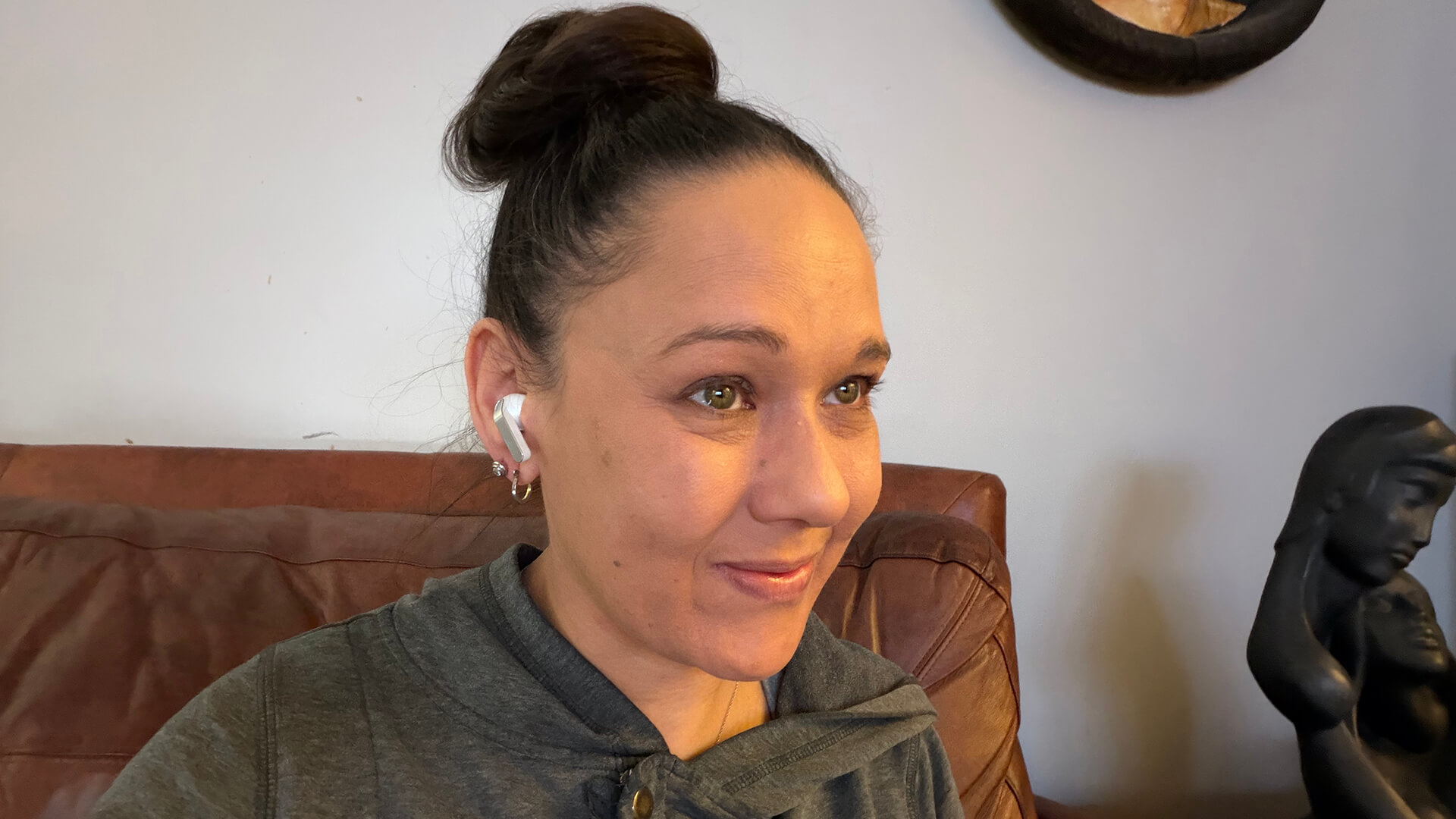
- Comfortable fit
- Great wind noise reduction
Cons
- Noise cancelling isn’t very effective in some settings
- Works best with Samsung Galaxy phone
- Expensive
The Samsung Galaxy Buds4 Pro are a great companion to the Galaxy S26 Ultra. The fit is comfortable, the look reminiscent of Apple AirPods. Sound quality is great, depending on the situation and quality of music. I find them slightly harsh with some songs when listening to tunes from the free Spotify tier. There’s a sibilance that can sometimes teeter on being unpleasant. But overall, they have nice depth and presence with a variety of music genres at a higher quality. When listening to Green Day‘s “Wake Me up When September Ends,” there’s a nice pick-up when the beat drops and the guitar riffs come in. For The Killers‘ “Mr. Brightside,” it was just as lovely, though I heard a smidge of that harshness again.
I listened to my reference track, Radiohead‘s “Creep,” both from Spotify when connected to the Galaxy S26 and from Apple Music from my iPhone 17 Pro. That’s where I usually listen to test earbuds and headphones. Not surprisingly, the tune sounded far better from Apple Music versus free Spotify. This solidifies that the quality of music to which you listen is as important as the buds.
After taking them on the road for walks, playing tunes while connected to both the Galaxy S26 Ultra and my iPhone 17 Pro, they sounded great. It was crisp and clear for both music and spoken word podcasts. One day was especially windy and noise reduction worked well in this instance.
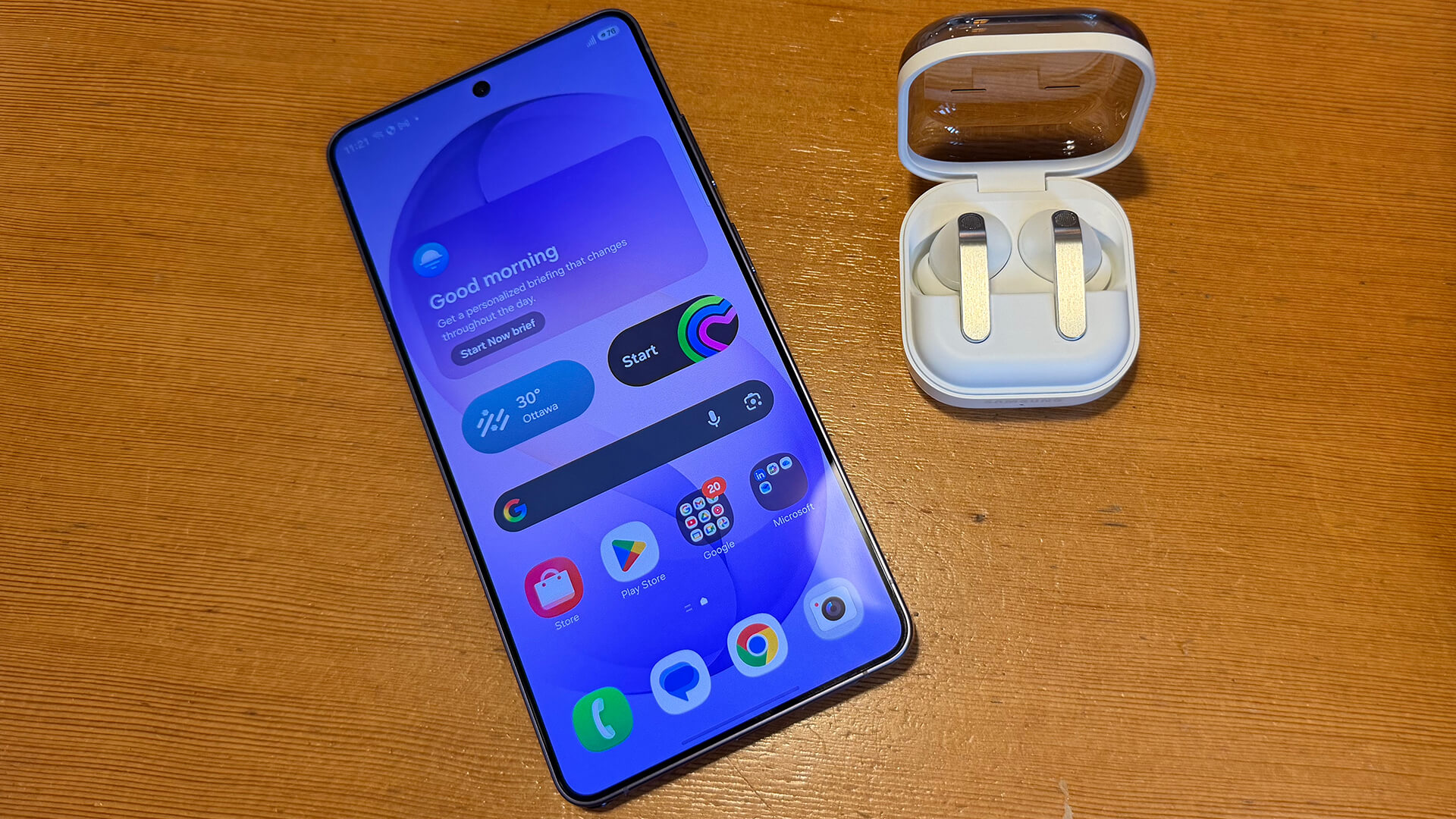
That said, when wearing them in a local coffee shop, I found that noise cancelling performance overall wasn’t as strong. When it was relatively quiet, the noise cancelling was effective. It reduced sounds like the hum of the fan and chatter from other patrons. But when it got busier and louder, even the highest setting didn’t make a noticeable difference. Compared to other buds I’ve tried at this same coffee shop during the same time of day when it’s just as busy, they weren’t quite as good. But for quieter sounds, like the hum of an airplane engine, wind, and furnace, they work well.
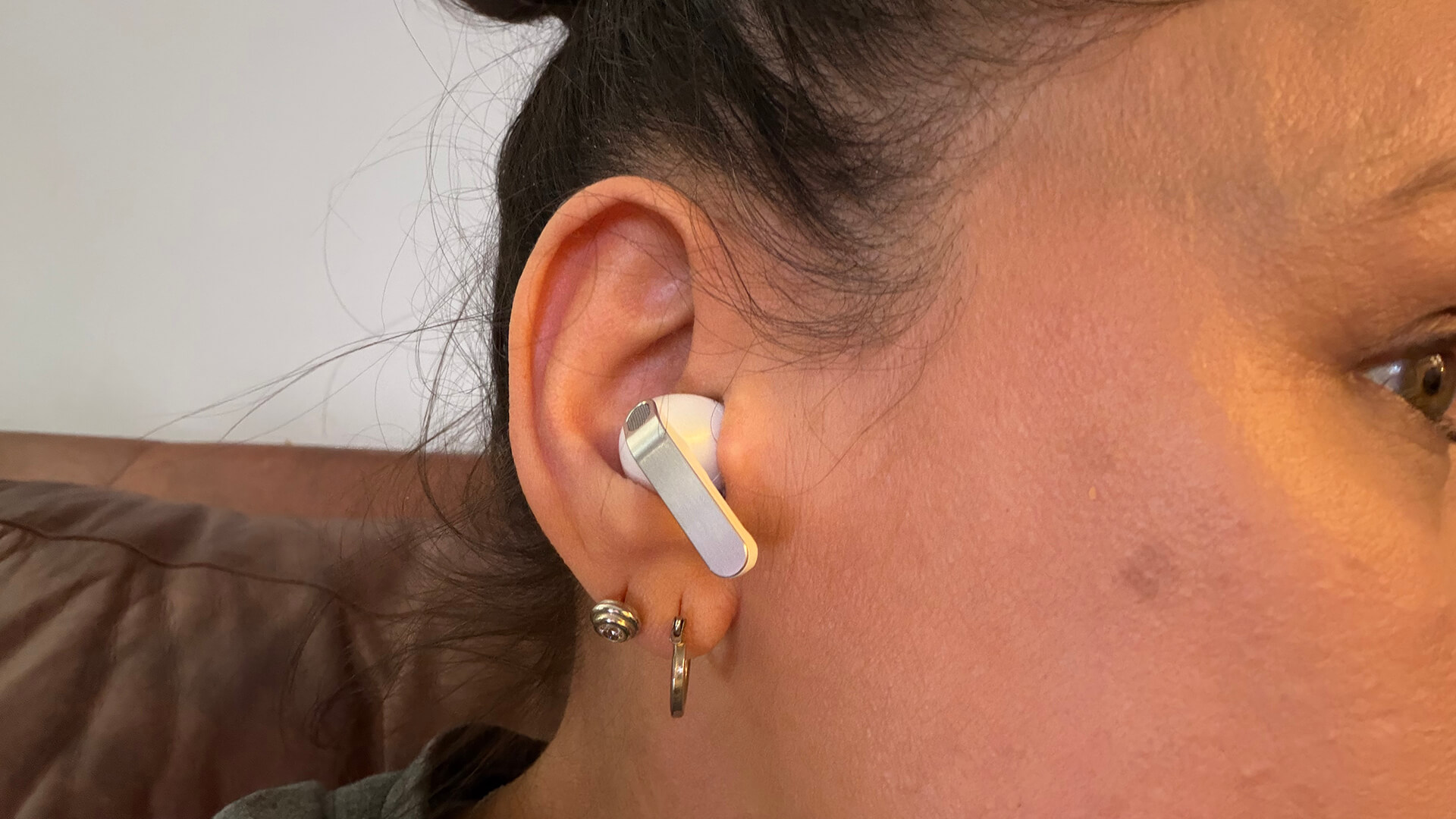
I love the options to control playback by using not just on blade controls but also voice and head gestures. With voice, you don’t even need to give a wake word when they’re connected to a compatible Samsung Galaxy device: just say “next song” or “volume down” and it dutifully responds.
Should You Buy the Samsung Galaxy S26 Ultra, Buds4 Pro?
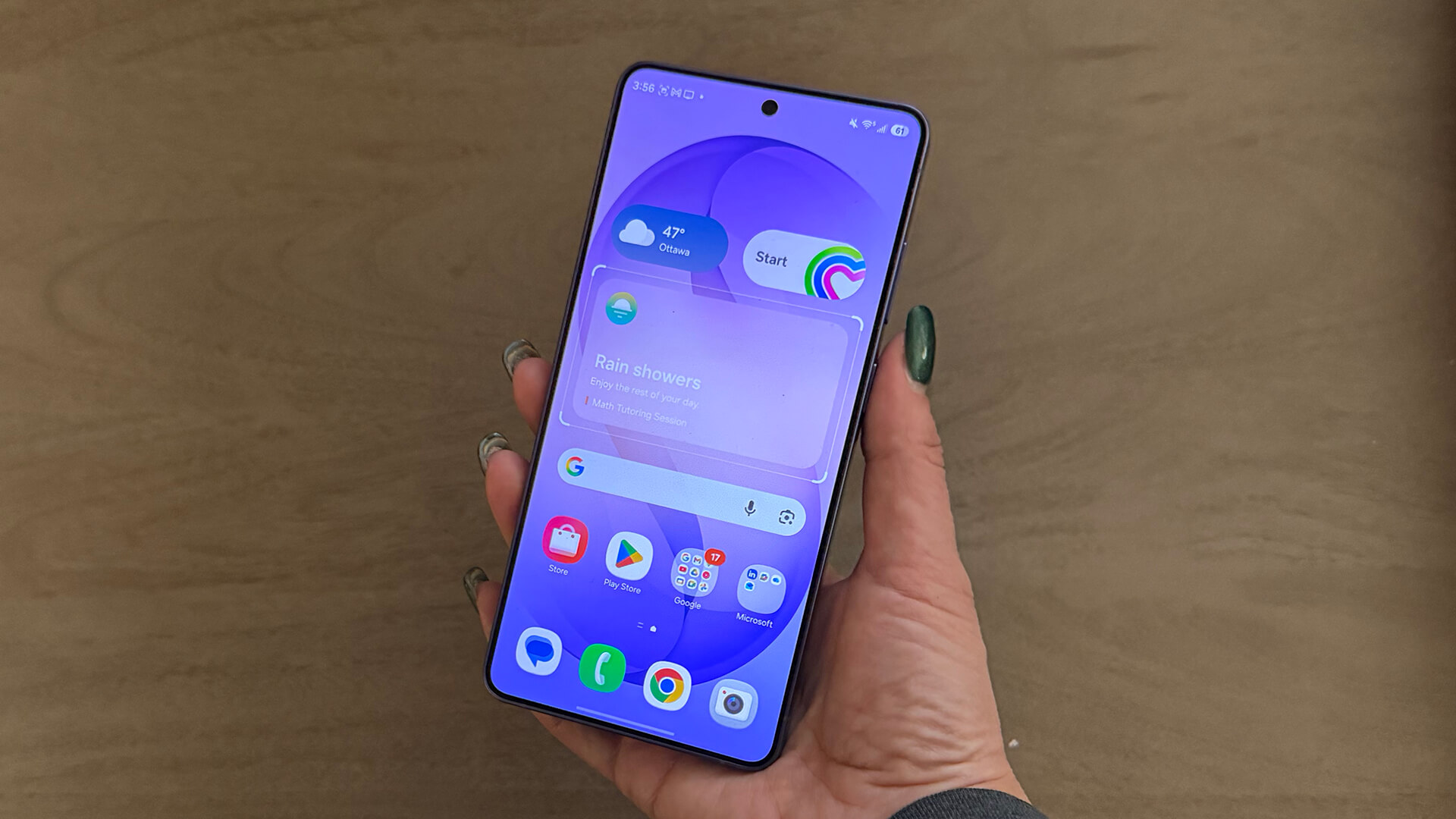
The Samsung Galaxy S26 Ultra is an expensive phone. If you want at least the 512GB version, it’ll set you back over two-grand. But for those who are deeply within the Samsung ecosystem and upgrading from a device older than, say, the Galaxy S24, this is the one you want to get. The exclusive features like the built-in Privacy Display are worthwhile and useful upgrades. Horizontal Lock is a feature content creators will love, but it is available across the entire Galaxy S26 line, as is Photo Assist. The latter generative AI features for photo editing may come to older generation Samsung devices via software update.
I’d recommend the Galaxy S26 Ultra if you’re looking for the best possible experience and you’re tied to the Samsung ecosystem. Otherwise, if you’re looking for a premium experience with great AI features and cameras, there are plenty other great smartphones that don’t cost as much from brands like OnePlus and Google and that have equally impressive, albeit different, upgrades and stand out features.
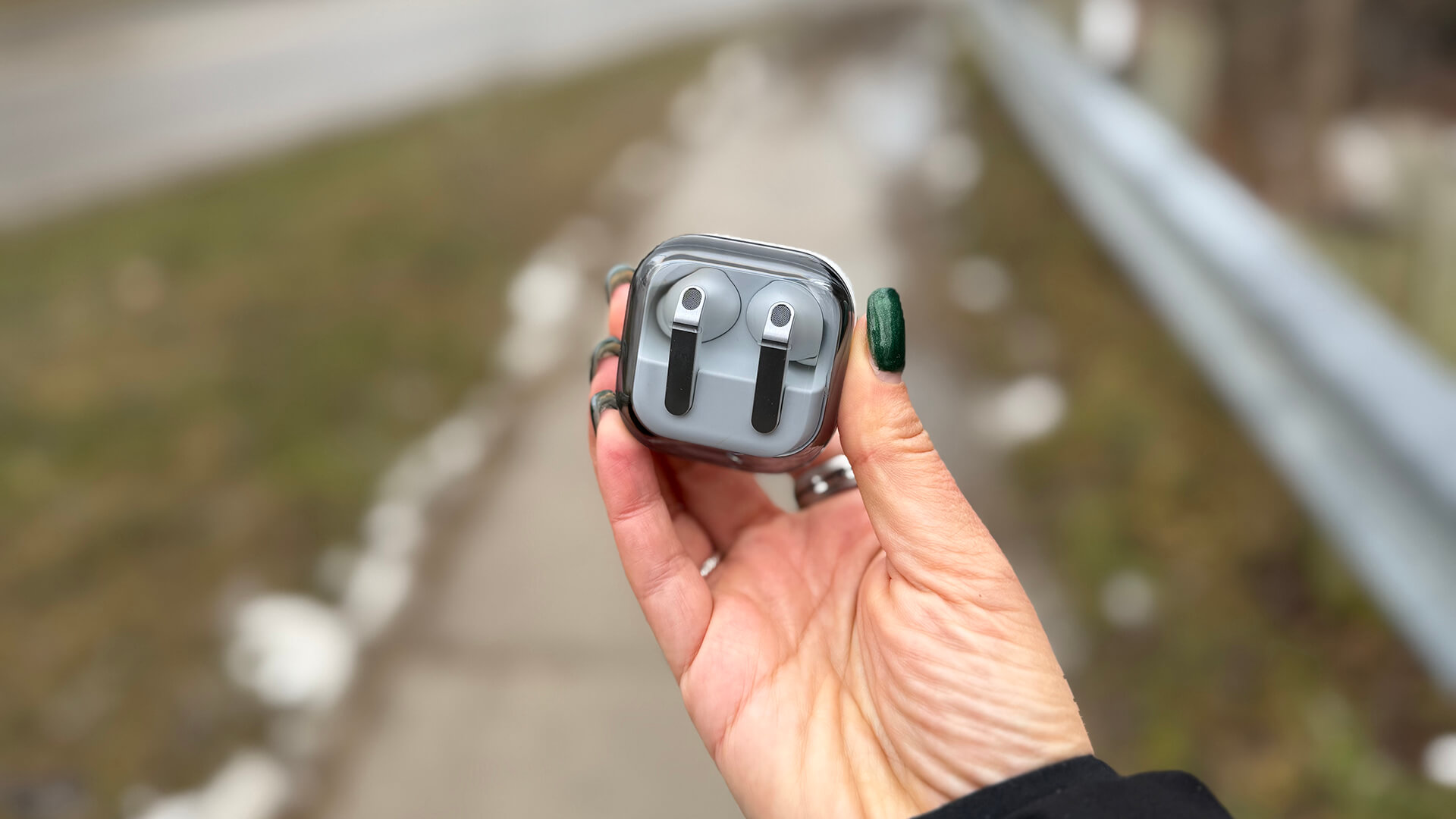
If you do opt for the Samsung Galaxy S26 Ultra, the Samsung Galaxy Buds4 Pro are a natural companion, especially with the features that are exclusive to Galaxy phones (and work with other compatible Galaxy phones as well), like gesture control and multi-AI agent activation with voice commands. At the price, they’re at the higher end of the scale. But they’re worth it for the seamless experience.
Get the Samsung Galaxy S26 Ultra starting at $1,900 and the Galaxy Buds4 Pro for $330.