

Pros
- Content capture quality is great
- Easy to use
- Lots of customizable options in the app
- Translation and AI assistance work well
- Useful accessibility features
Cons
- Battery life is not great
- Text tough to read in brighter environments
- A slight delay with translation can be awkward
- Navigation is spotty at times
- Call quality in noisy environments is not great
The smart glasses space is attracting both interest and controversy. The convenience of being able to record on the go, translate, and more is undeniable. But some are creeped out by how smart glasses can be used for unsavoury purposes. What I really love about the story behind Rokid, which celebrated its North American launch in Markham, ON in August 2026, is the focus on how the glasses can help people with vision and hearing issues. It’s about more than just entertainment and “cool” factor, and this company is highlighting that over all else.
I have been wearing Rokid AI glasses for the past few months, both at home and on the go. I used them first without prescription lenses then with a pair. A perfect opportunity arose to wear them in Berlin for IFA 2026, where the navigation, translation, and content capture features could really be put to the test.
The Design: They Look Smart!
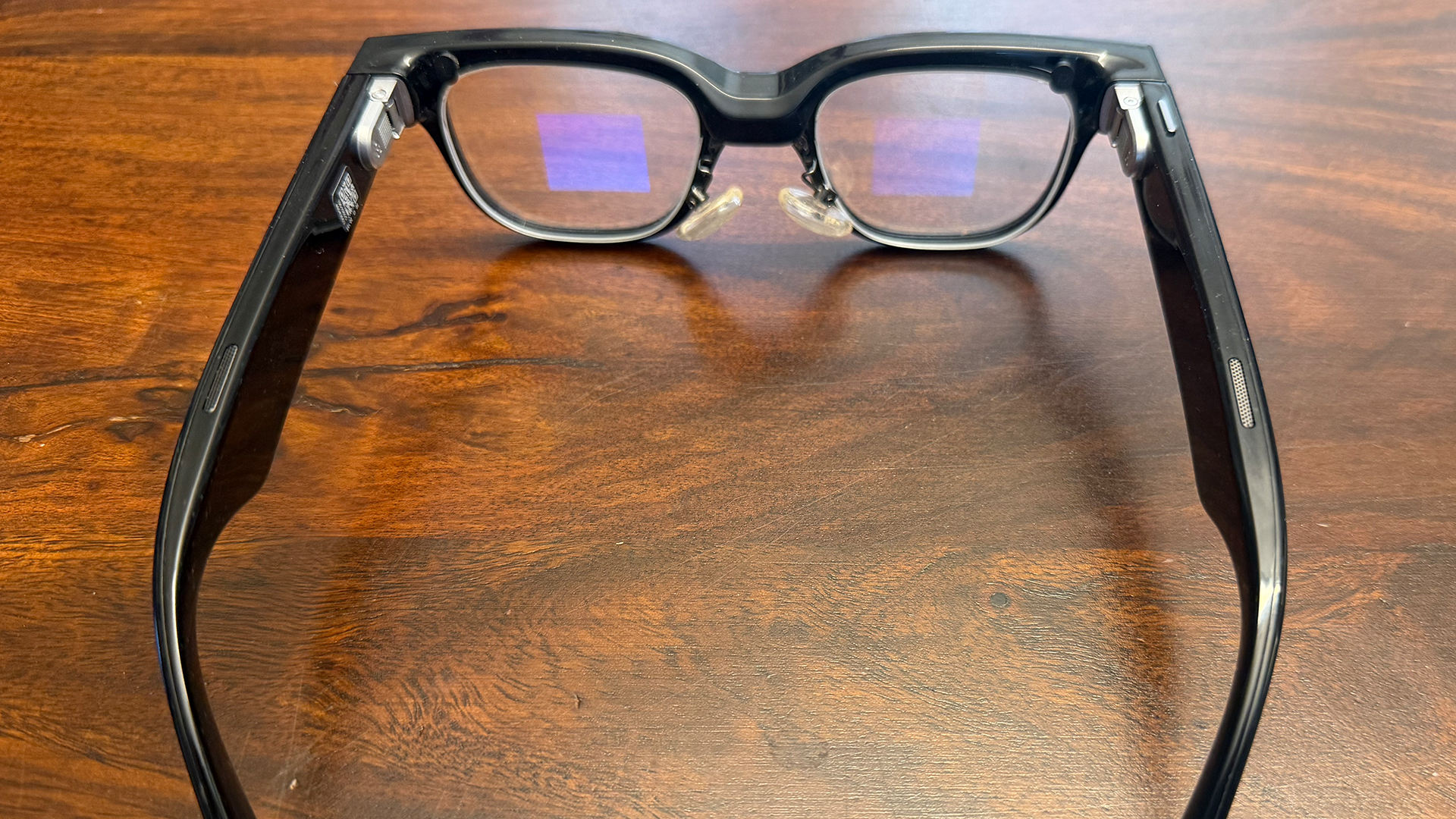
The Rokid AI glasses sell for $999 and come in fashionable frames that fit comfortably for all-day wear. One thing to consider is that while you can get them wet, they should not be submerged or get soaked in the rain. When cleaning, use a dry, microfibre cloth.
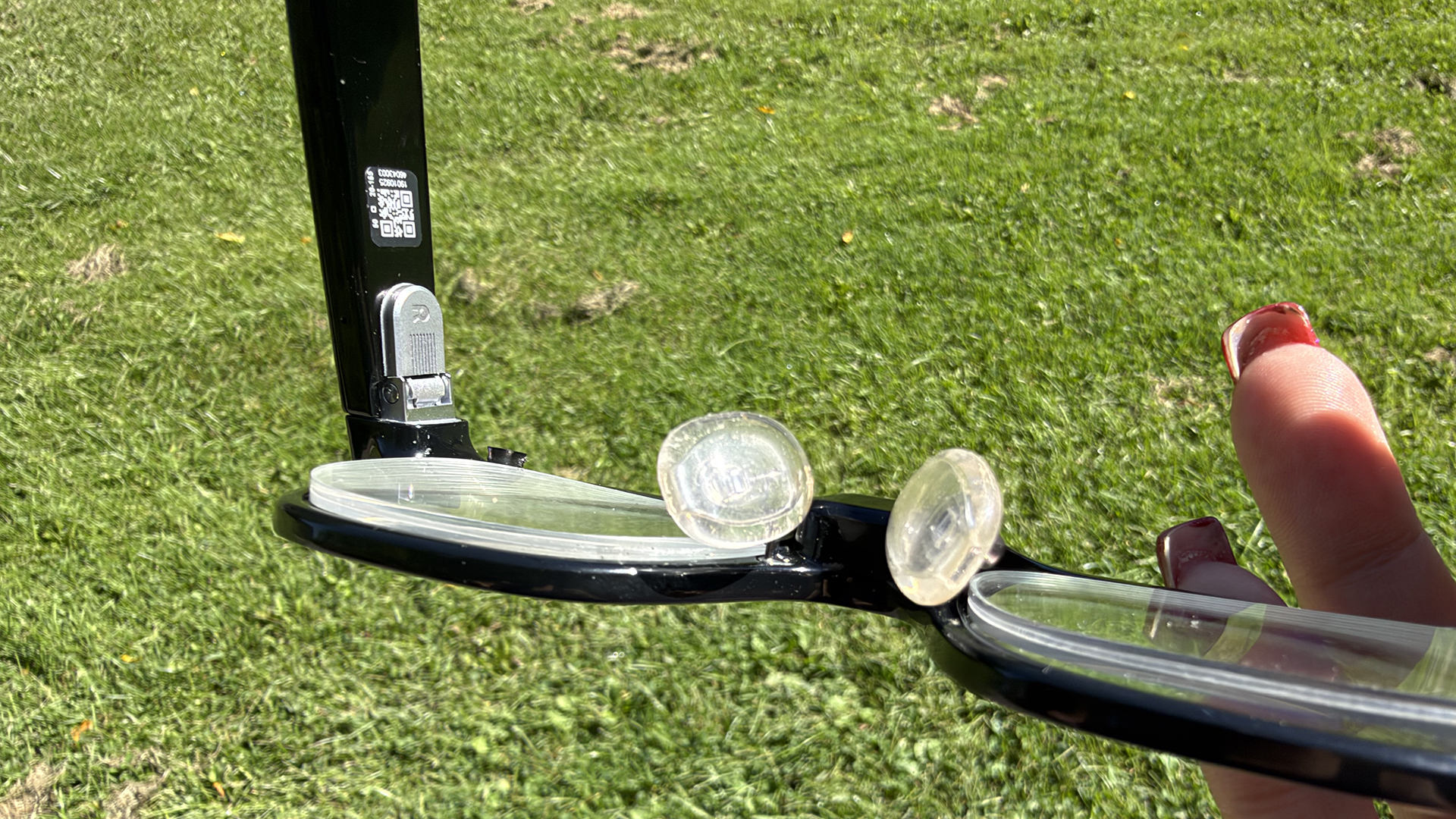
Prescription lenses (mine were provided by Markham, ON’s Ming’s Optical, Rokid’s exclusive optical partner in Canada), are inserted under the regular Rokid lenses using the built-in magnetic prescription insert. They fit securely, even if it looks a little weird. It’s sort of like you’re wearing clip-on sunglasses shades over (or in this case, under) your glasses. Pricing starts at $159 for these lenses, but that depends on your prescription (I use progressive lenses and yes, you can get those if needed).

I had an unusual experience I need to share: during an impromptu ride on bumper cars on the IFA show floor, I got hit hard by an overzealous rider. The glasses flew right off my face, and one prescription lens popped out. Thankfully, I was able to find it unharmed and position it back on. It hasn’t come off again since. But this was an unintentional test to confirm that, especially if you have prescription lenses, you should probably not wear these during rigorous activities. Lesson learned.
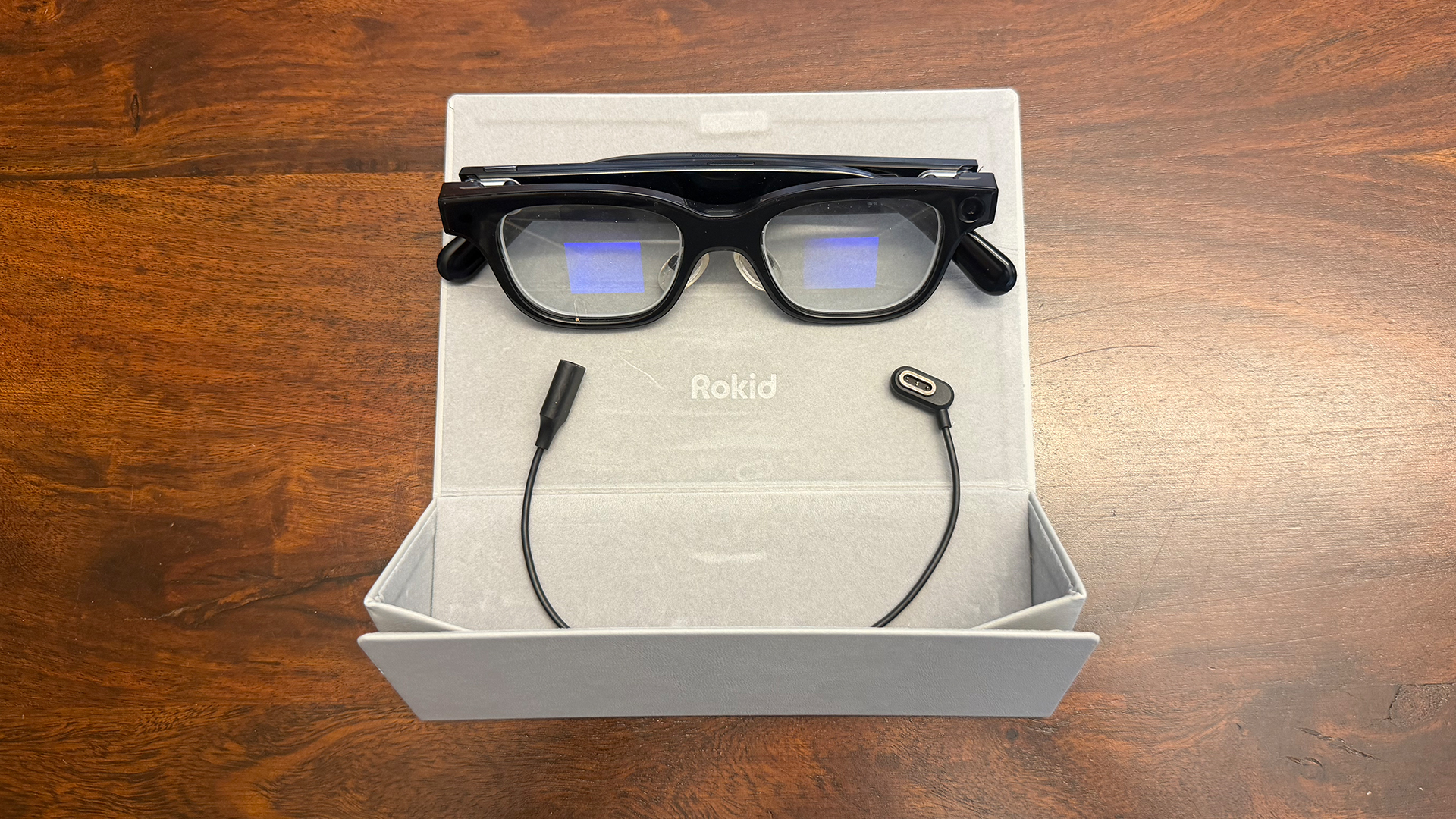
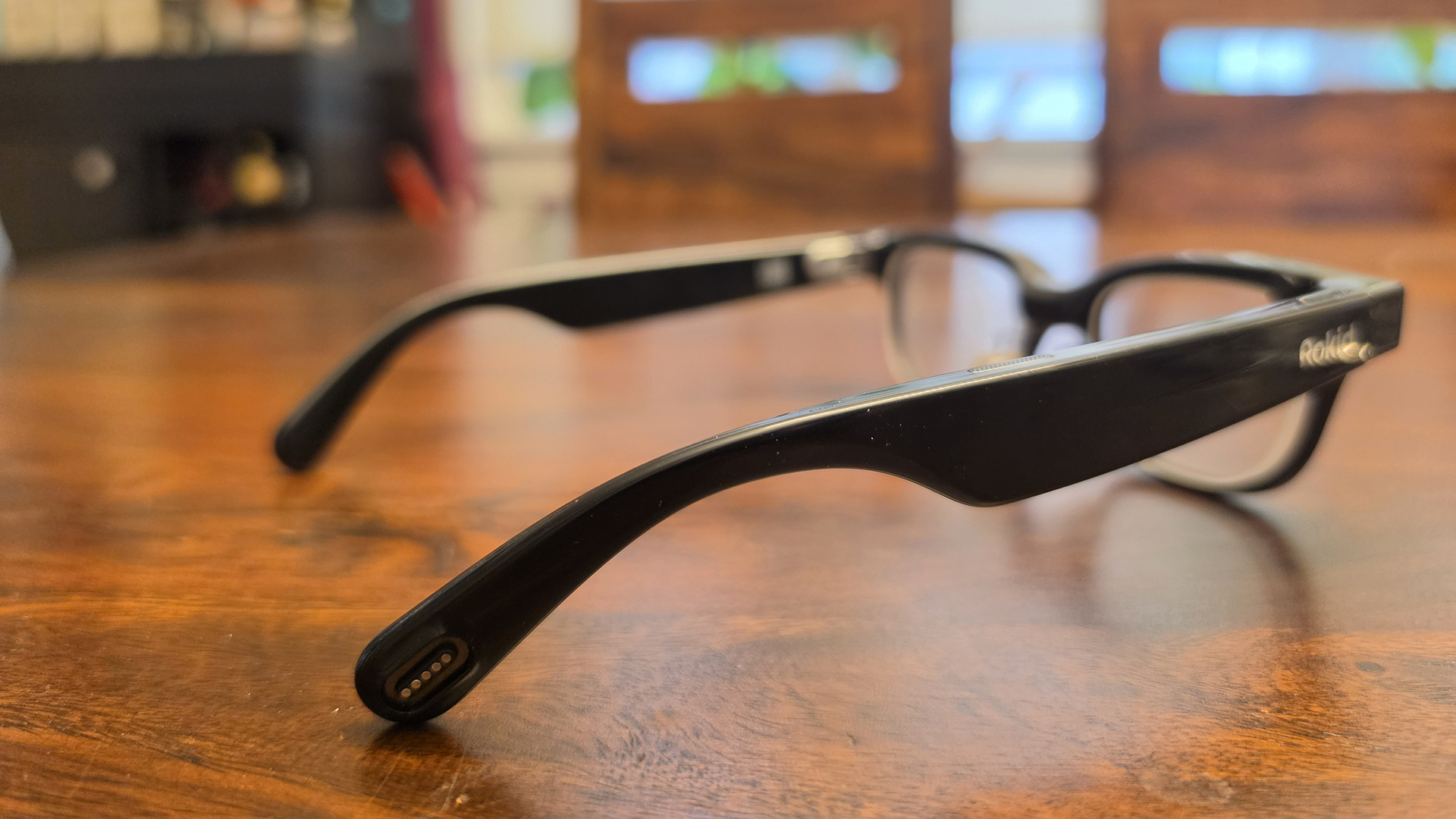
A magnetic charging port is on the right side of the arm. The glasses only come with a small USB-C in cable, so you need to connect this to your own USB-C cable to charge. I do wish the case came with a tiny pocket to house the cable as it’s easy to lose.
Operation is Simple

There’s a single button at the top, right of the frame. Press to snap a photo or press and hold to capture video. The right temple area of the arm is a touch sensitive surface you can use to activate the AI assistant. Use it to move among cards widgets and menu items by swiping forwards and backwards. Select or confirm an item by tapping, and double tap to return to the main menu. You can also set custom gestures. I’ll be honest: I rarely used this other than to activate the voice assistant, finding it easier to adjust settings from the app when needed.
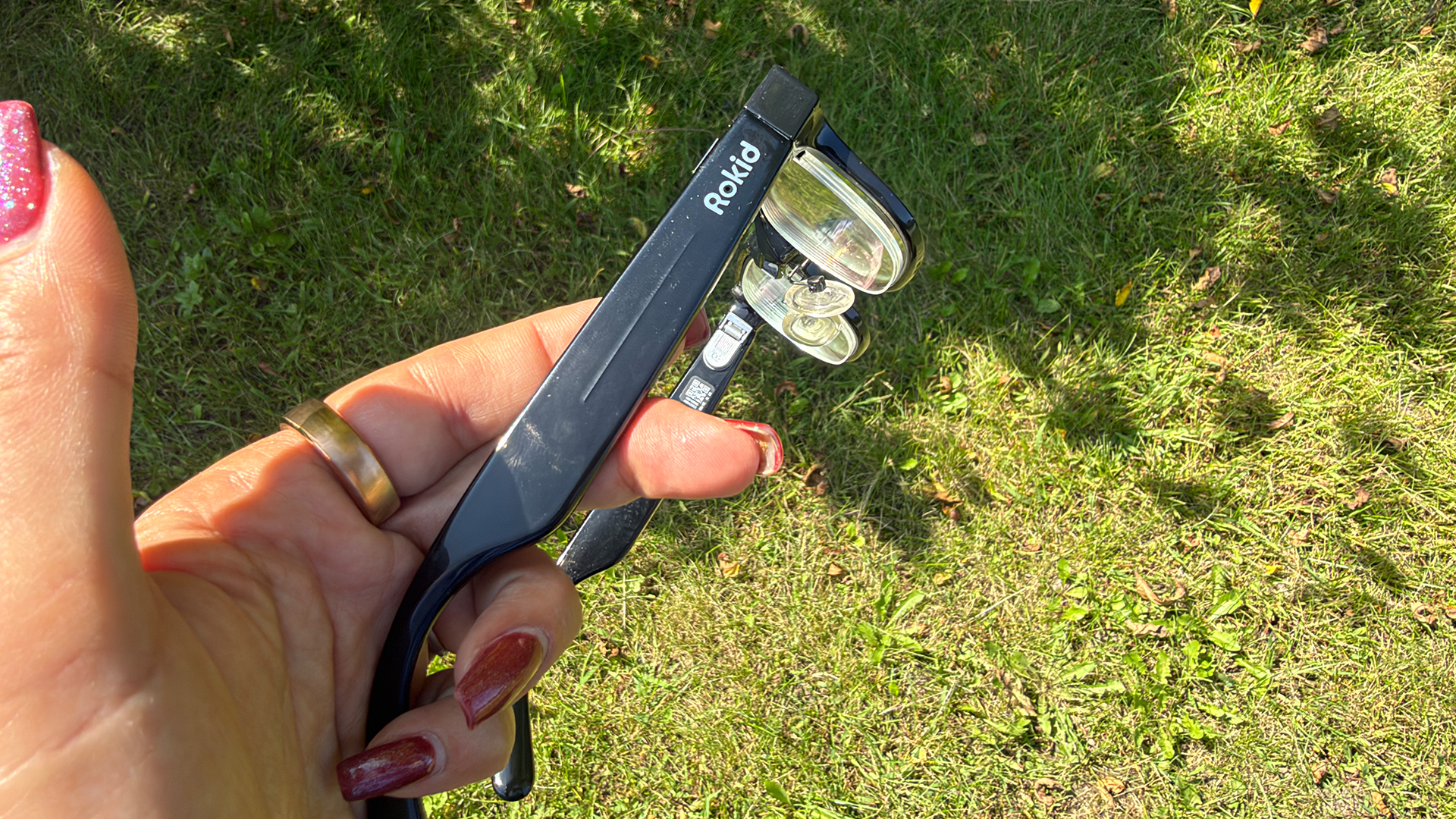
As notifications and other details show up on the screen, those around you will see the lenses flicker and know something is going on. Even without anything going on, the tiny square grid on the lenses are visible at certain angles, so there’s no mistaking that you’re wearing smart glasses. As soon as you press record, the LED illuminates on the front, so you can assure those around you that they will know when you’re actively recording or snapping a photo.
Notifications Are Clear in Most Settings
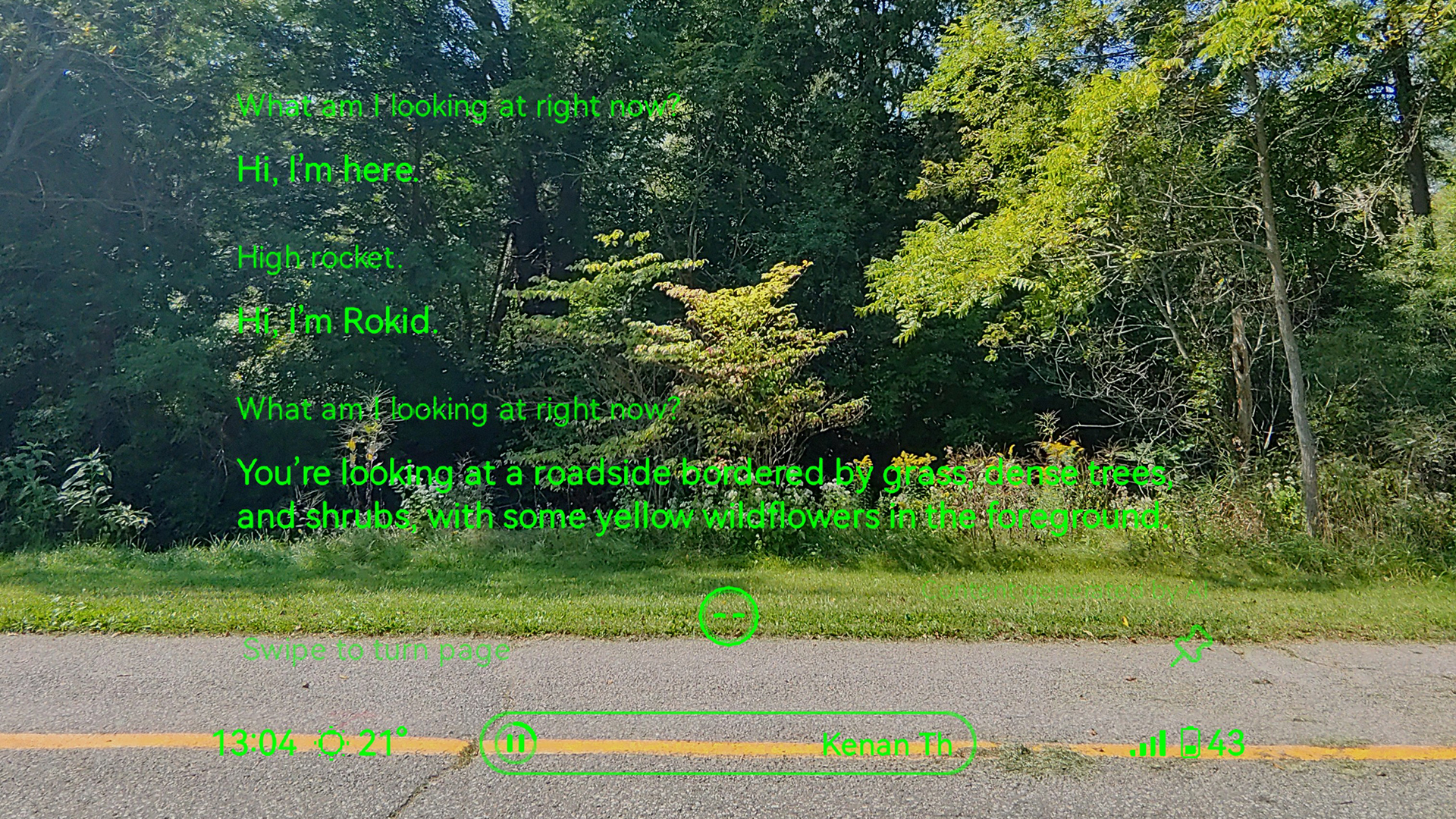
Notifications are projected onto the main lenses the same way a heads-up display (HUD) works in a motor vehicle. It’s achieved using a tiny microLED engine and dual-eye monochrome display. Text is in green, which is typically easy to read, though it depends on the surface in front of you. With light-coloured sidewalks during a bright, sunny day, for example, I had to move my head around to find a darker surface to see more clearly. That’s even with brightness at its highest. You can adjust where the text appears, positioning it higher, lower, or off to the side to retain the ideal view and preference as well.

I set the glasses to show virtually every notification I get on my phone, which includes e-mails, instant messages, and even Ring doorbell camera notifications. Every time I removed the glasses and put them back on, the same set of notifications would keep popping up in a long stream that could last upwards of a minute. It’s possible this is a bug. I submitted a report in the app and hopefully this can be fixed with an update. Beyond the repetitive nature of the notifications, however, it was nice to see them right on my face without having to pull out my phone. I’d recommend turning these off, however, if you wear the glasses while driving. (Check local laws for driving with smart glasses as well).
While you can’t use the “Hi Rokid” assistant to directly reply to a message, you can use it to call up your phone’s digital assistant, like Siri with iPhone, and reply using Rokid as a conduit, similarly to a pair of earbuds.
Navigation is Helpful, With Limitations
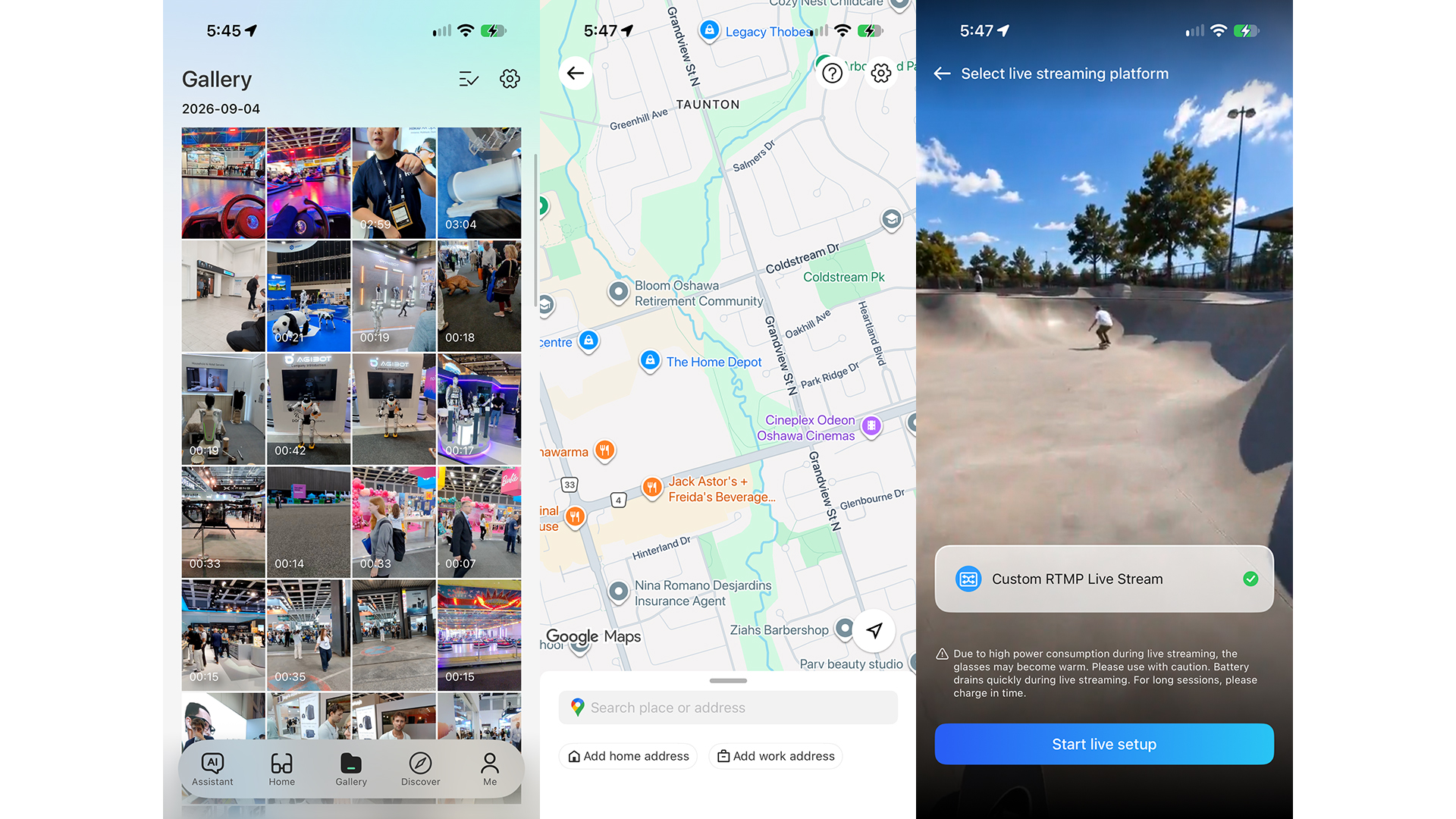
Enter a destination in the app or use voice commands. This proved invaluable while I was in Berlin. I not only asked it to navigate to a specific address (typed into the app since I could not pronounce the street names!), I even asked for recommendations, like a good coffee shop nearby so it could take me there on foot.
There is sometimes a slight delay in walking navigation, which can throw you off track and make you miss a turn. At times, it would advise that there was a weak GPS signal, even if the GPS signal with a traditional navigation app on my phone was able to keep up. Nonetheless, it’s a useful feature you’ll likely use while on vacation or exploring an unfamiliar city. You might feel weird staring at the screen, however, moving your head around to get a good view of the notifications while you walk.
The AI Assistant Will Become Your Best Travel Friend

One of my favourite features of the Rokid glasses is the live assistant. You can leave this on and activate it at any time by saying “Hey Rokid” or call it up only when you press and hold the side touchpad, which conserves battery life. The glasses leverage Gemini and/or ChatGPT: I left both on to provide the best response possible.
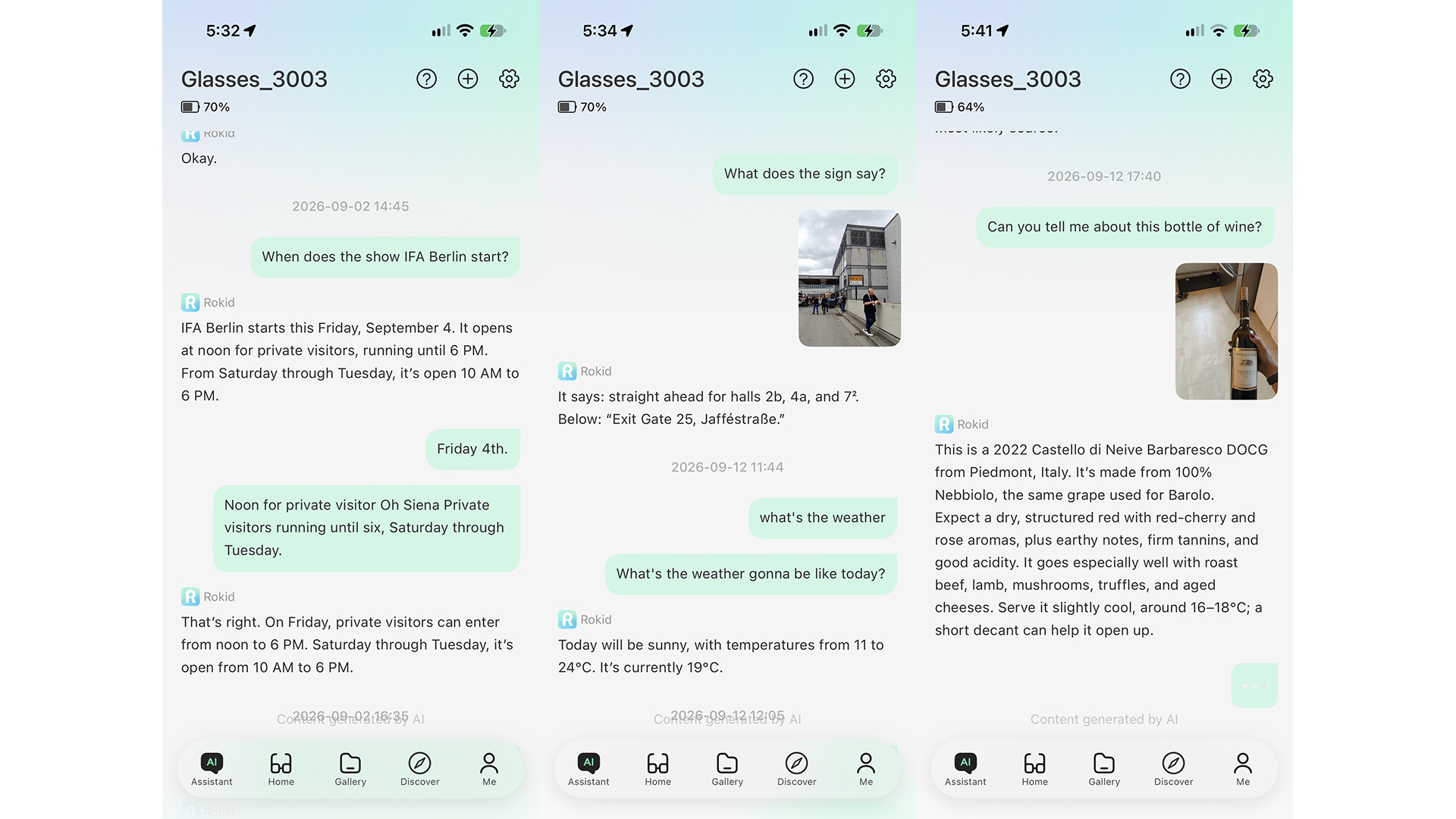
Ask what’s in front of you and the glasses will snap a photo, analyze, and provide an answer. I used this to ask things like what type of plant I was looking at outside. I was really impressed with the level of detail, which is super helpful for those with vision issues. Imagine asking what colour the streetlight is, if the walk sign is on, or how many seconds are on the counter to know if you should cross the street or not.
In a Berlin coffee shop, I asked Rokid if oat milk was on the menu while looking at it. The glasses snapped a photo of my view then told me that yes, it is. It went further, telling me which word translates to oat milk and provided tips on how to order in German. While at the convention centre for the show, I asked it to translate a sign so I knew I was going the right way.
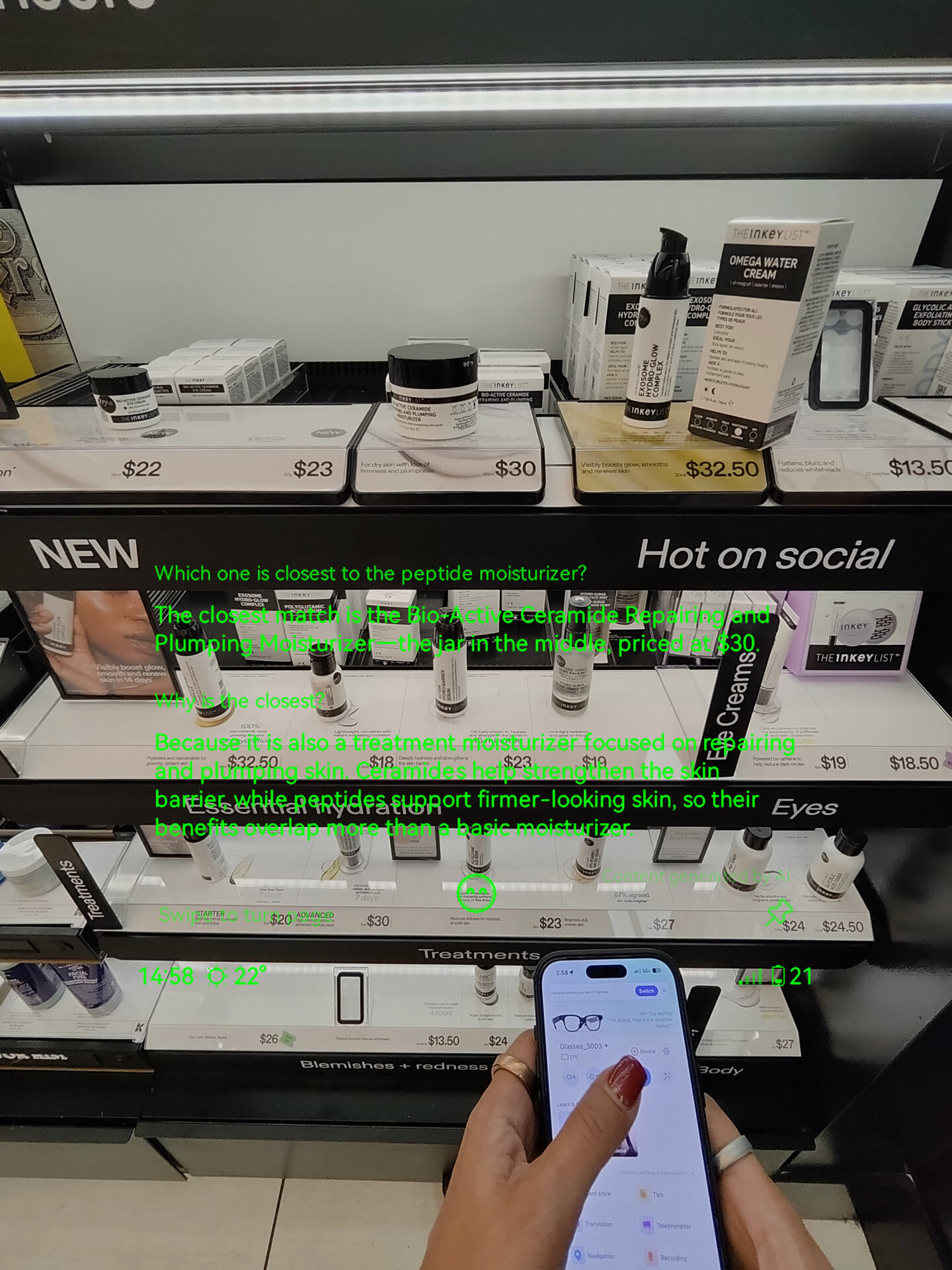
I found no shortage of reasons to use Hey Rokid, and love that I don’t have to pull out my phone and type or speak to Siri (Gemini for Android users). The process is so seamless and integrated into your daily life. For example, while having drinks with some journalist friends, we were discussing what time the show opened the following day. With one “Hey Rokid” query, I had the answer, and we could continue the conversation. We were talking about world travel as well and could not recall how to say thank you in a specific language. I asked Rokid and had the answer in an instant while my phone remained in my purse.
Admittedly, I felt weird at times standing in a public place or shop with other people nearby and talking to this mysterious entity known as “Rokid.” Expect a few glances or awkwardly waiting for people to leave so you can ask a question without feeling self-conscious. That said, as AI glasses become more prominent, seeing people use them out in the wild won’t stand out anymore.

One thing I don’t like about the AI assistant is that if you stop to ask it a question then want to relay the answer to someone or continue talking right after, Rokid thinks you’re still conversing with it and will keep answering. There were a few instances when I asked it something, it answered, and I continued talking to the person I was with while Rokid thought I was still talking to it. You need a short, awkward pause until Rokid goes to sleep before you can communicate it’s answer to someone else or she’ll become that annoying co-worker who butts into every conversation.
Alternatively, turn off Continuous conversation in settings. However, this prevents you from having a seamlessly flowing conversation since you need to begin each query with “Hi Rokid.” I’d recommend leaving Continuous conversation on when you’re alone and turning it off before meeting with others.
Translations Work Really Well
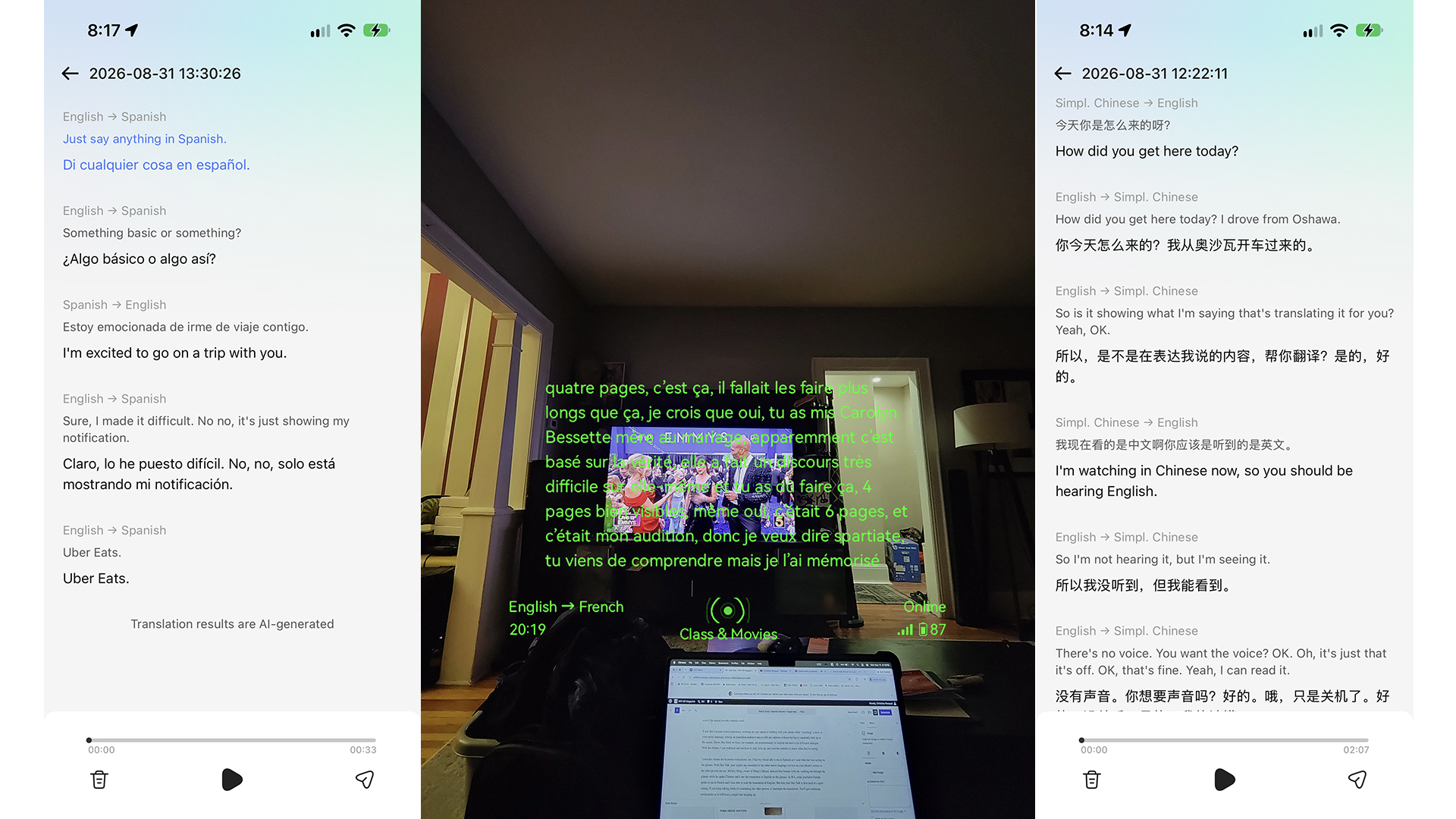
The glasses can translate not just text via photos but also spoken words in 89 languages. I tried it at home by playing a TV show in English and having the dialogue appear as subtitles on the glasses in another language. I then did the opposite and put on a Spanish-language true crime show to follow along with English subtitles. It works well, though it sometimes takes a while to display the translation, and it isn’t perfectly accurate. But it’s enough to get the gist of a conversation or dialogue. I love that having the text on the glasses themselves removes the need to have them on screen, even if the source provides subtitles itself.
If you like a second screen experience, working on your laptop or fiddling with your phone while “watching” a show in your native language, turning on translation makes it easy to still see captions without having to constantly look up at the screen. Shows like Emily in Paris, for example, are predominantly in English but have a lot of French dialogue. With this feature, I can multitask and not have to stop, look up, and read the subtitles to know what they’re saying.

I tried this feature for in-person translations, too. I had my friend talk to me in Spanish as I read what she was saying on the glasses. With Duo Talk, your replies are translated in the other native language via text on your phone’s screen so the other person can see. Mickey Ming, owner of Ming’s Optical, demoed this feature with me, walking me through the glasses while he spoke Chinese and I saw the translation in English on the glasses. At IFA, some journalist friends spoke to me in French and I was able to read the translation in English. But note that Duo Talk is best used in a quiet setting. If you keep talking while it’s translating the other person, it interrupts the translation. You’ll get confusing notifications or it will have a tough time keeping up.
Also worth noting is that when using traditional translation mode, there is a slight delay. So, if I’m trying to converse with someone in a store like a cashier or waitress, it’s a bit awkward. If she asks me if I want a large or small coffee, for example, I listen to the “thinking sound” for a few seconds before the glasses tell me what she said. I feel like I look like a robot frozen in time, or a newscaster dealing with a broadcast delay. As this technology becomes more ubiquitous, I suspect most people will understand what’s happening. For now, you may have to give the “one second” hand signal as they stare at you confusingly before getting your response.
Captured Footage is Better Than Expected
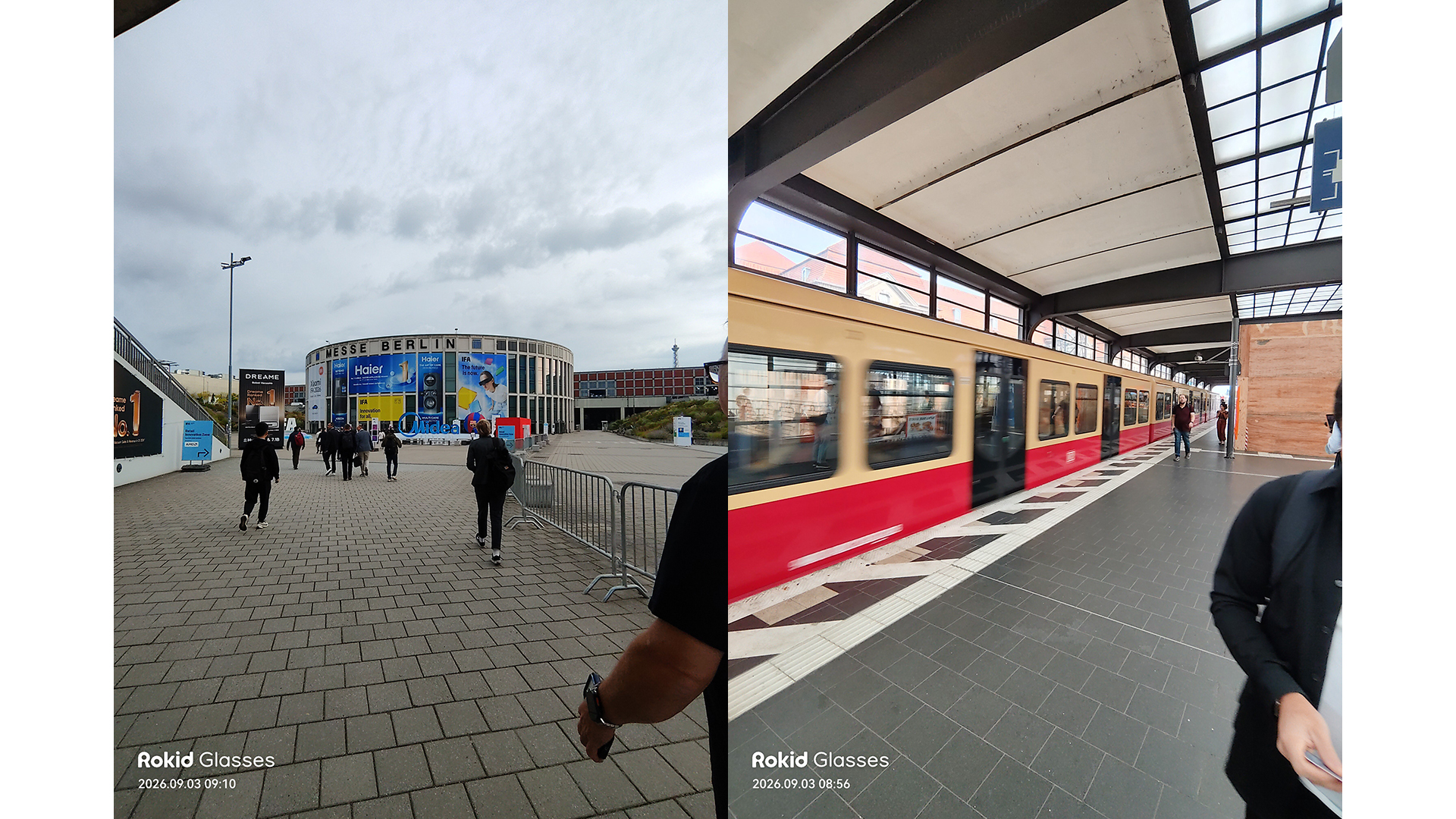
For someone like me who captures footage at events and trade shows, and for any type of content creator, these glasses are a godsend. I usually capture B-roll footage, holding up my phone or a camera (my favourite DJI Osmo Pocket 4, which I reviewed last month) to capture it. With these glasses, I can look at something or walk, press and hold the side button, and instantly start recording footage.
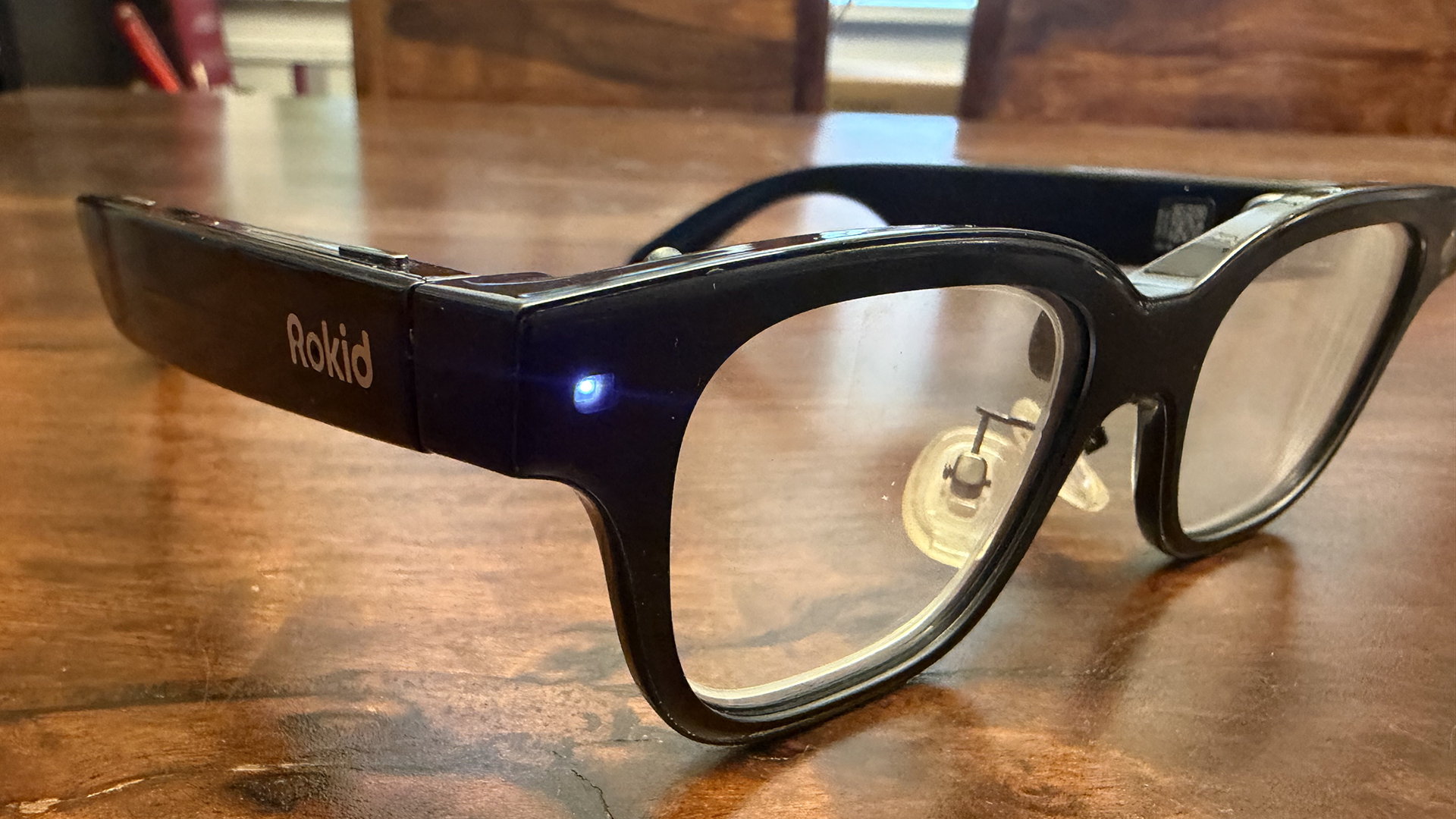
The screen shows that I’m recording with a running timer. The light also illuminates on the side of the glasses so I’m not doing this covertly. Press once to snap a still photo using the built-in 12MP high-definition camera. The quality is impressive for both. While it’s not as crisp and clear as with a dedicated camera like the Osmo Pocket 4, it’s more than acceptable for social sharing.
Aside from the ease at which you can capture footage (imagine a concert, birthday party, or kids’ game or concert), the quality of the images and video is impressive. For still photos, you can choose 4K 3:4, 4K 9:16, or 3K 4:3 aspect ratio and turn on features like auto horizon calibrations to level an up to 6° tilt. For videos, you can shoot 3K 30fps 9:16, 2.5K 30 fps 3:4, 2.5K 30 fps 9:16, 2K 30 fps 9:19.5, or 2.5K 30fps 4:3. There’s a watermark option for both that you can leave on or remove. With this wide range of settings, you can record footage that’s instantly ready for sites like Instagram and TikTok as well as YouTube.
There’s also livestreaming capabilities. Think using this while you walk through the streets, interview someone, or even while gaming. The only thing I wish is that you could connect a Bluetooth microphone. That would make it easy to do things like short demo videos at trade shows and events.


Syncing files is quick. It takes about a minute for large batches, after which you can save them right to your phone’s camera roll as well as in the Rokid glasses Gallery. You can also livestream, great for serious content creators.
Audio is Decent
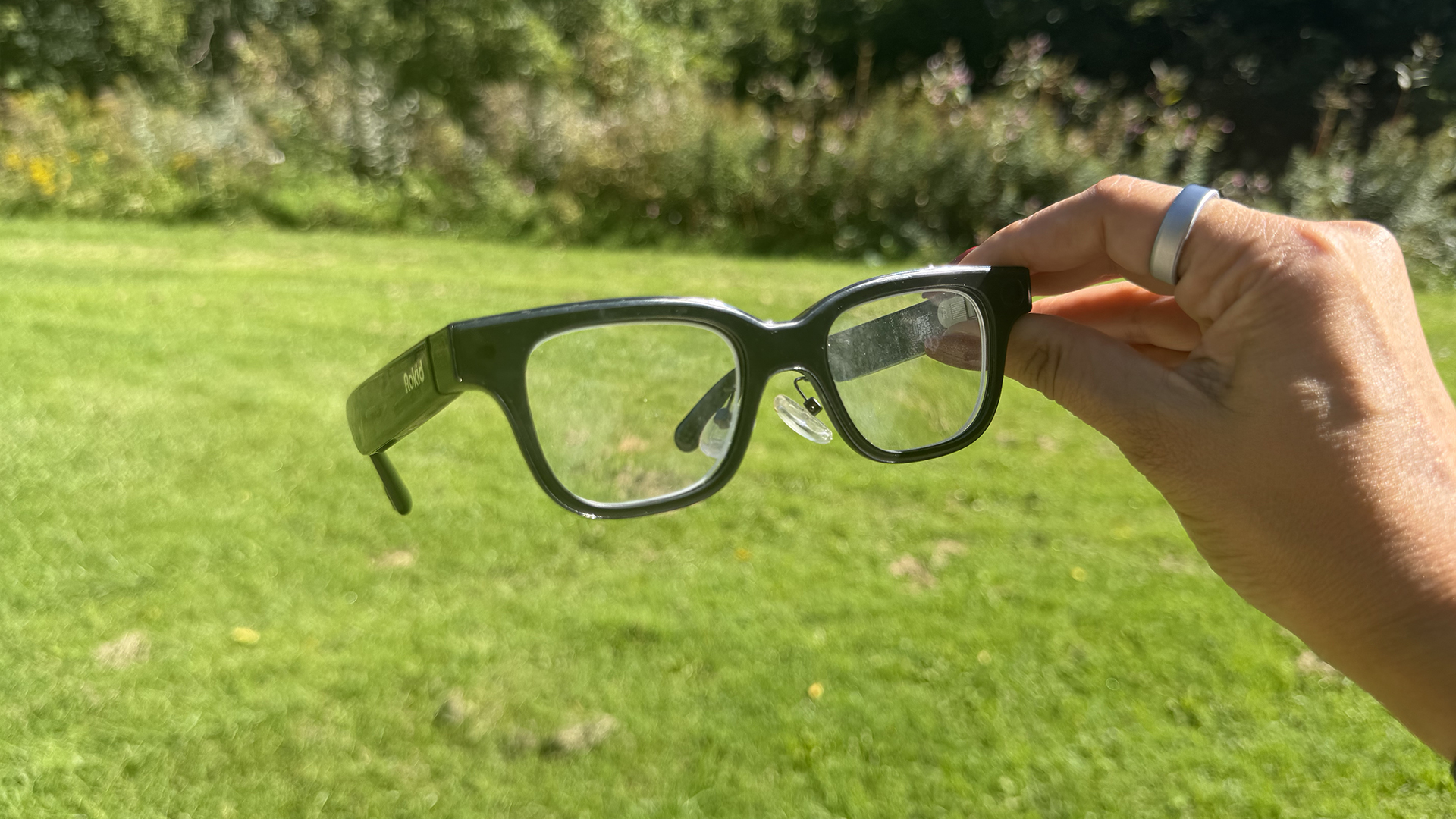
Along with seeing content via the green text on screen, the glasses also have built-in private directional speakers for listening to music, hearing audio responses, translations, and more. So, you can use them in place of Bluetooth earbuds for listening to tunes and podcasts.
Audio quality is decent and was even better and clearer while walking a noisy street than a pair of clip-on earbuds I was testing at the same time. It doesn’t rival a good pair of in-ears, though. Since there’s no noise cancelling, you need to crank up the volume or you’ll have trouble hearing in a noisy environment, like a busy street with cars going by.
Call quality in noisy environments is not great: my son called me while I was at the mall and I could barely hear him. There’s a lot of sound leakage as well since nothing is plugging your ears. But audio was better than I expected, at least in quieter environments.
Battery Life is the One Downside
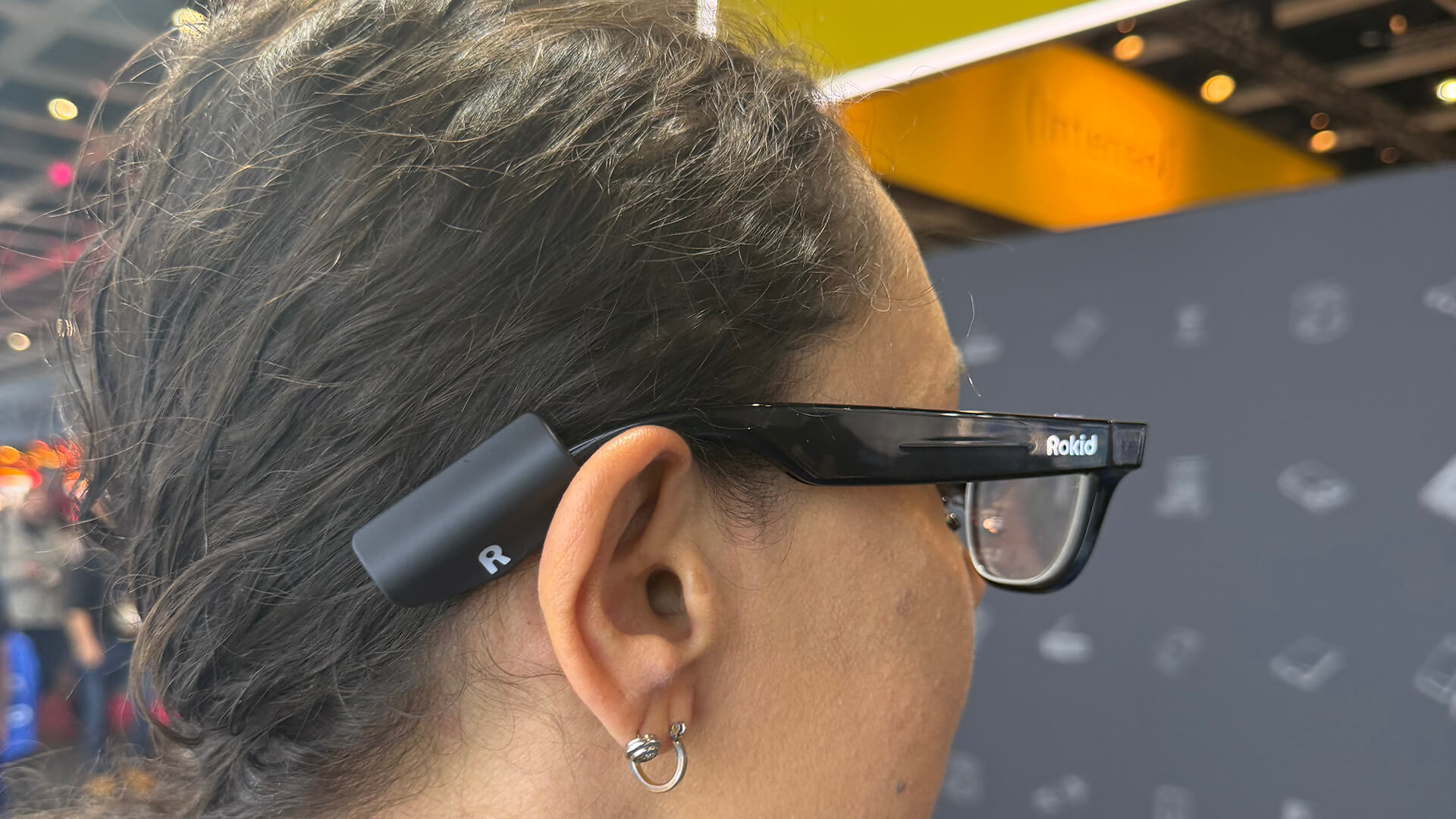
The biggest downside to these glasses is battery life. I often found that they died at times that prevented me from using them when I wanted to. At IFA, I charged them to full and put them on about 9 a.m. By the early afternoon after I captured tons of footage, they were already dead. You can, as noted, turn off the live AI assistant to conserve battery life, but it still won’t get you through an entire day.
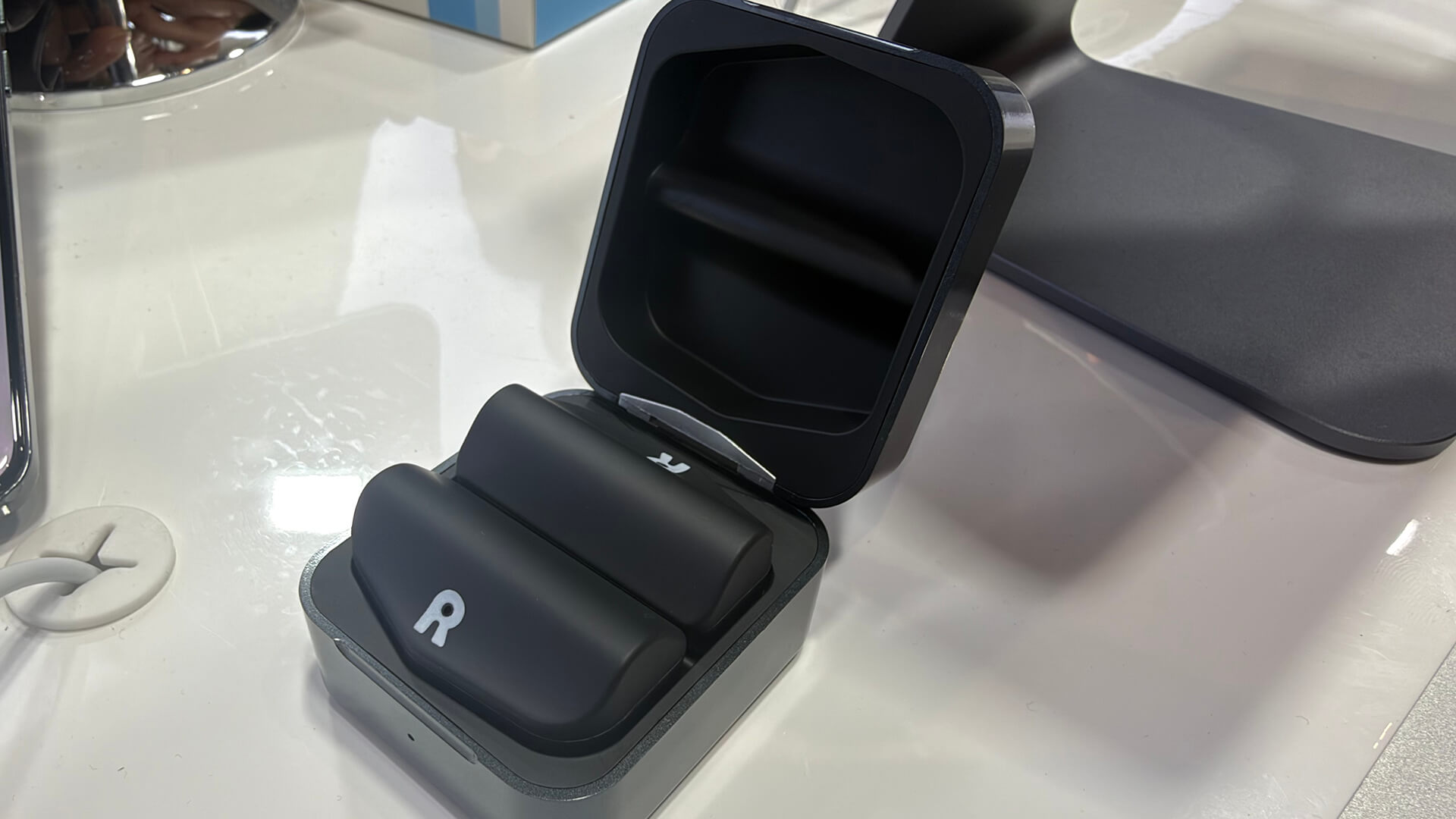
That said, I was pleased to see the Power Capsule accessory at the company’s booth at IFA. It looks like a wireless earbuds case and contains two magnetic battery packs. Connect one to the magnetic charging pins on the arm and you can charge as you go. The set gives you up to six more charges for the glasses. It’s worth nothing that if you have the glasses with prescription lenses, at least they default to regular eyeglasses once the battery dies and aren’t just a fashion play.
Accessibility Features: They’re About More Than Just Fun

These glasses are useful for both those with vision and those with hearing impairments. But there are additional accessibility features you can turn on to enhance this.
With Visual Assistance, the screen turns off, and you can tap for Smart Eye, which initiates an audible real-time environment description. This could be to advise when there’s people walking towards you, a pothole on the road, or when the stop sign is on.
Then there’s Hearing Assistance, which provides one-tap subtitles with conversation transcription and audio muting. This mode can also automatically turn on subtitles for call audio. But imagine using it while in a meeting when you don’t understand the language or hearing impairments mean you have trouble hearing clearly.
Should You Buy the Rokid AI Smart Glasses?
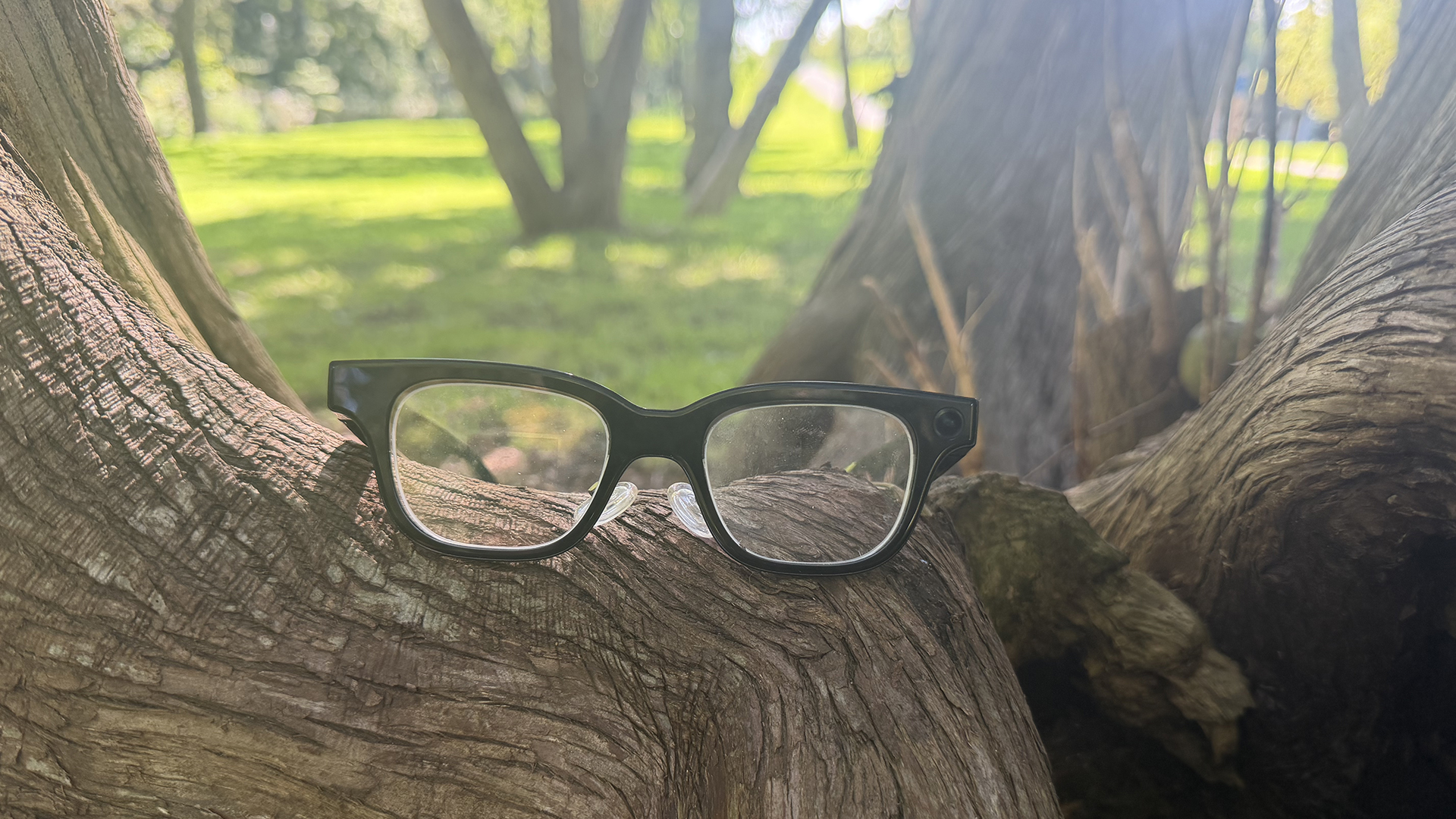
I’ll admit that I have not tried the market leading Meta AI glasses, so I can’t make a direct comparison. But I have many journalist friends who have used those, and they were blown away with how the Rokid glasses work and what I was able to do with them. The quality of captured photos and videos is great for social sharing and the built-in intelligence through both Gemini and ChatGPT, leveraged through the AI assistant, is flawless.
There are some kinks to work out, easily resolved via software updates. And I wish the prescription lens integration was a little more seamless. Battery life is the biggest issue. I would recommend getting the Power Capsule with the Rokid glasses, especially if you plan to wear these as your primary prescription glasses.
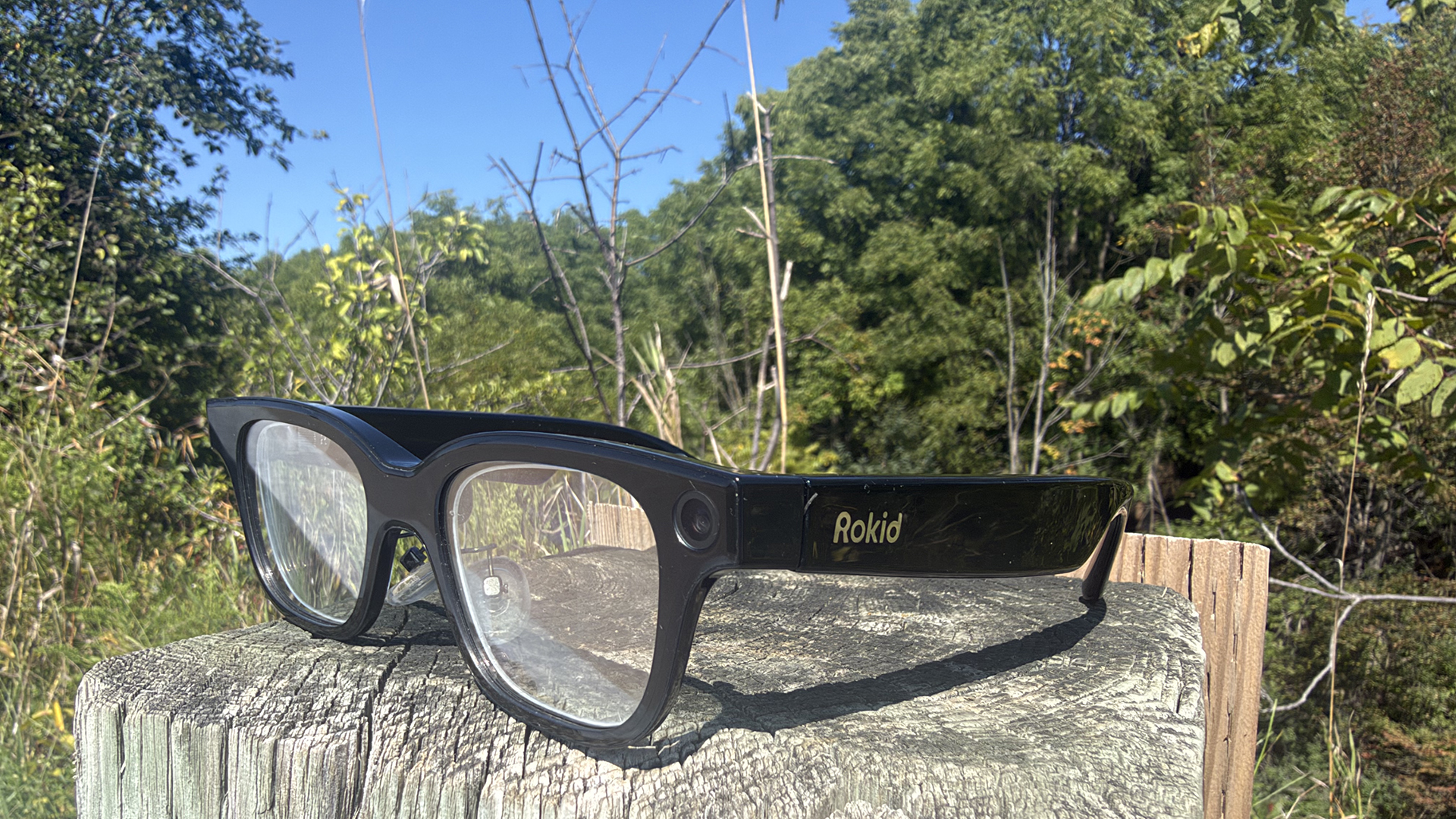
These glasses are not only great for content creators, they’re ideal for those with vision or hearing issues. And while they keep you connected, smart glasses like these can also help reduce distractions. I loved being able to keep my phone in my pocket and ask Rokid to translate a menu for me, what the weather would be like, or even about the bottle of wine we were served at the hotel lobby bar. Sure, it looks weird to leave a conversation for a second to talk to a digital assistant. But I much prefer that than having everyone stick their faces in their phones. Plus, it’s a conversation starter.
AI smart glasses are the future. Yes, they are creepy. But when viewing them with the right lens – pun intended – they can be useful, too. Weirdly, they can ironically keep you more present in the moment. And for those with hearing and vision limitations, they can help you regain some autonomy.

Meta Glasses are probably great, and one day, I may do a head-to-head comparison. But for now, the Rokid Smart Glasses impressed me more than I anticipated they would. From the level of customization to granular control, image and video quality, and helpfulness, they score high in my books.
Rokid Glasses are $999. You can also get the Rokid AI Glasses Style without the built-in screen (audio and AI access only), for $549. A set of custom prescription lenses start at $159.