

Apple watchOS 26
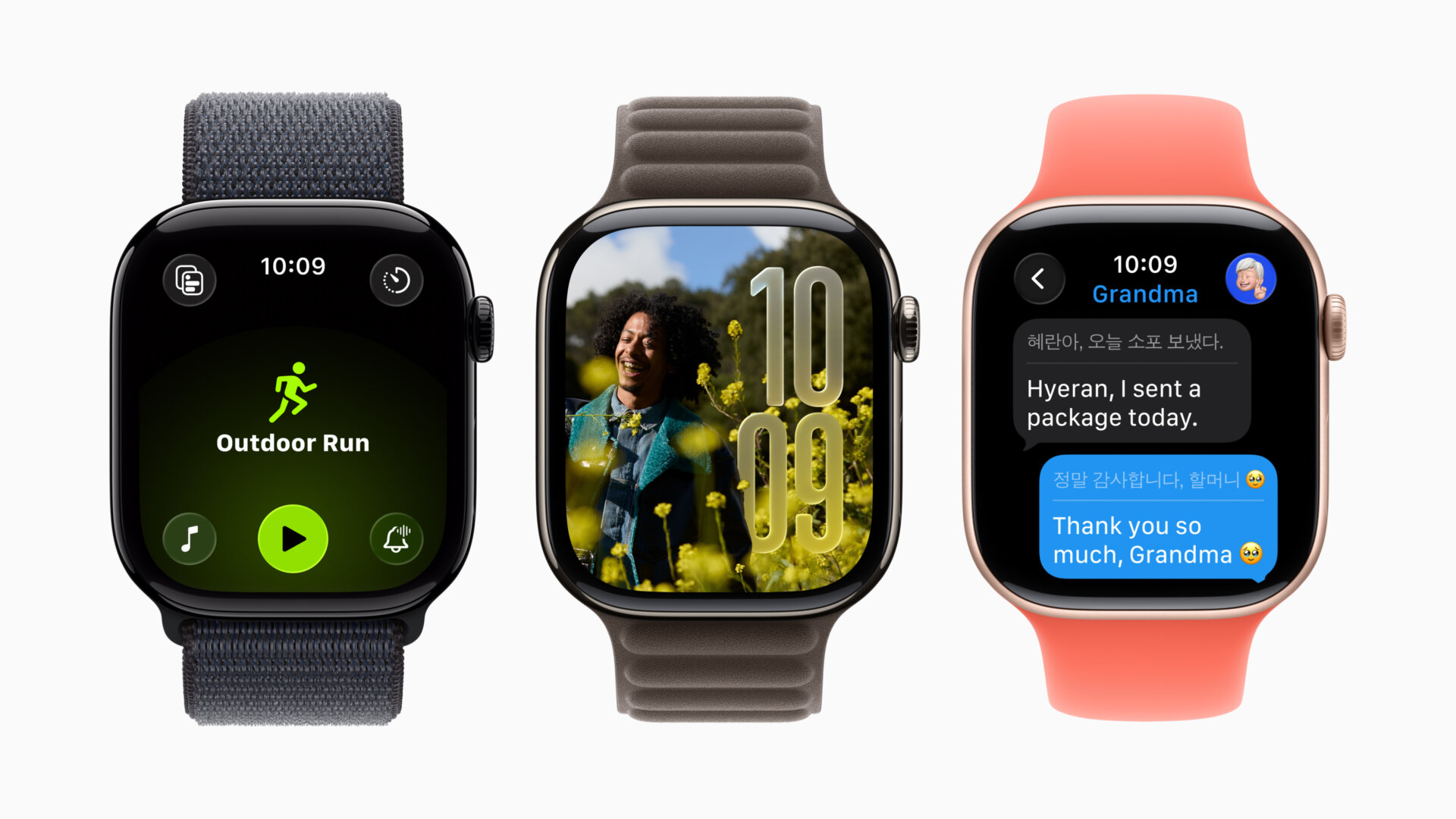
With more personalization, a new software design, and a new feature called Workout Buddy, you’ll get more from your Apple Watch with the latest OS.
Liquid Glass: Enjoy the same Liquid Glass feature for the Smart Stack, Control Center, the Photos watch face, and in-app navigation and controls.
Apple Intelligence/Workout Buddy: Get personalized, spoken motivation when you start a workout. It incorporates your workout data and fitness history to generate personalized, motivational insights during your session and based on data like heart rate, pace, distance, activity rings, and personal fitness milestones. A runner, for example, might get a pop talk reminding them of their running mileage for the week so far, and encourage them that they are making great progress towards their goals, advising how many more minutes there are to go to close the exercise ring. It can even analyze if your pace is better, for example, and when you hit specific milestones. It works with Apple Watch combined with Bluetooth headphones and you’ll eed to have your Apple Intelligence-supported iPhone nearby. At launch, it will work with a specific selection of workouts, including Outdoor and Indoor Run, Outoor and Indoor Walk, Outdoor Cycle, HIIT, and Functional and Traditional Strength Training. Additionally, the Workout app features a new layout and offers music to listen to based on your tastes and the workout type.
Workout App: There are four new buttons in the corners of the app make it easier for you to access your favourite features to customize workouts, like Workout Views, Custom Workout, Pacer, Race Route, and more. Set up music and podcasts right in the Workout app to automatically play when you start a workout. Apple Music can now select the best playlist for a workout based on the workout type and your personal tastes. Alternatively, see suggestions for playlists or podcasts based on what you’ve recently listened to during that particular workout type.
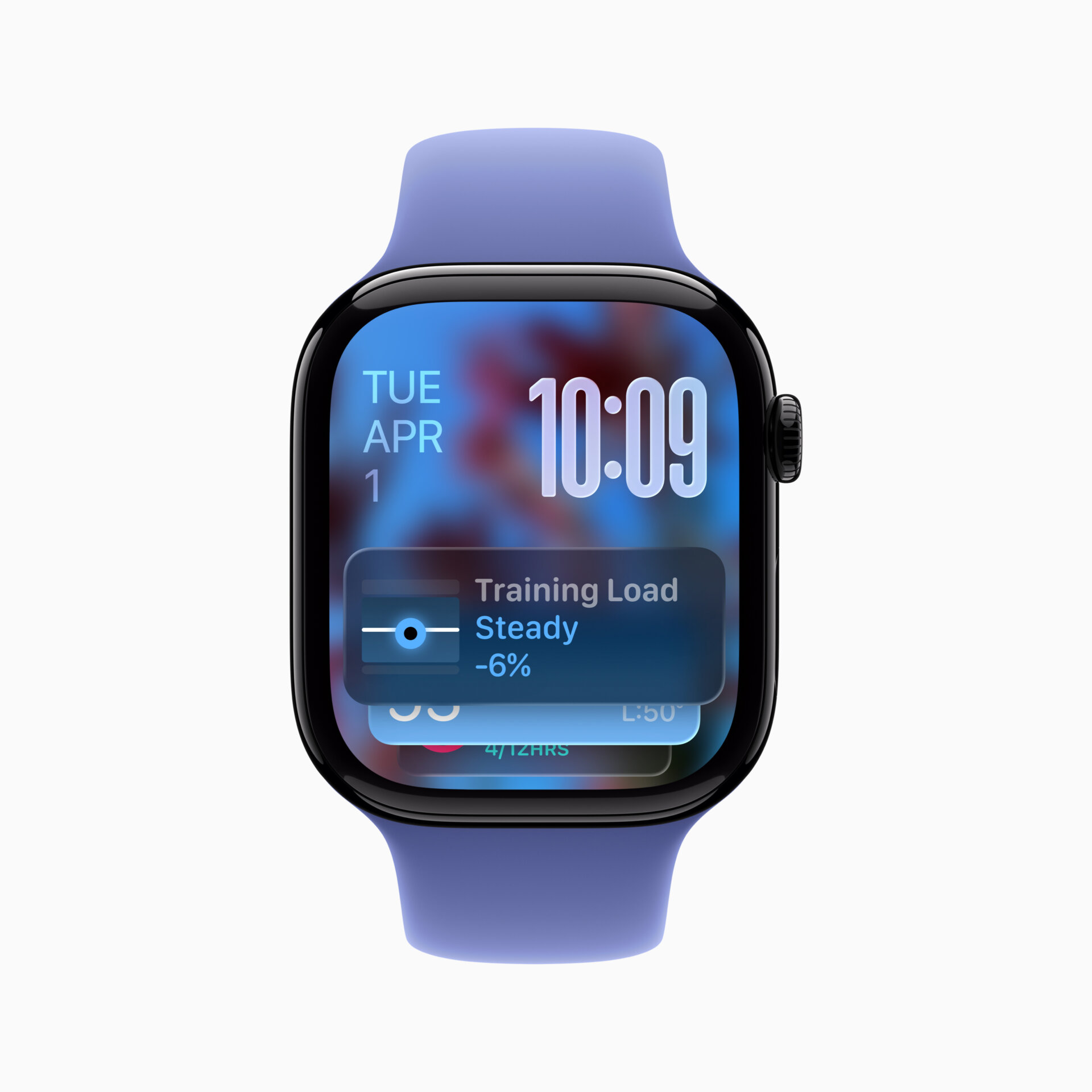
The Smart Stack: Prediction algorithms are improved by incorporating more contextual data, sensor data, and data from your routine to provide Smart Stack hints, a proactive prompt for actionable suggestions that are immediately useful. Made of Liquid Glass, Smart Stack hints will appear on the display as a gentle visual prompt. For example, a hint for Backtrack may appear when you are in a remote location with no connectivity, or a hint for a Pilates workout may show up when you arrive at a studio location at your usual time.
Live Translation in Messages: Incoming texts can be automatically translated into your preferred language, right on your wrist. When you respond, the texts can be instantly translated for the person you’re having a conversation with. Live Translation will be available on Apple Watch Series 9, Series 10, and Ultra 2, with an Apple Intelligence-supported iPhone.
Messages: For devices set to English, Apple Watch will intelligently suggest relevant actions in Messages using the context of a conversation, like starting a Check In when a friend asks you to share when you arrive home. Customizable Backgrounds set on iPhone will also appear on Apple Watch to make conversations feel more personal and distinct. You can respond to polls right on the wrist. Smart Replies get more precise in English, with an improved on-device language model that can generate relevant responses based on the content of a conversation.
Notifications: Use a simple wrist flick gesture on Apple Watch Series 9, Series 10, and Ultra 2. Raise your wrist to check a notification and if you aren’t ready to respond, quickly turn your wrist over and back to dismiss the notification. The wrist flick gesture can be used to dismiss notifications and incoming calls, silence timers and alarms, and return to the watch face. It uses the accelerometer and the gyroscope along with a machine learning model to analyze wrist movement.
Automatic Speaker Adjustment: Apple Watch can now automatically adjust the speaker volume based on the ambient noise in your surroundings for notifications, timers, alarms, incoming calls, and Siri.
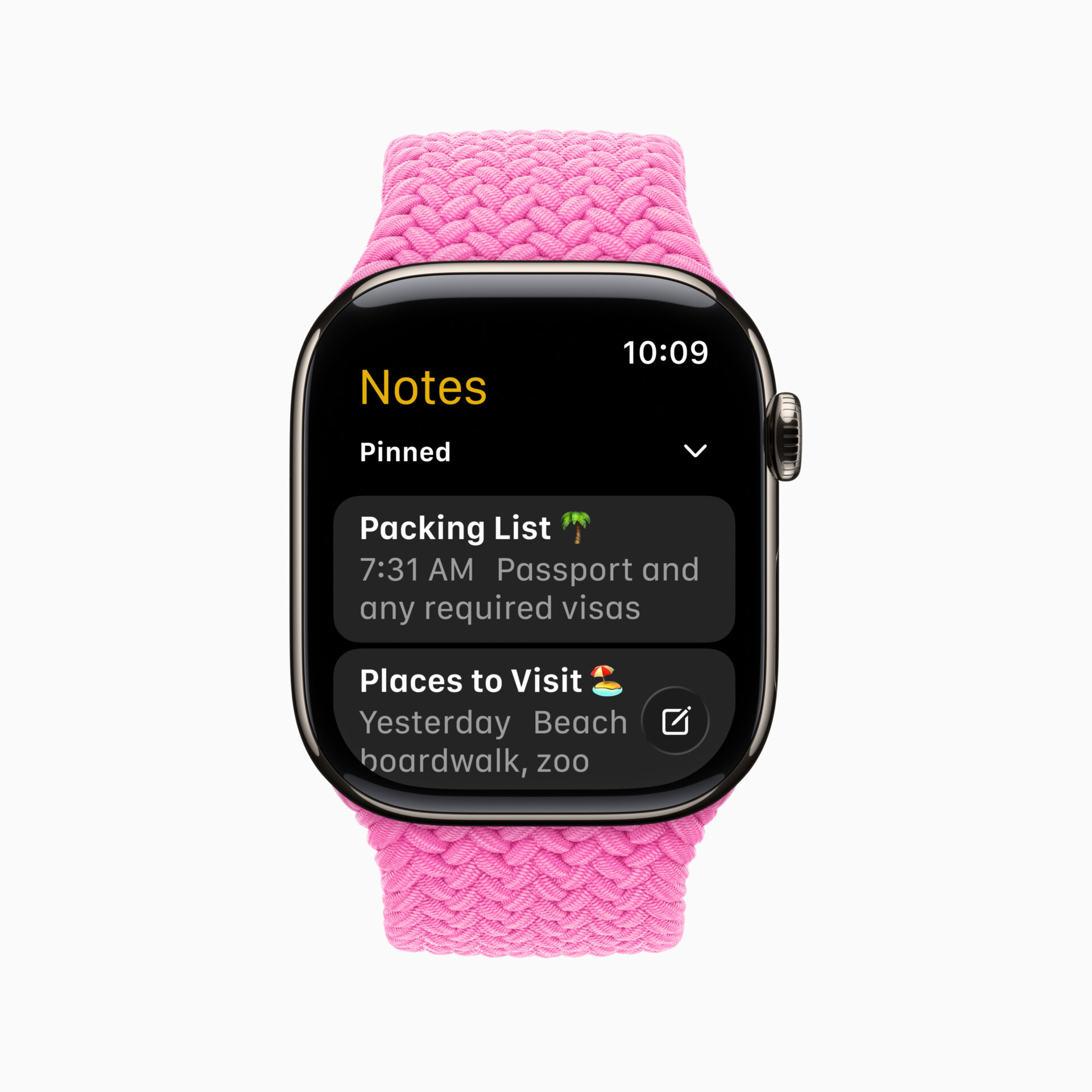
Notes: The Notes app comes to Apple Watch, allowing you to access notes right on your wrist. You can also pin and unlock notes, complete checklist items, and create new notes with Siri, dictation, and the keyboard.
Hold Assist and Call Screening: These new features work on the Apple Watch when an iPhone is nearby.
The Photos Face: It now shuffles images based on Featured content from Photos, so you can see images of your most meaningful moments every time you raise your wrist or tap the display. Also, explore and discover watch faces more easily with the redesigned watch face gallery with faces grouped into collections.
watchOS 26 will be available this fall as a free software update for Apple Watch Series 6 or later, Apple Watch SE (2nd generation), and all Apple Watch Ultra models, paired with iPhone 11 or later, running iOS 26.