

iPadOS 26
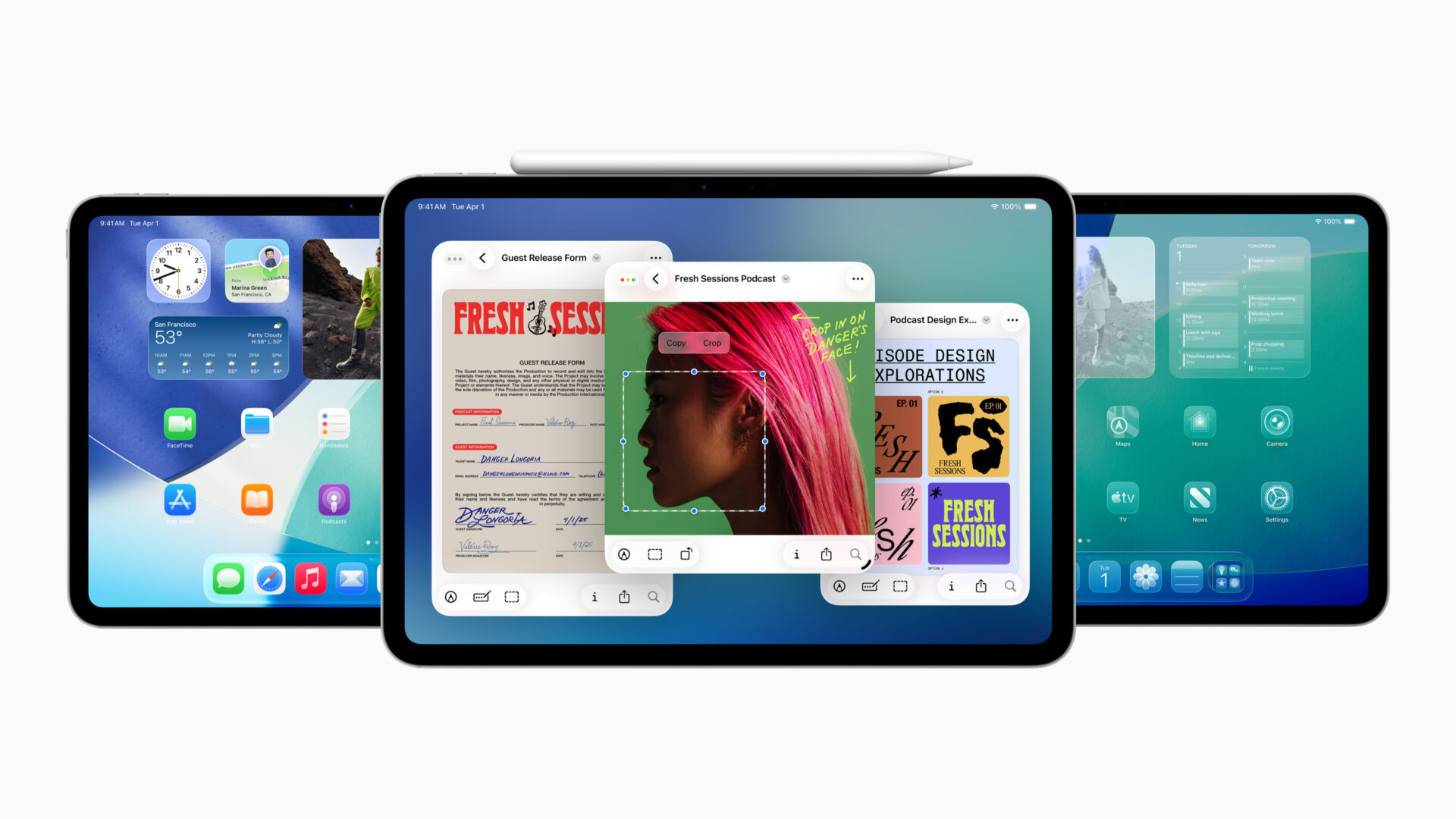
Extend many of the same features to the iPad that you get with the iPhone, but with some specific options for compatible iPad users.
New Design: Crafted with Liquid Glass, experience this across the Lock Screen and Control Center, Home Screen with updated app icons, and updated controls and navigation in apps like Mail, Safari, Apple TV, Apple Music, and more.
New Windowing System: Fluidly resize app windows, placing them exactly where you want, and open even more windows at once. Familiar window controls allow you to seamlessly close, minimize, resize, or tile windows. Window tiling is designed for the unique capabilities of iPad so you can arrange windows with a simple flick. If you previously resized an app, it opens back in the exact same size and position when you open it again. With Exposé, quickly see all open windows spread out to easily switch to the one you need. The new windowing system works great with Stage Manager for those who want to group their windows into distinct stages, and with an external display for those who want even more space to work across their apps.
A New Menu Bar: Access the commands available in an app with a simple swipe down from the top of the display, or by moving the cursor to the top. Quickly find a specific feature or related tips in an app by using search in the menu bar. Additionally, developers can now customize the menu bar in their own apps.
Apple Intelligence: Enjoy all the same new Apple Intelligence features, including Live Translation, new ways to create Genmoji, new Shortcuts, and more.
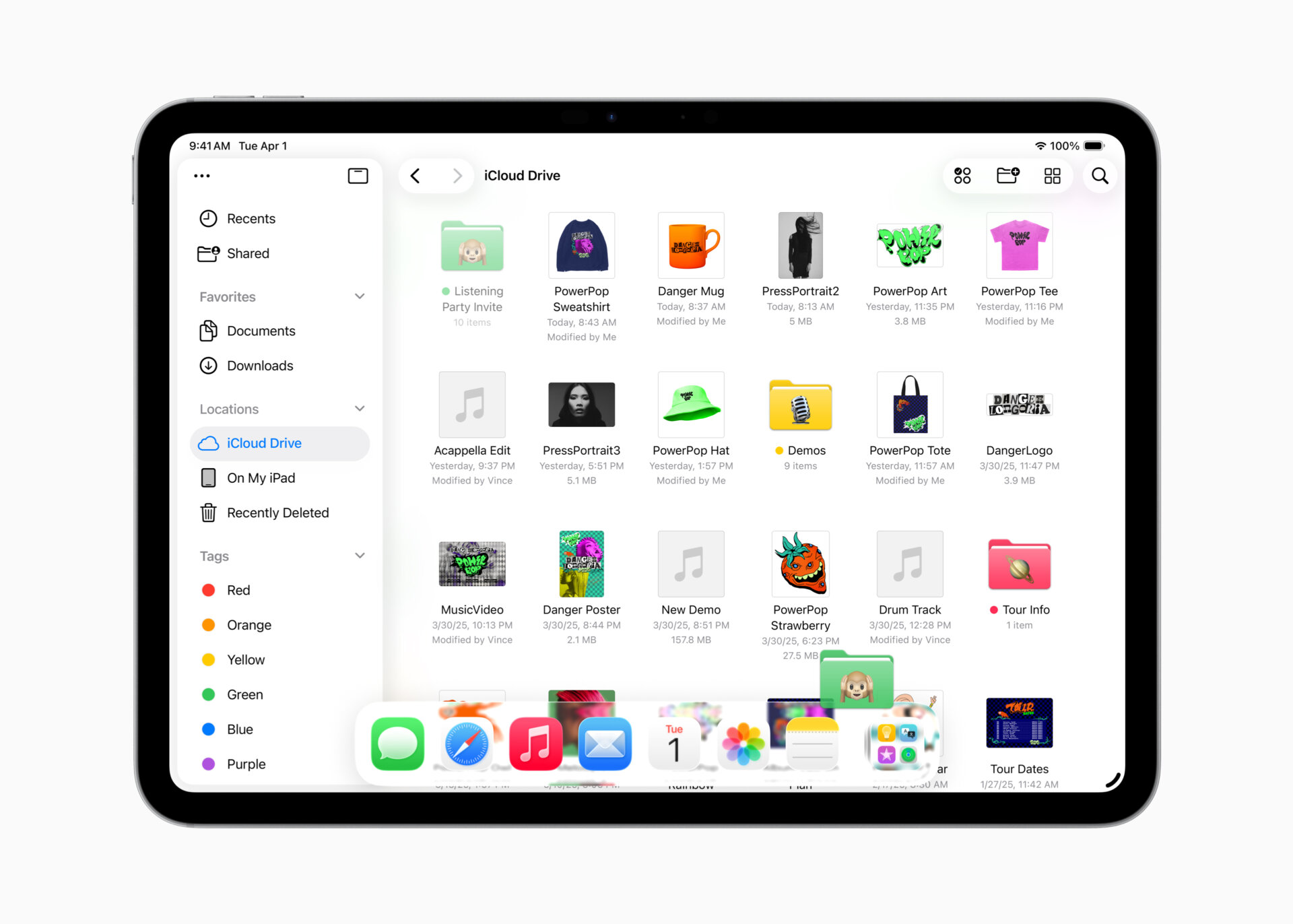
Enhanced Files App: iPadOS 26 introduces new ways to manage, access, and edit files. An enhanced Files app with an updated List view allows you to see more of your document details in resizable columns and collapsible folders. To make folders easier to identify at a glance, Files also offers folder customization options that include custom colours, icons, and emoji that sync across devices. For quicker access, drag any folder from the Files app right into the Dock. Additionally, set a default app for opening specific files or file types.
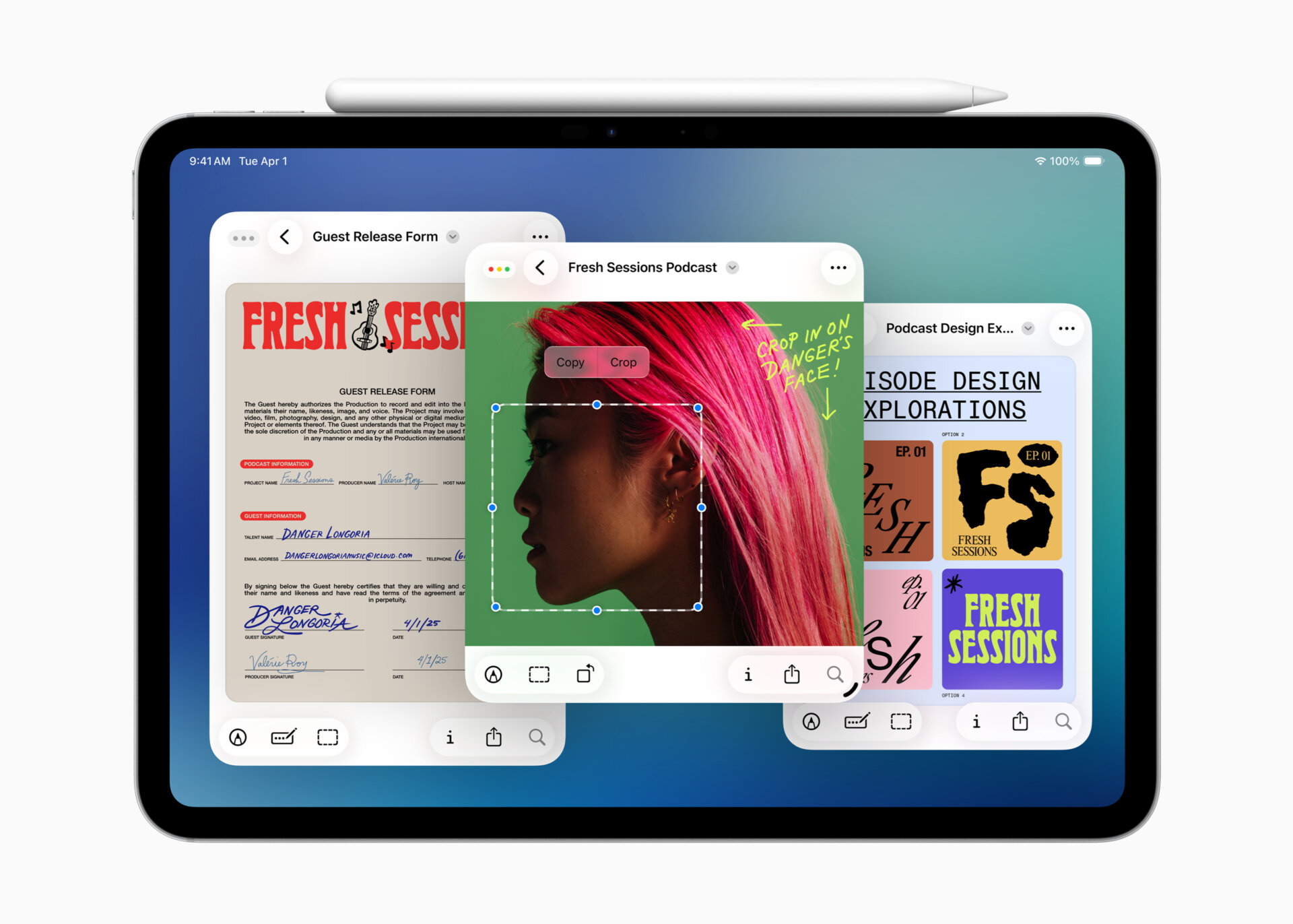
Preview App: A long-time favourite of Mac users, the Preview app is now available on iPad. Use this app to create a quick sketch, and view, edit, and mark up PDFs and images with Apple Pencil or by touch. Access all your PDFs and images in the Files app right from Preview, create an empty page, use Apple Pencil to draw and write on it, and use AutoFill to quickly fill out PDF forms.
Background Tasks: When you start a long-running process in an app, Background Tasks will show up with Live Activities, giving you control and a clear sense of what is running. Developers can use an updated Background Tasks API that allows users to perform long-running tasks from their apps, too.
New Audio Features: Choose different microphones for each app, as well as individual websites. Recorded audio is improved with Voice Isolation, which blocks ambient noise, and allows clear and crisp recordings. With AirPods 4, AirPods 4 with Active Noise Cancellation (ANC), and AirPods Pro 2, studio-quality audio recordings can be made. With Local capture, produce high-quality recordings right from iPad with any video conferencing app, and easily share audio and video files once the call is over. Echo cancellation of other participants’ audio keeps your voice front and centre, allowing for a clear recording.
Journal: The Journal app is now available for iPad so you can capture and write about the details of everyday moments or special events. Using Apple Pencil or touch, incorporate drawings and handwriting, along with photos, videos, audio recordings, places, your state of mind, and more. Keep multiple journals for various aspects of life, and enjoy a map view that organizes entries by location.
Apple Games: Enjoy this new app on iPad as well, with Game Overlay, which allows you to quickly see new events and updates, adjust settings, call or invite a friend mid-game, and more.
Phone App: The Phone app is now available on iPad, along with updates like Hold Assist and Call Screening.
New software features will be available this fall as a free software update for iPad Pro (M4), iPad Pro 12.9-inch (3rd generation and later), iPad Pro 11-inch (1st generation and later), iPad Air (M2 and later), iPad Air (3rd generation and later), iPad (A16), iPad (8th generation and later), iPad mini (A17 Pro), and iPad mini (5th generation and later).