

Apple visionOS 26
For those who forked over the hefty sum for an Apple Vision Pro, there are some updates for you, too.
Widgets Become Spatial: Across the Apple ecosystem, widgets offer personalized and useful information at a glance, and with visionOS 26, widgets become spatial, integrating seamlessly into your space and reappearing every time you put on Apple Vision Pro. Widgets in visionOS 26 are customizable, with a variety of options for frame width, colour, and depth. New widgets including Clock, Weather, Music, and Photos, all offer unique interactions and experiences. Decorate your space with favourite widgets, including panoramas and spatial photos of your favourite memories, clocks with distinctive face designs, and quick access to go-to playlists and songs on Apple Music. The Widgets app helps you find widgets, including those from compatible iOS and iPadOS apps. Developers will also be able to create their own widgets using WidgetKit.
Shared Spatial Experiences: Share spatial experiences with other Apple Vision Pro users in the same room. Come together to watch the latest blockbuster movie in 3D, play a spatial game, or collaborate with coworkers. Add remote participants from across the world via FaceTime, enabling connection with people near and far.
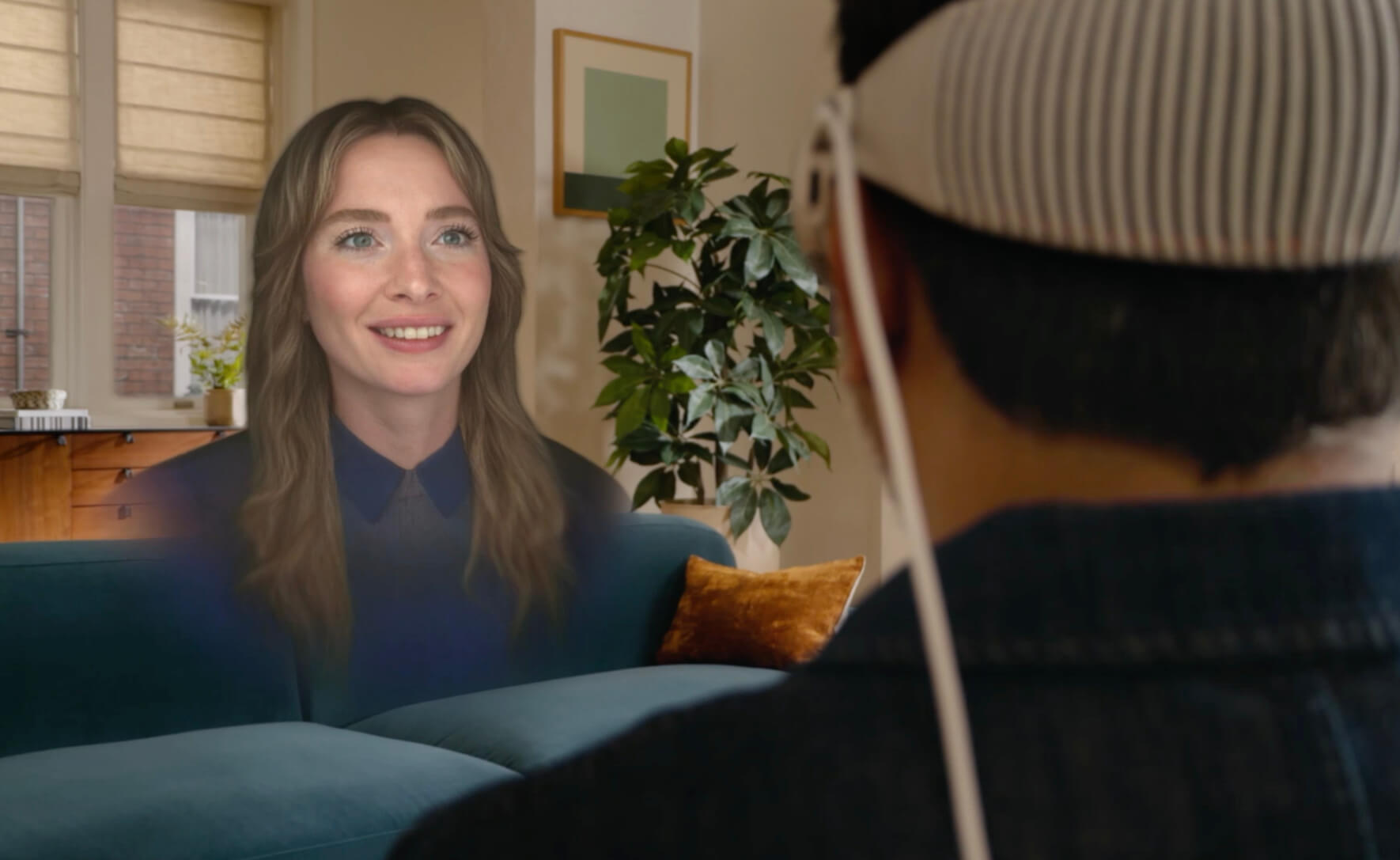
Personas: With visionOS 26, Personas are transformed to feel more natural and familiar. They offer a full side profile view and accurate hair, lashes, and complexion. Personas are still created on device in a matter of seconds, and new improvements to the setup process allow you to adjust and preview how your Persona looks spatially, even pick glasses from over 1,000 variations.
Spatial Scenes: visionOS 26 makes spatial photos more realistic, leveraging a new generative AI algorithm and computational depth to create spatial scenes with multiple perspectives, so you feel like you can lean in and look around. View spatial scenes in the Photos app, Spatial Gallery app, and Safari, while developers can use the Spatial Scene API to make their app experience even more immersive.
Spatial Browsing: Select spatial browsing to transform articles on Safari, hide distractions, and reveal spatial scenes that come alive as you scroll. Web developers can embed 3D models directly into web pages so you can shop and browse with depth and dimension and see and manipulate 3D objects and models right in Safari.

New Native Playback: visionOS 26 supports native playback of 180-degree, 360-degree, and wide field-of-view content from Insta360, GoPro, and Canon.
Support for PlayStation VR2 Sense Controller: Now get support for the PlayStation VR2 Sense controller, so developers can deliver more engaging gameplay experiences for Apple Vision Pro thanks to high-performance motion tracking in 6 degrees of freedom, finger touch detection, and vibration support.
More Apple Intelligence Features: There’s updates to Image Playground and support for new languages: French, German, Italian, Japanese, Korean, and Spanish, along with support for English in Australia, Canada, India, Singapore, and the UK.
Look to Scroll: Explore apps and websites using just your eyes. Customize the scroll speed, and developers can integrate Look to Scroll into their visionOS apps.
Redesigned Control Center: Features like Guest User, Focus, Travel Mode, and more are conveniently displayed in one view, letting you easily manage music, adjust Environment settings, and connect to Mac Virtual Display.
iPhone Connection: Unlock an iPhone while wearing Apple Vision Pro, even in a fully immersive experience like an Environment. This feature can be enabled in Settings for Face ID-enabled iPhone models running iOS 26. It also supports relaying calls from iPhone, so you can now answer phone calls directly from Apple Vision Pro, or start a call from People View by selecting a contact’s phone number or clicking on a phone number in a web page.
Home View: Now supports folders, so you can rearrange and group apps together.