
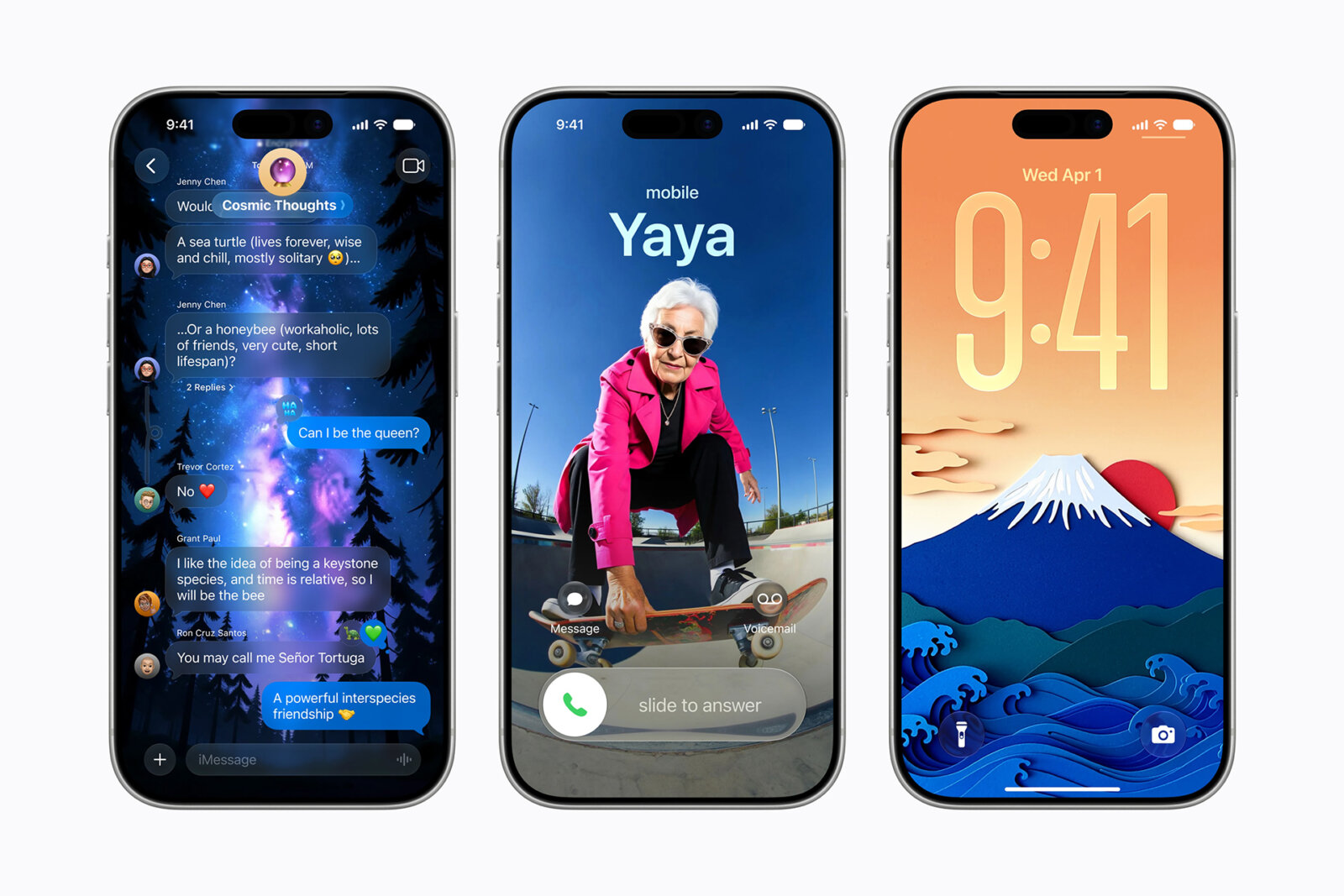
Apple’s annual WWDC focused on major updates to Apple Intelligence and Siri, which is finally getting an AI makeover. There were big announcements and small nuggets, a few in particular that have me most excited. As a primary iPhone, MacBook, and Apple Watch user (of course, I’m always testing Android phones and smartwatches, too) these particular updates have the potential to make a huge difference in my day-to-day.
1. Find My Flexible Sharing
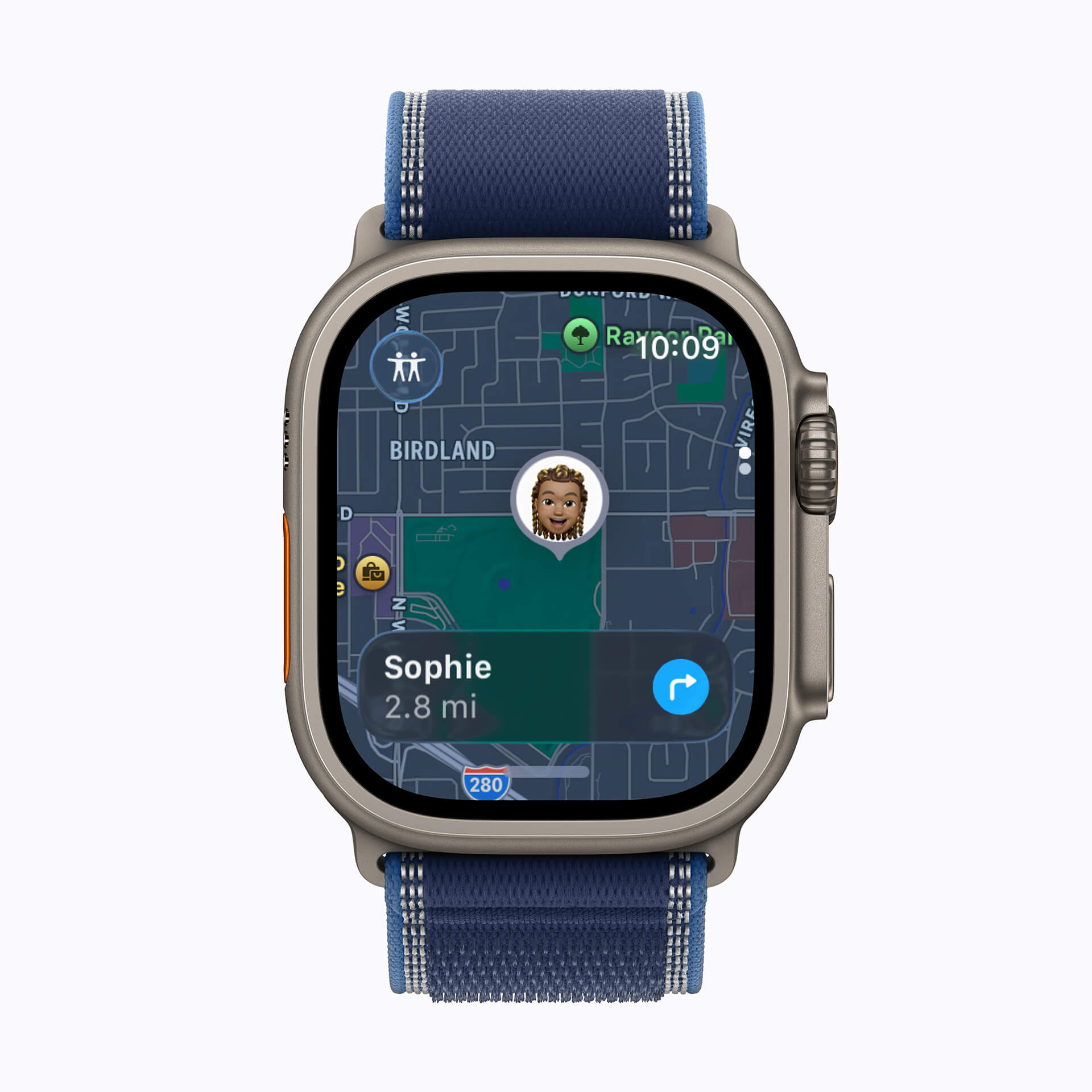
I use Find My daily, usually to check where my son is after school (usually at the park). I can also track my elderly father, able to see his location at any given time should there be an emergency. But there’s an update coming this Fall that could prove temporarily useful. You can choose to share your location with someone only for a custom duration. Say I’m at a resort for a ladies’ weekend and I want to check if anyone is still at the pool or who has already gone back to the room. We could share our locations with one another for just that weekend and stop it after. Maybe you want to allow a babysitter to track your child during the week that they’re taking care of them while you’re away but want to cut off access after. Another useful feature is the ability to pause location sharing for just a specific time, like if you don’t want your spouse to know you’re at the mall getting them an anniversary present, or your teen to see you at the party store grabbing supplies that would tip them off about a surprise party. There’s also a new Find My app for Apple Watch with a map interface so it’s easier to find things like people and items. I have used Find My before to locate my son in a big store, vacation resort, or shopping mall. Friends could head off to different stores and easily find one another without having to text or call.
2. Apple Pay Updates
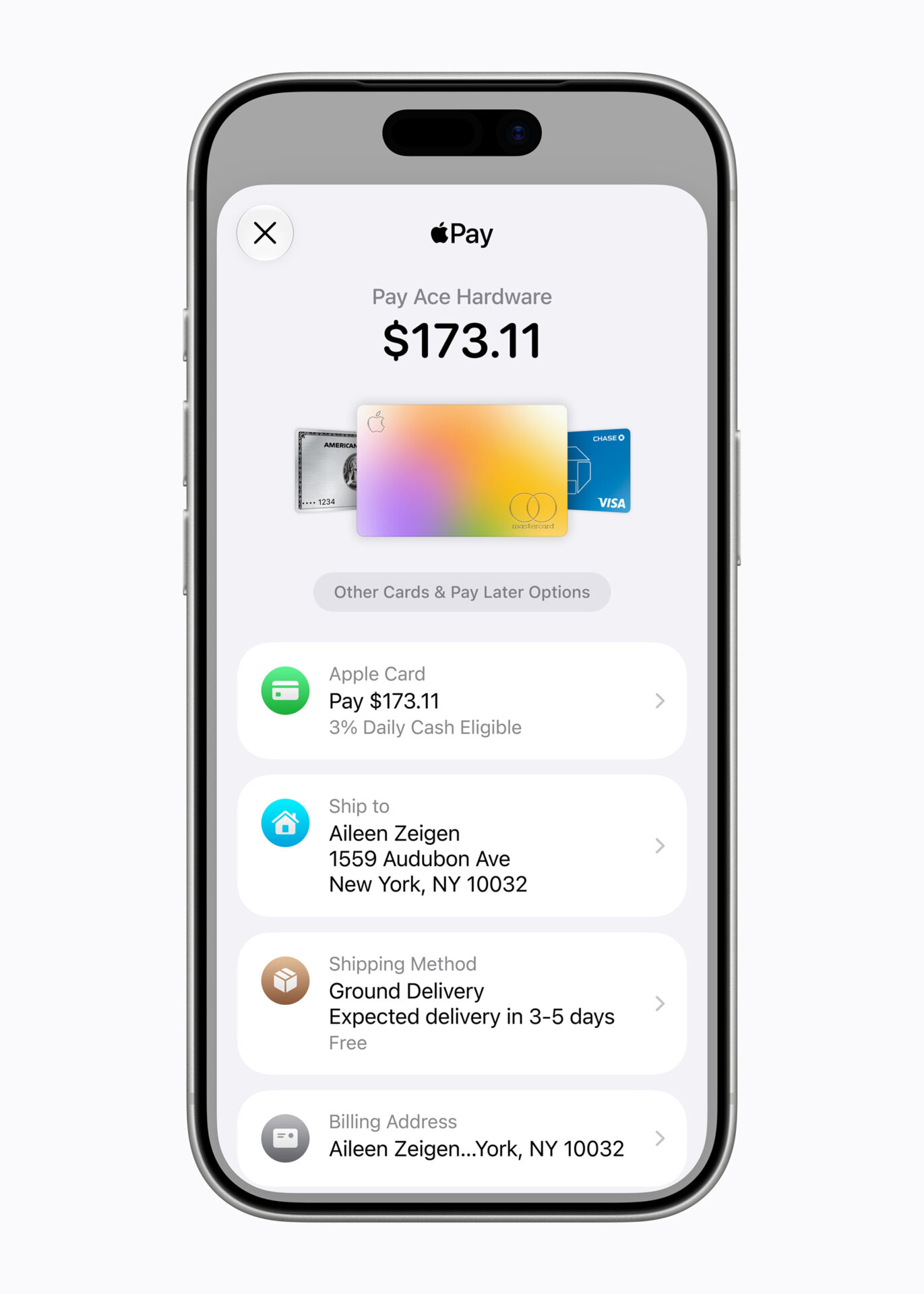
I love using Apple Pay, but it seems like it always defaults to the card I don’t want to use. An update addresses this issue with a new design for seamlessly switching among cards with a simple swipe. If you have an eligible card in the Wallet app, it can also show more information like rewards balances. I have a few loyalty cards in my Wallet that I use often, so I’d love to be able to see more details at-a-glance if the ones I use are compatible with this feature.
3. Updated Cycle Tracking
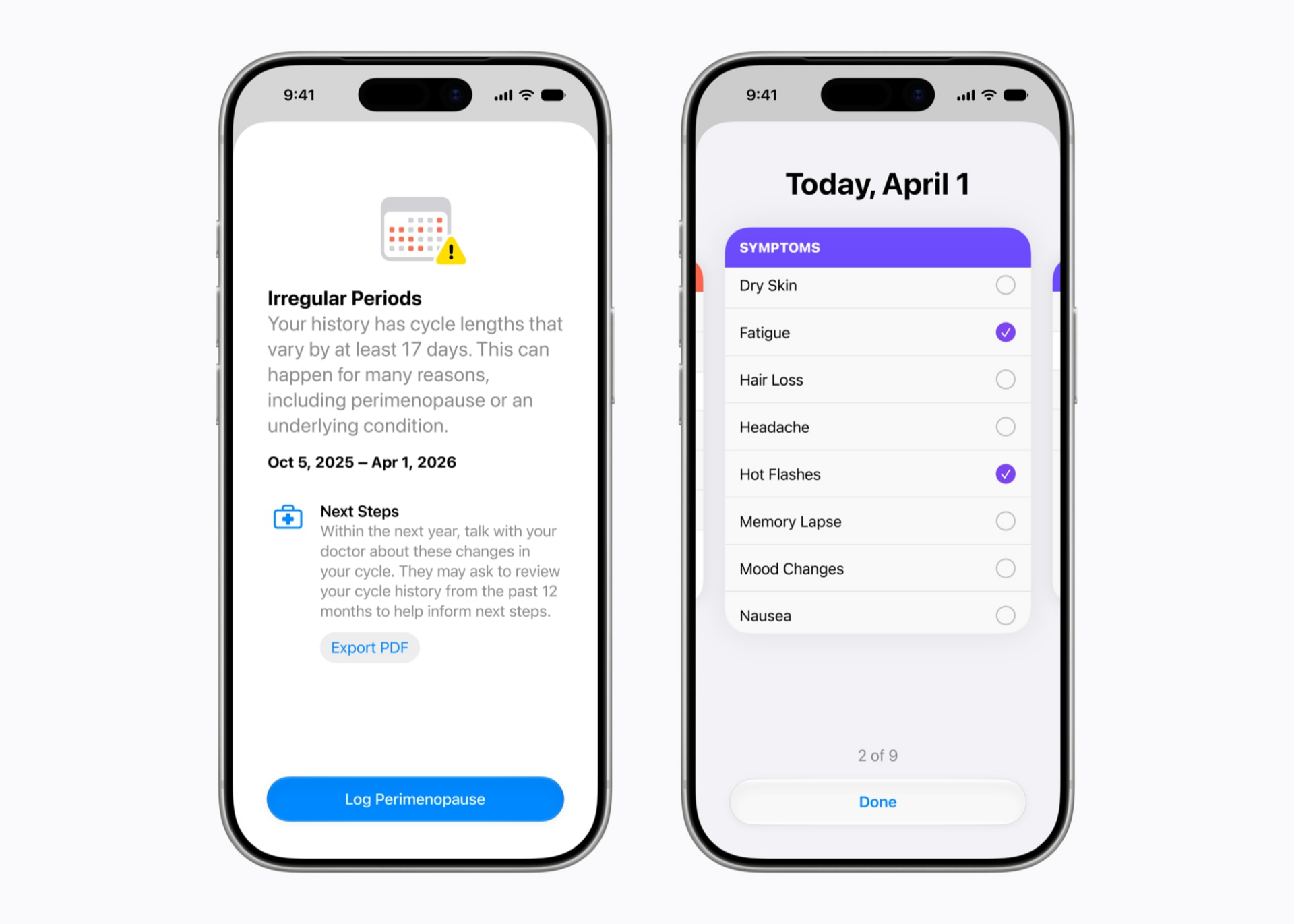
As a woman of a certain age, I appreciate that so many wearables companies are adding perimenopause and menopause insights within their cycle tracking features. And Apple is joining in on the fun. The Health app will now include notifications about cycle deviations inclusive of perimenopause. Apple Fitness+ will add a new Strong Through Menopause progressive three-week program with weekly yoga and strength workouts designed for women going through this change. The idea is to help build strength, improve balance and mobility, and reduce stress. Arguably women of any age and at any stage in their cycle journey can appreciate this. I know I’ll be trying it out. There’s also a new Time to Walk episode with actor Busy Philipps sharing stories from her life, including her journey with perimenopause. It’s nice to see Apple focusing on an undeserved part of the population.
4. Spatial Reframing in Photos
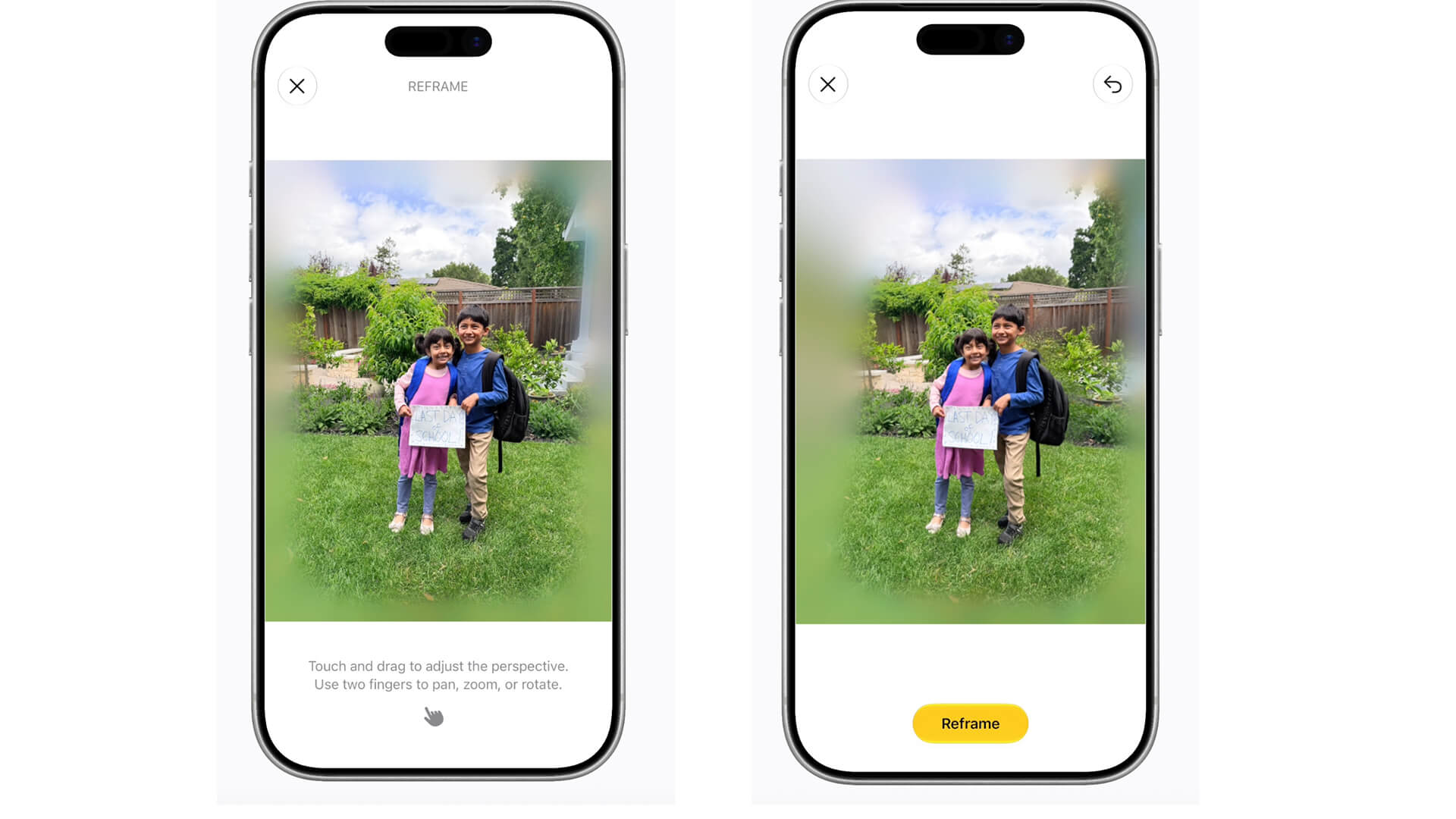
One of the new Apple Intelligence features in Photos is called Spatial Reframing. This feature can improve the composition of a photo after you have taken it. All you need to do is touch and drag it in real time to change the perspective, mimicking the action of physically repositioning the camera. Of course, I don’t know how well this works without trying it. But it has promise for making good photos like landscapes even better.
5. Improved Clean Up

I love the Clean Up feature on iPhone, which handles simple photo clean-up tasks well. But once you play around with similar features on phones like the Samsung Galaxy S26 Ultra and Google Pixel 10 Pro, it’s abundantly clear that Clean Up pales in comparison. I have tried to edit photos using it and given up, transferring the photo to an Android phone to get a much more usable result instead. Clean Up would create a warped looking background or distort parts of an image that other phones handle beautifully. So, hearing that Clean Up is getting an upgrade is music to my iPhone user’s ears. Apple says there will be more realistic infill, even in complex scenes. I’ll be trying to edit images I have already attempted to edit unsuccessfully to put this to the test.
6. Ask Questions About Visual Content

This isn’t groundbreaking, once again, for anyone in the Android world who uses Google Gemini. But Siri has long been behind, only now catching up. I like that Siri will now be able to do things like provide information about things you snap a photo of, even provide nutritional insights about a meal. It remains to be seen how the results compare to Gemini, but I’m excited to try it out regardless.
7. Liquid Glass Adjustment Option
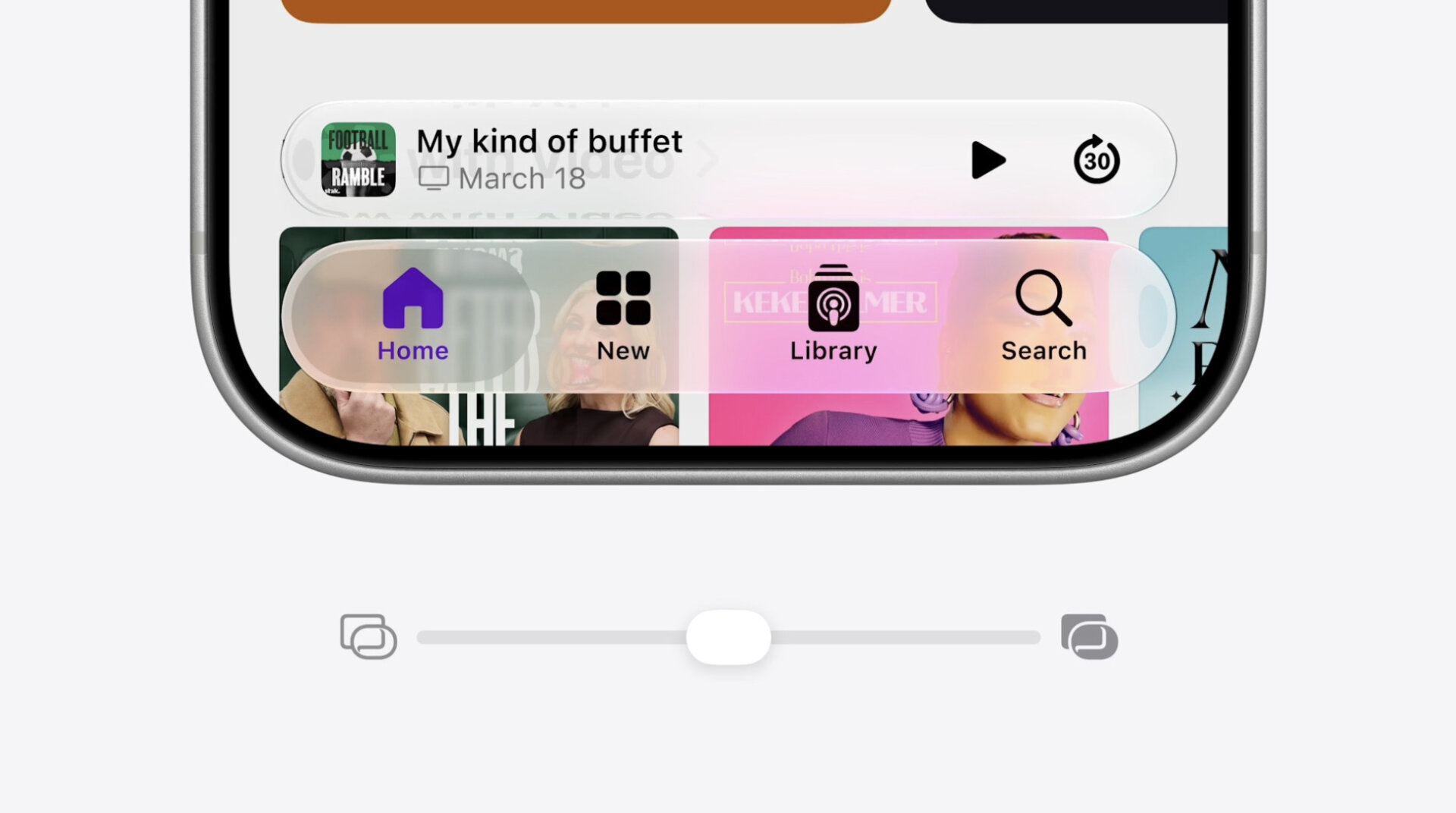
I have no problem with Liquid Glass, but I know a lot of people who don’t like it. My 14-year-old son tried to hold out on running the software update for as long as he could because he didn’t want the new look. I like that Apple has recognized this and is now allowing you to dial it down, so to speak. There will be a new slider in settings for adjusting the look from ultra-clear to fully tinted, or anywhere in between.
8. A New Siri App
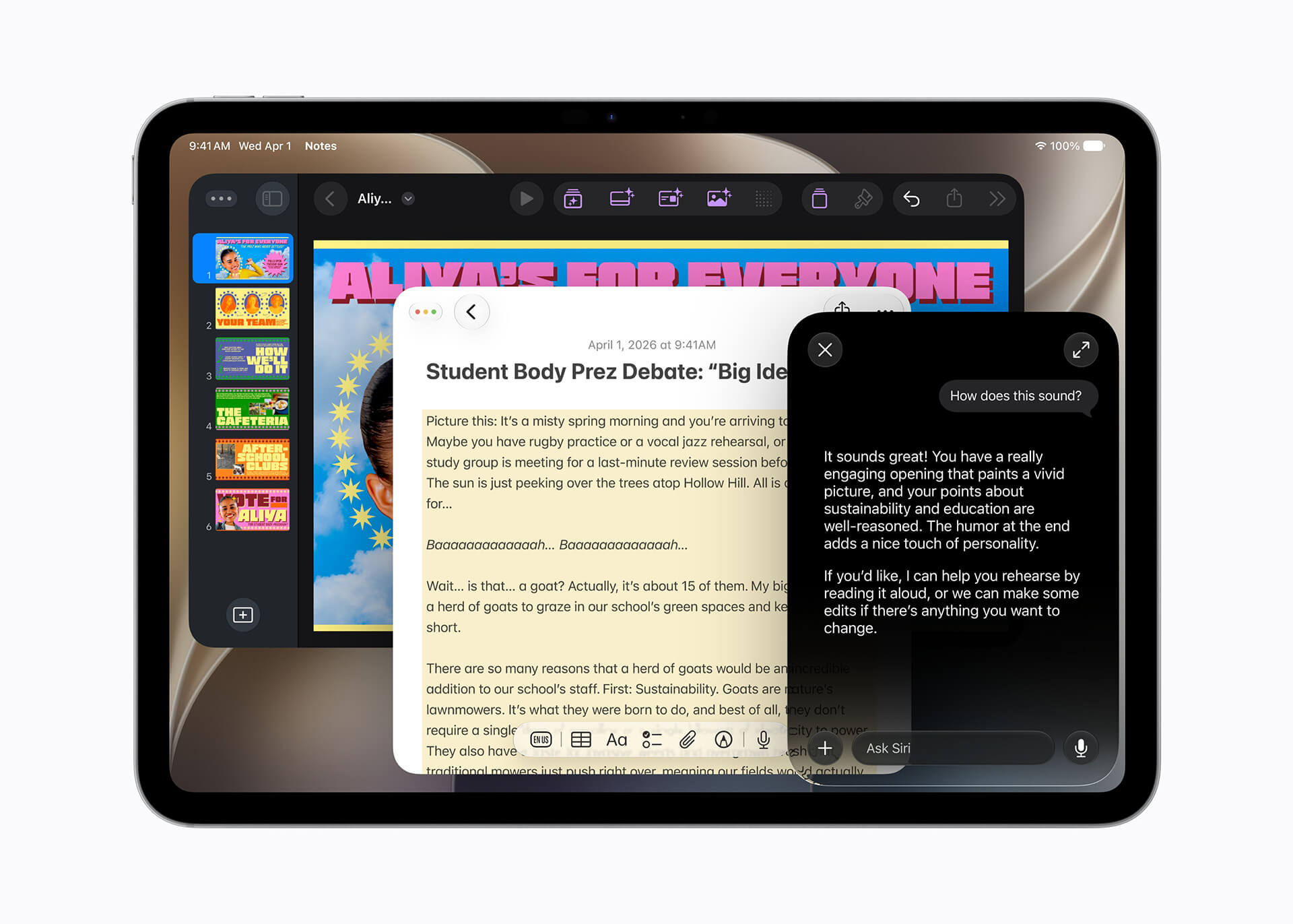
Siri is really becoming Apple’s Gemini competitor, now with its own app you can use to ask questions and revisit past conversations. Since it uses iCloud, conversations are privately synced across all your devices, so you can seamlessly move from your Mac to your iPhone, iPad, and access the same conversation strings. I suspect this will be useful, but I’ll have to wait and see how well it works and if it really can rival Gemini.
9. Parental Control Updates
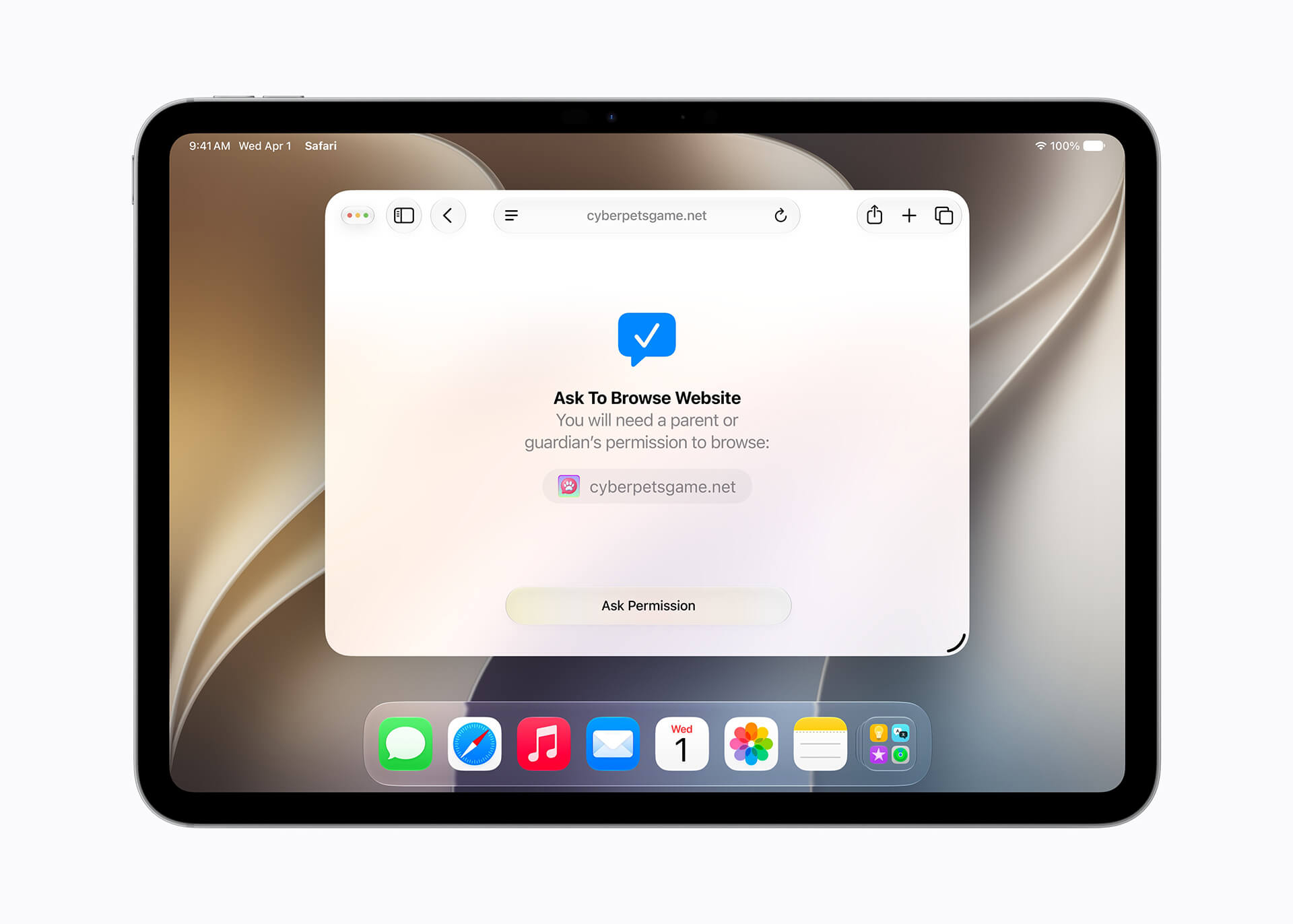
One of the most challenging things about raising a teenager today is access to technology and social media. While my son has an iPhone, his father manages his access to apps, purchases, and screen time. Of course, as he has become older and more responsible, restrictions are loosened. But any updates to parental controls are welcome. I especially like that daily time allowances are backed up by recommendations from leading clinical and child development experts. It instantly gives you a baseline with which to work, and to use when having this conversation with your child. Other welcome new features include the ability to require approval any time the child tries to add a new contact.
10. Faster AirDrop Transfers
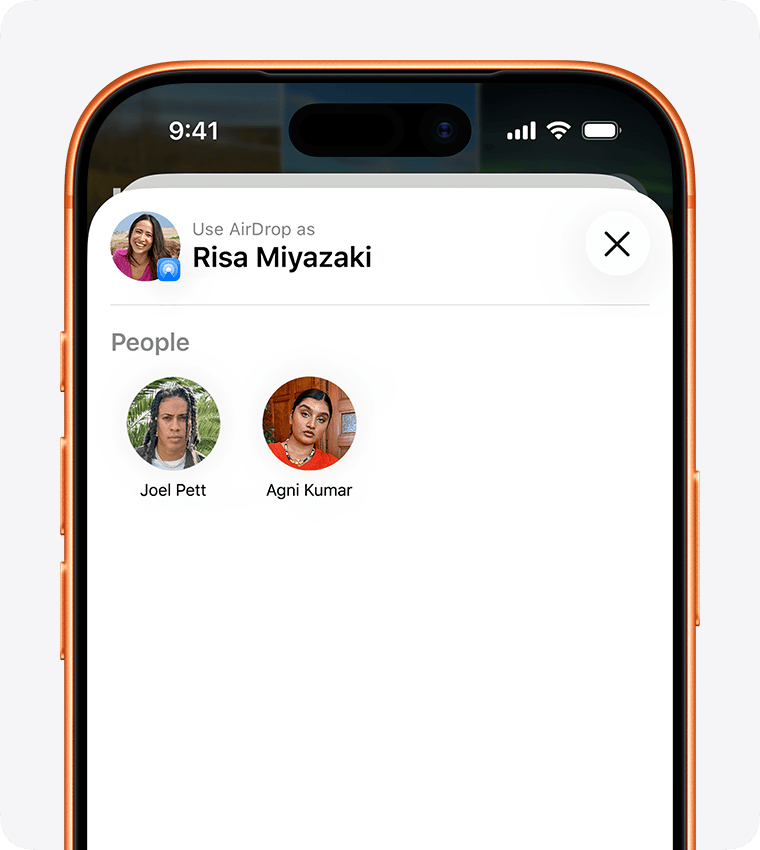
I use AirDrop almost daily when I take photos or capture video footage I upload to my MacBook for editing and posting. It’s already pretty quick, so hearing that Apple is making transfers up to 80% faster with software improvements has me excited. Every minute I can shave off the time it takes to do something leads to greater efficiency. And I’m all about efficiency and time management.
11. One-Tap Messages Suggestions
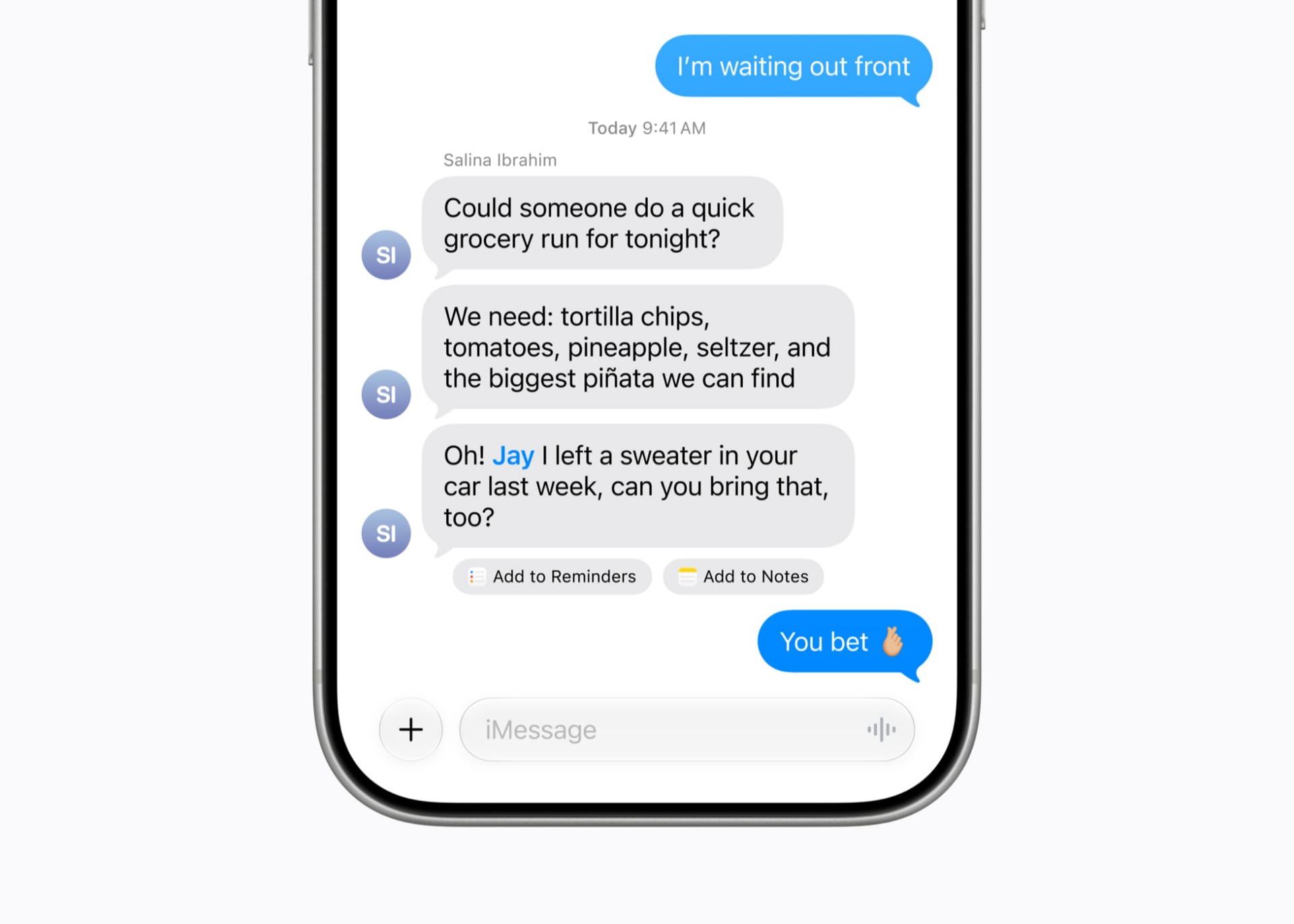
Messages is getting smarter such that if you’re in the middle of discussing an upcoming trip with friends or family, or discussing the office potluck, Apple will surface relevant assistance. It could be a suggestion to add a list someone just sent to Notes, or to set a Reminder for a birthday gift you need to get. It’s basically another layer for iPhone to act as a personal assistant. Who doesn’t want one of those?
12. Safari Notify Me
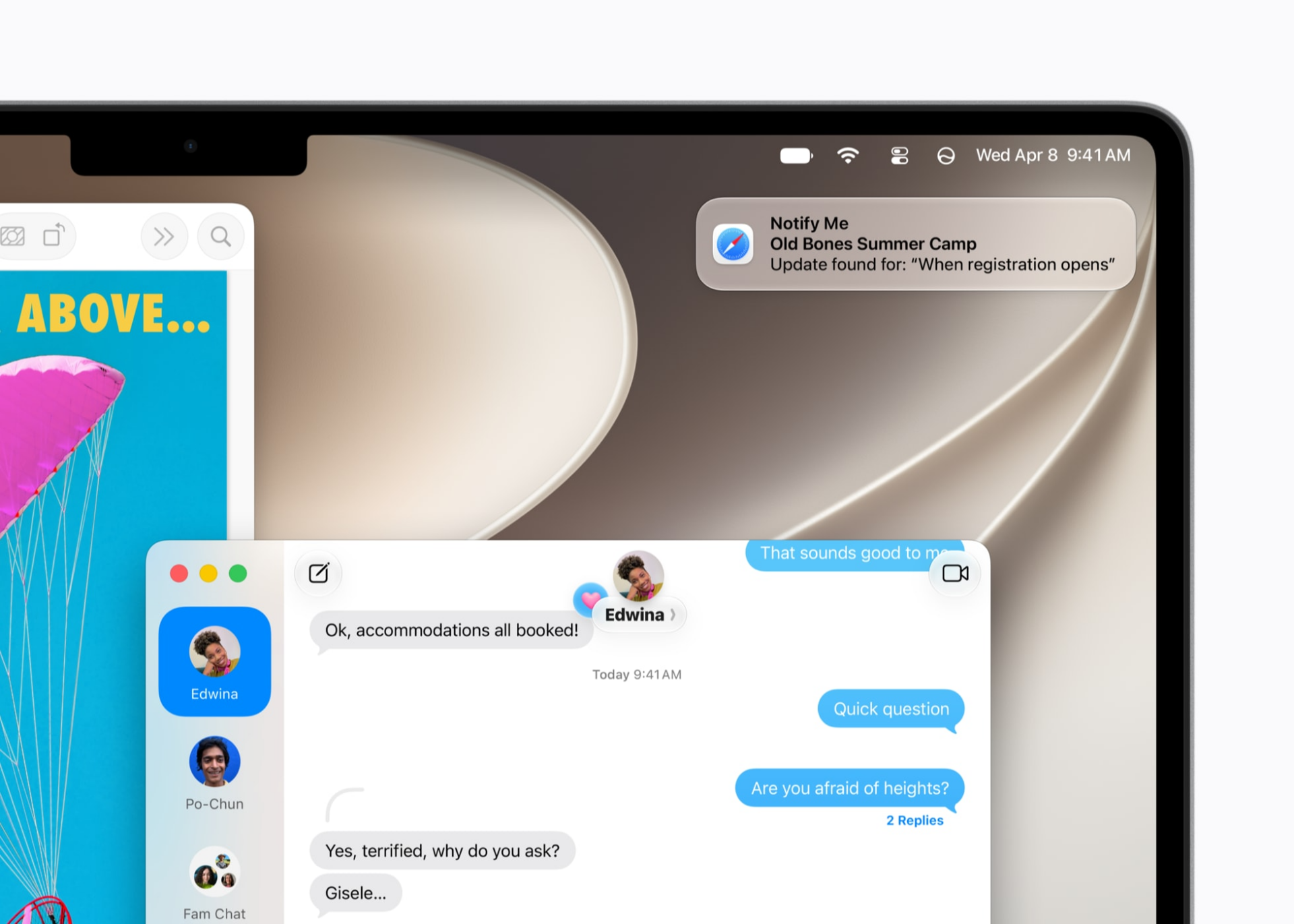
How many pages have you bookmarked or saved, then continuously check back to so you can see if a product you want is restocked or has gone down in price? Before Christmas, I was relentlessly checking the Converse website for more inventory of the limited-edition Stranger Things shoes for my son. When booking him for sleepaway summer camp, I completely forgot about registration and also missed the boat. With this new feature, you can ask Safari to monitor sites for you and report back when a price has dropped, a product has been restocked, or registration for an event has opened.
Apple Intelligence and Siri AI and all the updates that come with them are coming to supported Apple products This Fall through iOS 27, iPadOS 27, macOS 27, watchOS 27, and visionOS 27.